URUGUAY MAP BETA
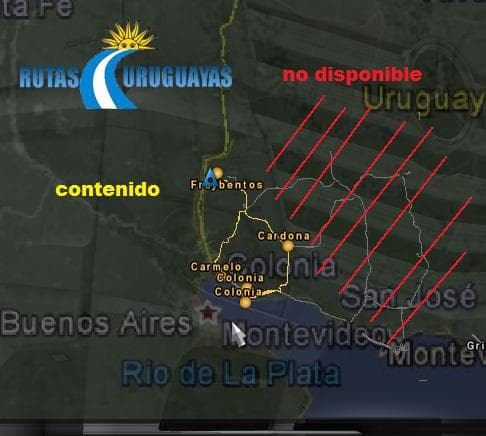
URUGUAY MAP BETA is a map mod that offers a reworked version of Uruguay's road network and towns within Euro Truck Simulator 2. This updated release includes newly added cities and enhanced details, with roads showing signs of wear to add some realism. It comes from the same creator who previously developed maps for Bolivia and an earlier version of Uruguay, indicating a focus on South American regions.
Map mods like this one expand the drivable world by introducing new areas or significantly revising existing ones. They come as .scs files that need to be placed in your ETS2 mod folder and activated through the game's mod manager. The game version supported here is 1.0, so compatibility with later versions may require additional updates or adjustments.
Since map mods affect the base game world, load order is particularly important to avoid conflicts with other map expansions or mods altering the geography. It's generally recommended to run such large-scale maps on a fresh profile or alongside compatible base-map DLCs to prevent issues. Overlapping areas can cause visual glitches or crashes if not managed properly.
Players aiming for a more diverse trucking experience in South America will find this mod useful. It fits well into setups that already include other regional maps but requires some attention to compatibility if used with multiple map mods simultaneously. The deteriorated roads add a layer of challenge and atmosphere that some drivers might appreciate.
While specific file size and detailed version history aren't provided, this mod targets those interested in exploring Uruguay beyond what vanilla ETS2 offers. It's suitable for users who like to mix map extensions with their cargo hauling gameplay, adding variety without straying too far from realistic road conditions.
How to install
1. Download every .scs file from the source page (map mods often ship multiple files). 2. Copy all files to `Documents/Euro Truck Simulator 2/mod/`. 3. Enable each file in Mod Manager **in the order documented by the modder**. Load order matters for maps. 4. Start a new save or use an existing save that already supports the map's base regions.
After the mod loads, save your game inside a safe area (parking lot or service) before deciding whether to keep it. If the game refuses to load with the mod enabled, check that all required DLCs are installed and that the supported ETS2 version chips on this page include your installed game patch.
Known conflicts
No conflicts reported for this mod yet. Running a big mod list? Check your whole setup for conflicts →
Reviews
No ratings yetNo reviews yet — be the first to rate this mod.





