URAL 43202 CONVERT AND EDIT BY EKUALIZER
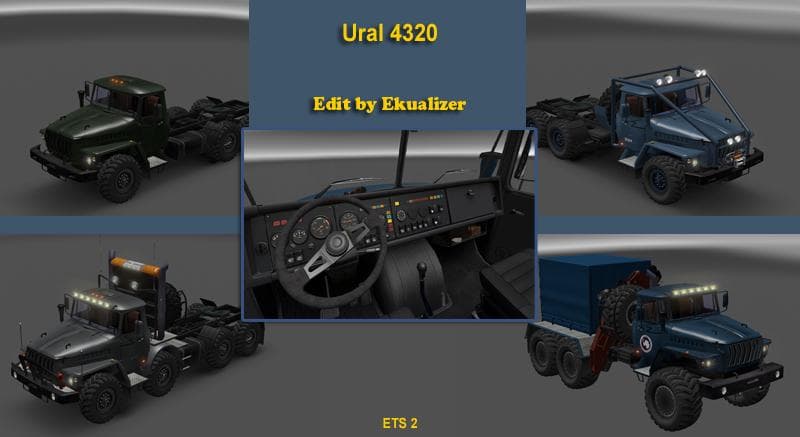
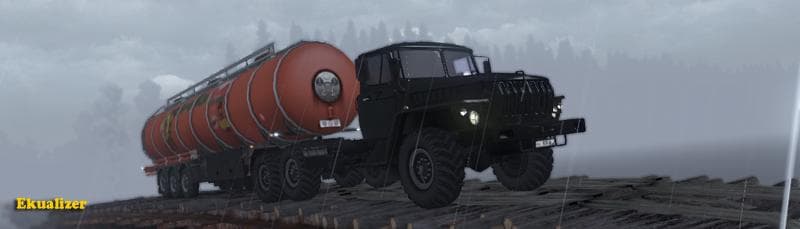
This URAL 43202 mod by EKUALIZER offers various chassis options including 6x4, 6x6, 8x4/4, and 8x8/4, as well as an Arctic version. The mod is categorized under
The URAL 43202 CONVERT AND EDIT BY EKUALIZER is a truck mod for Euro Truck Simulator 2 that introduces several variants of the Ural heavy-duty trucks. This includes different chassis configurations such as 6×4, 6×6, 8×4, and 8×8 setups along with an Arctic version called Polarnik. These trucks are drivable cabs purchasable from dealers within the game, expanding the vehicle options available to players.
Truck mods like this one add new drivables to ETS2 by providing unique interiors, engine choices, and paint slots tailored to each model. The Ural series is known for ruggedness and off-road capability in real life, so these versions often appeal to those who enjoy challenging terrain or want a distinctive look compared to standard European trucks.
When integrating a truck mod into a modded setup, it's common practice to check load order since trucks may conflict with other vehicle mods or tuning packs. Typically, truck mods should be loaded after map expansions but before any mods that alter physics or AI traffic vehicles for smooth compatibility.
This particular set of Ural trucks can fit well within themes focusing on Eastern Europe or Russia since the brand originates there. Players who prefer hauling across rough conditions or exploring less conventional routes might find these chassis options useful for diverse hauling experiences beyond typical highways.
Given the variety of chassis options from 6×4 up to 8×8 and even an Arctic model, this mod caters to users looking for versatility in their fleet. It's also interesting for those wanting a bit of variety in their garage without straying too far from authentic heavy-duty utility vehicles found in real-world trucking scenarios.
How to install
1. Download the .scs file from the original source linked above. 2. Copy the file to `Documents/Euro Truck Simulator 2/mod/`. 3. Launch ETS2, open the Mod Manager from the main menu, enable the mod, restart the game. 4. Visit any truck dealer to spawn the new truck.
After the mod loads, save your game inside a safe area (parking lot or service) before deciding whether to keep it. If the game refuses to load with the mod enabled, check that all required DLCs are installed and that the supported ETS2 version chips on this page include your installed game patch.
Reviews
No ratings yetNo reviews yet — be the first to rate this mod.





![Fuso Supergreat Hi Cab Truck [1.50 – 1.60] – Trucks mod for Euro Truck Simulator 2](/_next/image?url=https%3A%2F%2F802software.s3.us-east-1.amazonaws.com%2Fets2modspot%2Fscreenshots%2F7494%2F0.jpg&w=3840&q=75)