TROPICAL TREES MOD
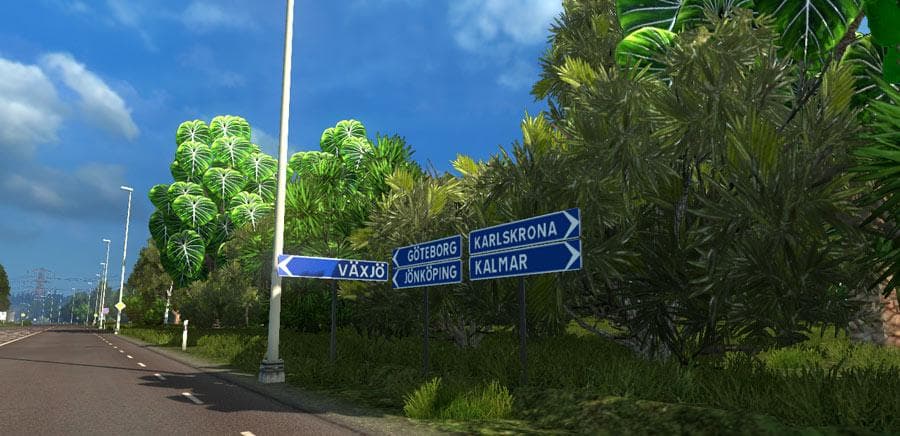
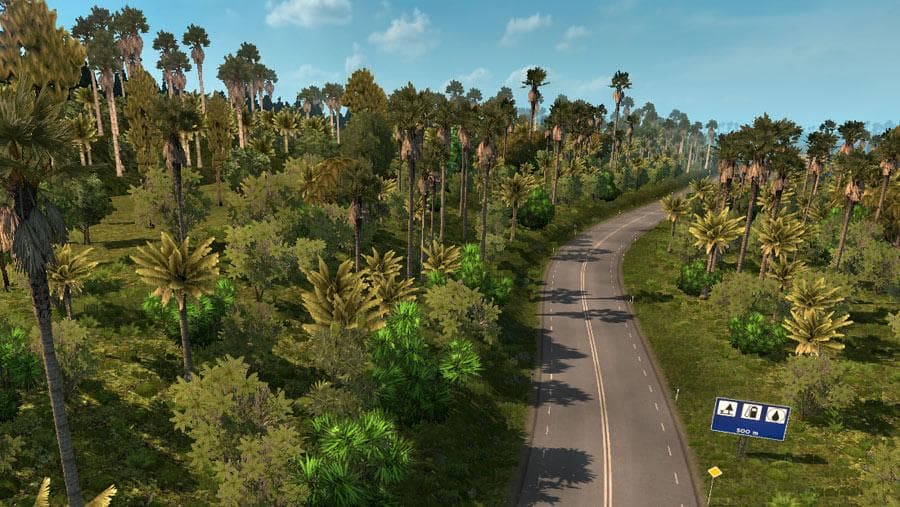
The "TROPICAL TREES MOD" for ETS2 version 1.20 transforms Europe into a tropical setting, perfect for warm climate maps. Created by Euro Truck Simulator 2, this
The Tropical Trees Mod changes the look of Europe by adding tropical vegetation, giving the landscape a warmer, lush feel. This kind of mod is part of the map category in ETS2, which means it alters or enhances the game’s drivable world. Instead of creating new roads or cities, this mod focuses on transforming the natural environment to fit a more tropical theme.
Map mods like this usually come as one or more .scs files that you place in your ETS2 mod folder. They’re sensitive to load order, so it's wise to manage them carefully alongside other map additions or graphical tweaks. Sometimes you may need to start a new profile when using these kinds of mods to avoid conflicts with existing game data.
Since this mod is compatible with ETS2 version 1.20, it fits well into setups that are based around that game version. Players who enjoy exploring modified landscapes or want a fresh visual experience for familiar routes might find this kind of environmental change appealing.
This mod could be particularly interesting for those who like warm climate maps or want to give their European trucking runs a unique twist by seeing palm trees and tropical greenery instead of the usual European flora. It might not add new gameplay elements but definitely shifts the atmosphere and scenery.
When combining this with other map mods, users should keep an eye on compatibility and load order because overlapping changes can cause issues or visual glitches. It’s always a good idea to check if other mods are designed for the same game version and whether they require certain base map DLCs before activating them together.
How to install
1. Download every .scs file from the source page (map mods often ship multiple files). 2. Copy all files to `Documents/Euro Truck Simulator 2/mod/`. 3. Enable each file in Mod Manager **in the order documented by the modder**. Load order matters for maps. 4. Start a new save or use an existing save that already supports the map's base regions.
After the mod loads, save your game inside a safe area (parking lot or service) before deciding whether to keep it. If the game refuses to load with the mod enabled, check that all required DLCs are installed and that the supported ETS2 version chips on this page include your installed game patch.
Known conflicts
No conflicts reported for this mod yet. Running a big mod list? Check your whole setup for conflicts →
Reviews
No ratings yetNo reviews yet — be the first to rate this mod.





