TIMBER TRADE CHMITZ TRAILER V1.0
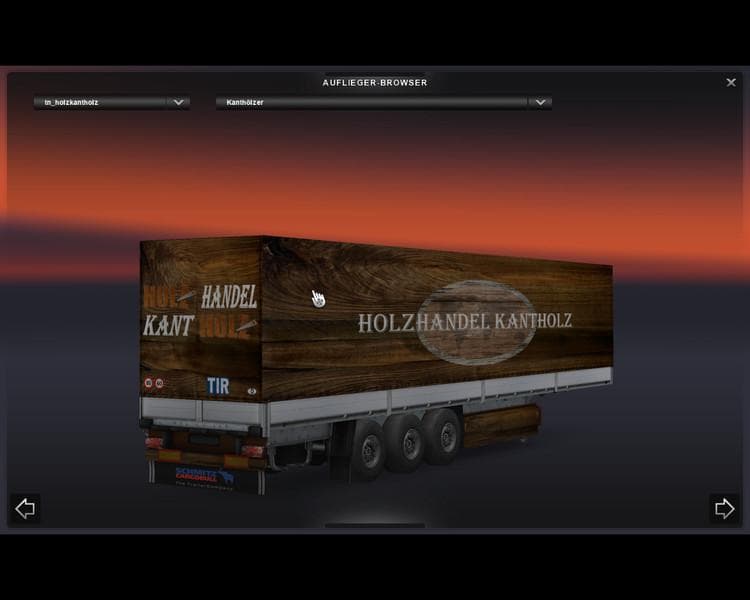
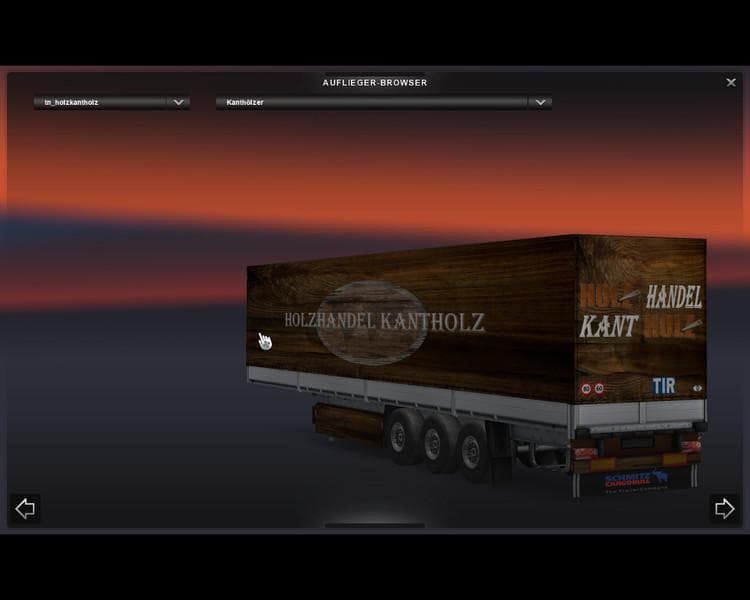
The TIMBER TRADE SCHMITZ TRAILER is a new trailer mod for ETS2, version 1.0, created by Euro Truck Simulator 2. It has been tested with ETS2 versions 1.0 and 1.
The TIMBER TRADE CHMITZ TRAILER V1.0 adds a new timber trailer to Euro Truck Simulator 2, expanding the variety of haulable trailers available in the game. This mod introduces a Schmitz-branded trailer designed specifically for carrying timber cargo, fitting naturally into ETS2's existing cargo and trailer systems. Trailer mods like this one appear in the cargo selection menu or at trailer dealers, allowing players to purchase and haul different types of goods with their trucks.
Trailer mods generally enhance the gameplay by offering fresh hauling options and sometimes new cargo types or visual styles. They slot into your mod setup alongside other vehicle or map mods without requiring major adjustments, but it's always wise to check load order if you use multiple trailer mods to avoid conflicts. This particular trailer has been tested on versions 1.0 and 1.21 of ETS2, including compatibility with expansions like Going East, Scandinavia, and popular map mods such as TSM with Real Companies enabled.
Integrating this timber trailer fits well for players who enjoy logging-related transport jobs or want to diversify their freight portfolio beyond standard cargos like containers or refrigerated goods. Since it supports various map mods and company packs, it can blend smoothly into modded setups that feature expanded geographical areas across Europe and beyond.
Anyone running a modded ETS2 profile with an emphasis on realism or variety in trucking routes might appreciate adding this trailer to their collection. It complements other industry-specific trailers by providing a focused option for timber hauls that reflect real-world logistics scenarios.
In general, when using trailer mods like this one, keeping them updated alongside your game version helps maintain stability. Also, placing them lower in your mod list can prevent overshadowing core game trailers or those from major overhaul mods.
How to install
1. Download the .scs file. 2. Drop it into `Documents/Euro Truck Simulator 2/mod/`. 3. Enable in Mod Manager. 4. Trailer should appear in cargo selection or trailer dealer depending on the mod's design.
After the mod loads, save your game inside a safe area (parking lot or service) before deciding whether to keep it. If the game refuses to load with the mod enabled, check that all required DLCs are installed and that the supported ETS2 version chips on this page include your installed game patch.
Reviews
No ratings yetNo reviews yet — be the first to rate this mod.





