TERRA MAP (BETA)
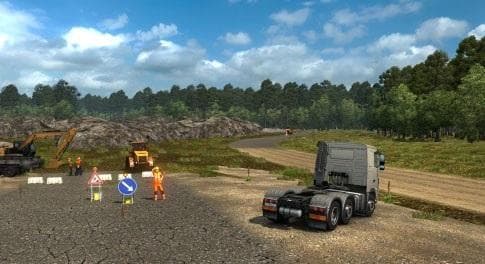
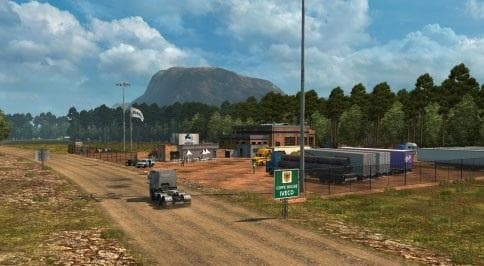
TERRA MAP (BETA) by Euro Truck Simulator 2 adds 16 cities and roads with various surfaces. More towns and roads will be added in the future. Compatible with ETS
TERRA MAP (BETA) is a map mod designed for Euro Truck Simulator 2 version 1.22, adding a network of 16 cities connected by roads with varying surfaces. This mod aims to expand the driving environment by introducing new locations and pathways, enhancing exploration beyond the base game world. Since it's labeled as beta, expect ongoing updates that will bring additional towns and routes in future releases.
Map mods like this one change the ETS2 landscape by expanding or reshaping the drivable area. They come as .scs files that need to be placed in the game's mod folder and activated through the mod manager. Proper load order matters here; TERRA MAP (BETA) should generally be loaded after any core map DLCs to avoid conflicts or missing features.
Players running heavily modded setups often combine several map expansions for variety, but they must watch for compatibility issues between overlapping regions or road networks. Sometimes a fresh profile is needed when installing new map mods to ensure proper functionality. While specifics for this mod’s compatibility aren't detailed, usual care with load order applies.
Those interested in exploring more diverse road surfaces and additional cities might find this mod appealing. It fits well if you want to test new areas without replacing the entire map experience. The gradual addition of content suggests it’s suited for players willing to try out evolving projects rather than finished products.
The inclusion of different road types can affect driving dynamics, making routes less predictable compared to standard asphalt highways. This feature can add some variety during long hauls and may appeal to drivers who enjoy mixed terrain challenges within ETS2.
How to install
1. Download every .scs file from the source page (map mods often ship multiple files). 2. Copy all files to `Documents/Euro Truck Simulator 2/mod/`. 3. Enable each file in Mod Manager **in the order documented by the modder**. Load order matters for maps. 4. Start a new save or use an existing save that already supports the map's base regions.
After the mod loads, save your game inside a safe area (parking lot or service) before deciding whether to keep it. If the game refuses to load with the mod enabled, check that all required DLCs are installed and that the supported ETS2 version chips on this page include your installed game patch.
Known conflicts
No conflicts reported for this mod yet. Running a big mod list? Check your whole setup for conflicts →
Reviews
No ratings yetNo reviews yet — be the first to rate this mod.





