TERMINAL FOR BUSES AND TRUCKS 1.22.X
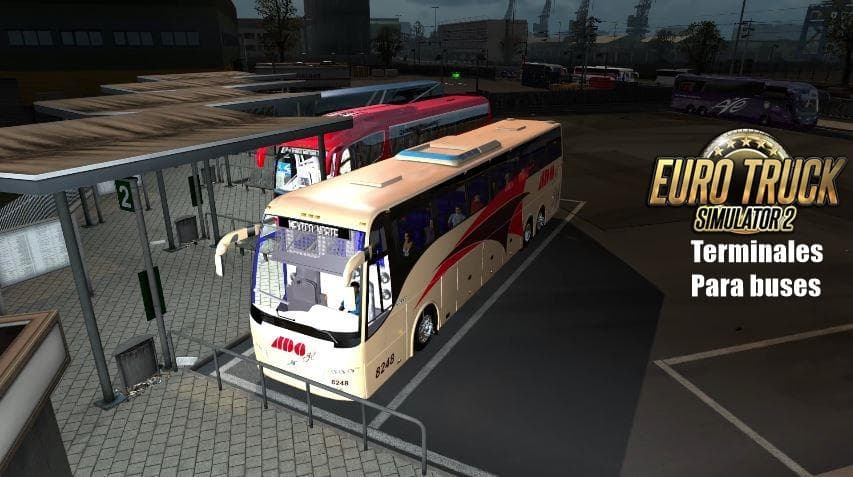
TERMINAL FOR BUSES AND TRUCKS 1.22.X is a map mod for ETS2 version 1.22 that adds trucks and buses traffic to the game. Created by Euro truck simulator 2, it in
This mod called TERMINAL FOR BUSES AND TRUCKS 1.22.X adds a new map element focused on terminals where both buses and trucks gather. It’s designed for version 1.22 of Euro Truck Simulator 2, and its main aim is to introduce more varied traffic, particularly with trucks and buses mingling in the game environment. This can make the game feel busier and more immersive as you drive through those areas.
Map mods like this one usually extend the playable world by adding new locations or modifying existing ones to include fresh features such as terminals, parking lots, or transport hubs. They come in .scs files that need to be placed in your mod folder and activated via the game’s mod manager. Load order matters here because these mods alter map data; having them conflict with other map mods can cause issues or crashes if not managed carefully.
Since this mod changes traffic patterns by including both trucks and buses, it fits well into setups that already have map expansions or traffic mods active. Users should be cautious about load order especially if they use other mods that affect vehicle spawns or road layouts, ensuring this terminal mod loads after base maps but before any global traffic overhauls for smooth operation.
Players who want a livelier road experience will find this useful. It’s particularly appealing to those who enjoy seeing diverse vehicles around their routes rather than just standard truck traffic. Adding bus presence alongside trucks can create a more dynamic atmosphere at terminals and city outskirts.
The creator isn’t specified here, so users should keep backups when trying this out. Testing on version 1.22 is recommended to avoid compatibility problems with newer ETS2 updates.
How to install
1. Download every .scs file from the source page (map mods often ship multiple files). 2. Copy all files to `Documents/Euro Truck Simulator 2/mod/`. 3. Enable each file in Mod Manager **in the order documented by the modder**. Load order matters for maps. 4. Start a new save or use an existing save that already supports the map's base regions.
After the mod loads, save your game inside a safe area (parking lot or service) before deciding whether to keep it. If the game refuses to load with the mod enabled, check that all required DLCs are installed and that the supported ETS2 version chips on this page include your installed game patch.
Known conflicts
No conflicts reported for this mod yet. Running a big mod list? Check your whole setup for conflicts →
Reviews
No ratings yetNo reviews yet — be the first to rate this mod.





