STATOIL GAS STATION
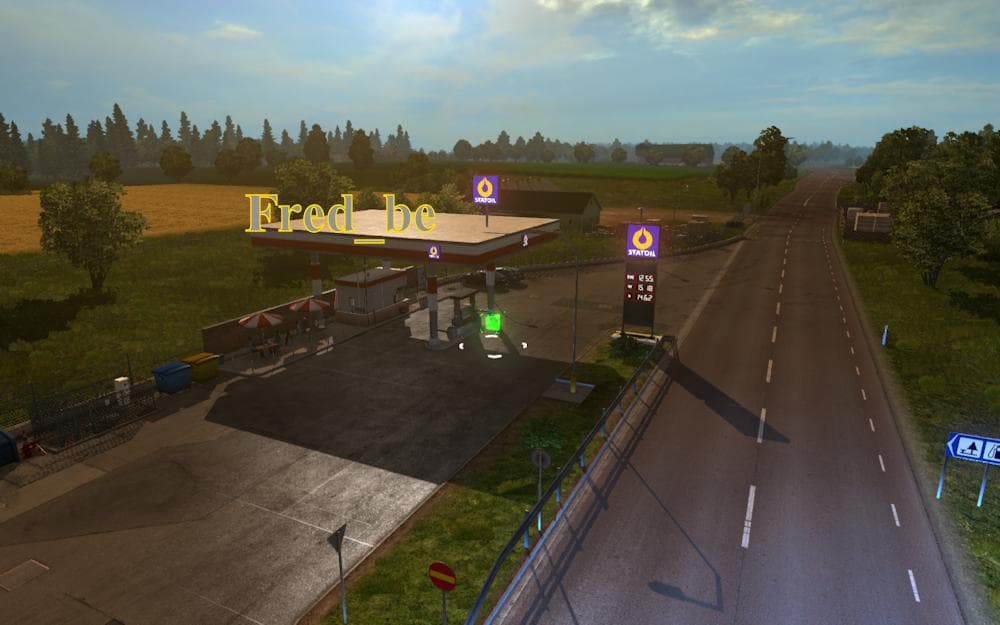
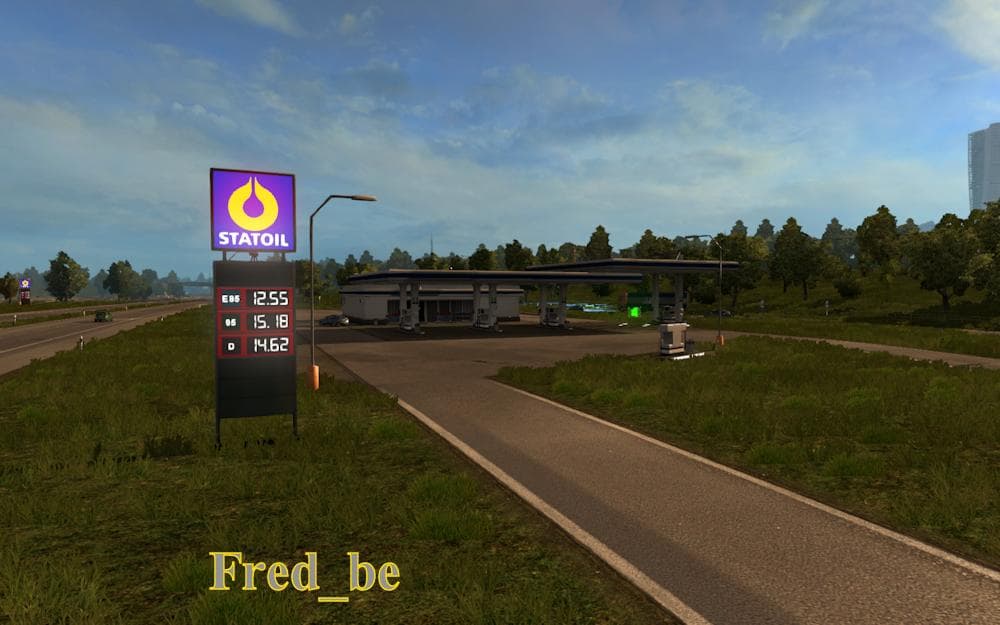
The STATOIL GAS STATION mod adds a branded fuel stop to the map, enhancing the Scandinavian region in Euro Truck Simulator 2. It specifically requires the Scandinavia DLC and is compatible with game version 1.19. This kind of map mod typically introduces new points of interest or infrastructure, enriching the driving experience by providing more realistic locations for refueling and rest.
Map mods like this one come as .scs files that need to be placed in the correct mod folder and activated through the game's mod manager. Since they alter or expand parts of the base world, it's crucial to load them properly in relation to other map mods to avoid conflicts. Some might require starting a new profile if they change core map elements significantly.
In a modded setup, adding branded gas stations fits nicely alongside other map enhancements or companies that increase immersion. Players who use multiple location-based mods will want to pay attention to load order so that this gas station appears correctly without being overwritten by larger map overhauls.
This mod appeals mainly to those focused on trucking routes through Scandinavia who want more variety at fuel stops without straying from authentic brands found in the region. It’s ideal for players who enjoy exploring and roleplaying within a detailed European truck simulation environment.
Overall, STATOIL GAS STATION is a straightforward addition for ETS2 users looking to add realistic service stations while driving across Denmark, Norway, and Sweden. Its compatibility with version 1.19 ensures it fits into current gameplay without requiring older versions or unusual workarounds.
How to install
1. Download every .scs file from the source page (map mods often ship multiple files). 2. Copy all files to `Documents/Euro Truck Simulator 2/mod/`. 3. Enable each file in Mod Manager **in the order documented by the modder**. Load order matters for maps. 4. Start a new save or use an existing save that already supports the map's base regions.
After the mod loads, save your game inside a safe area (parking lot or service) before deciding whether to keep it. If the game refuses to load with the mod enabled, check that all required DLCs are installed and that the supported ETS2 version chips on this page include your installed game patch.
Known conflicts
No conflicts reported for this mod yet. Running a big mod list? Check your whole setup for conflicts →
Reviews
No ratings yetNo reviews yet — be the first to rate this mod.





