SPRING/AUTUMN BY GRIMES
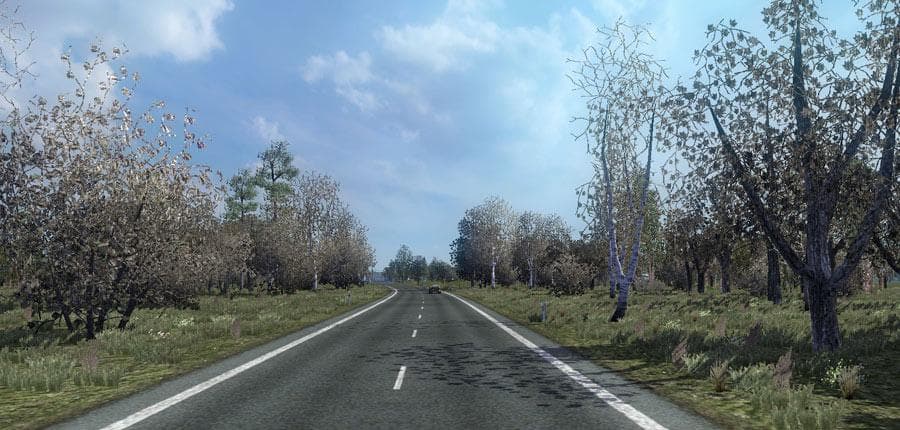
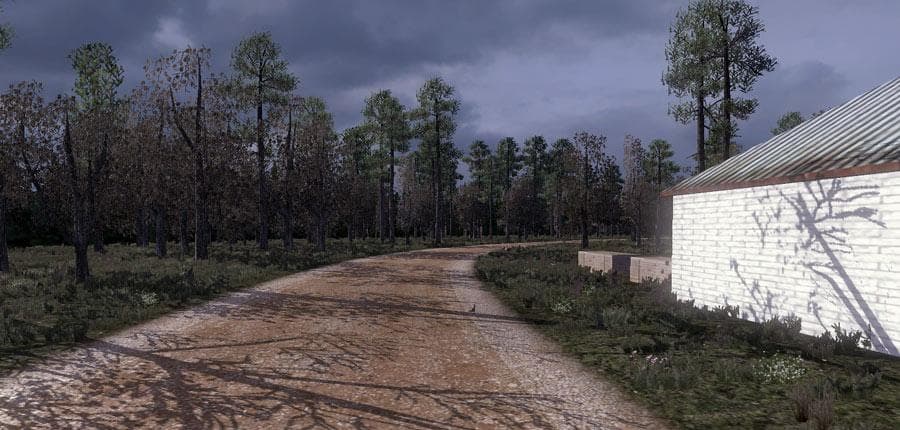
The Spring/Autumn mod by Grimes for ETS2 offers a simulation of early spring/late autumn and mid spring/early autumn. Details about the category, supported ETS2
SPRING/AUTUMN BY GRIMES is a map mod designed to simulate seasonal changes, specifically early spring and late autumn as well as mid spring and early autumn. Instead of altering geography or adding new roads, it adjusts the environment's appearance to reflect these transitional times of year. This kind of mod brings variety to the visual experience without impacting gameplay mechanics directly.
Map mods like this one usually come as .scs files and are sensitive to load order, so they should be placed carefully among other map expansions or weather-related mods. Some may require a fresh profile or specific base-map DLCs, depending on how they interact with existing content. While SPRING/AUTUMN BY GRIMES doesn’t add new routes or cities, it enhances immersion by changing the atmosphere across regions you already know.
In a modded setup, seasonal map mods fit well alongside other environmental adjustments such as weather and lighting mods. They can complement map expansions that add new areas by providing consistent seasonal visuals throughout your travels. Users should test compatibility with any other texture or graphics modifications to avoid conflicts in visual elements.
Players who enjoy a more dynamic and varied landscape over time would appreciate this mod. It’s for those who want their driving experience to reflect different times of the year without switching maps or relying solely on game settings. If you like seeing the subtle shifts in foliage colors and roadside details during spring and autumn, this mod adds that touch.
While details like supported ETS2 versions or file size aren't specified, its focus on seasonal simulation suggests it’s a lightweight addition compared to full map expansions. It's a useful enhancement for anyone aiming for deeper immersion during their hauls across familiar territories.
How to install
1. Download every .scs file from the source page (map mods often ship multiple files). 2. Copy all files to `Documents/Euro Truck Simulator 2/mod/`. 3. Enable each file in Mod Manager **in the order documented by the modder**. Load order matters for maps. 4. Start a new save or use an existing save that already supports the map's base regions.
After the mod loads, save your game inside a safe area (parking lot or service) before deciding whether to keep it. If the game refuses to load with the mod enabled, check that all required DLCs are installed and that the supported ETS2 version chips on this page include your installed game patch.
Known conflicts
No conflicts reported for this mod yet. Running a big mod list? Check your whole setup for conflicts →
Reviews
No ratings yetNo reviews yet — be the first to rate this mod.





