South Korea Adventure Map v2.0
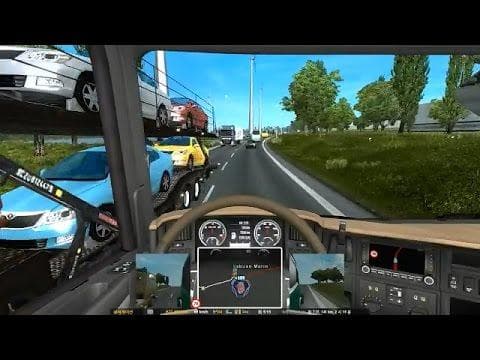
The "South Korea Adventure Map" is a map mod for ETS2 version 2.0 that combines the South Korea Offroad Map, Island Map, and Panjelajers Indonesia Map. It is an
The South Korea Adventure Map v2.0 is an add-on map mod that combines multiple regional expansions, including offroad and island areas, along with content inspired by Indonesia. It doesn't replace the base game map but rather extends it with new drivable locations. Map mods like this one typically come as .scs files which you place in your mods folder to expand the world of Euro Truck Simulator 2 beyond the default regions.
Map mods generally introduce fresh roads, cities, and sometimes unique terrain features that can drastically change your driving experience. Since they alter the world map, they're often sensitive to load order and might require compatibility checks with other map expansions or official DLCs. Using them alongside other extensive map mods calls for a new profile to avoid conflicts and ensure smooth gameplay.
This particular mod fits well into a heavily modded setup where players want to explore parts of Asia not covered in the base game or official DLCs. Because it's an add-on, it works on top of existing maps without overwriting them. Players should be mindful about how it interacts with their current map mods and check if it needs specific base maps or updates to function properly.
Players interested in exploring diverse landscapes and expanding their trucking routes into less common regions will find this mod appealing. It offers a fresh take by combining several areas into one package, letting you tackle offroad challenges and island routes that differ from typical highway hauls.
If you're running multiple map expansions, pay close attention to load order when enabling this mod along with others. Starting a new profile might be necessary depending on your current setup to avoid any glitches or overlapping roads.
How to install
1. Download every .scs file from the source page (map mods often ship multiple files). 2. Copy all files to `Documents/Euro Truck Simulator 2/mod/`. 3. Enable each file in Mod Manager **in the order documented by the modder**. Load order matters for maps. 4. Start a new save or use an existing save that already supports the map's base regions.
After the mod loads, save your game inside a safe area (parking lot or service) before deciding whether to keep it. If the game refuses to load with the mod enabled, check that all required DLCs are installed and that the supported ETS2 version chips on this page include your installed game patch.
Known conflicts
No conflicts reported for this mod yet. Running a big mod list? Check your whole setup for conflicts →
Reviews
No ratings yetNo reviews yet — be the first to rate this mod.





