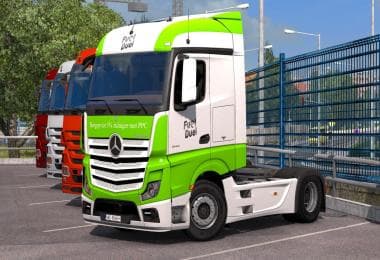
SKIN PACK H.ESSERS GEERTRANS STEUKERS FOR TANDEM 1.22
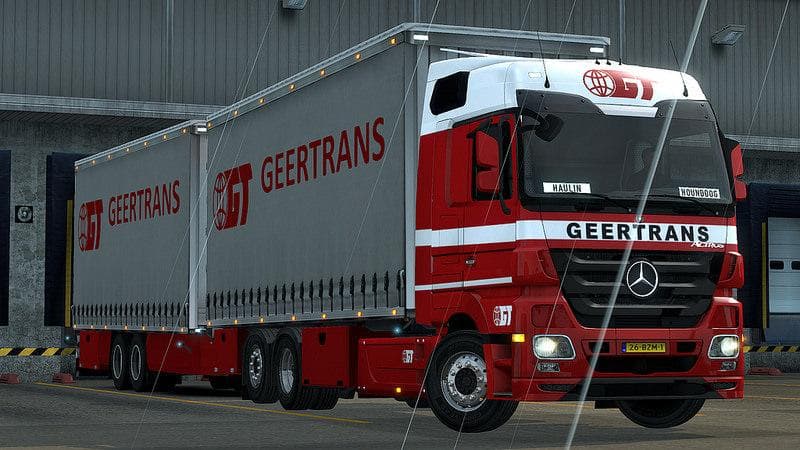
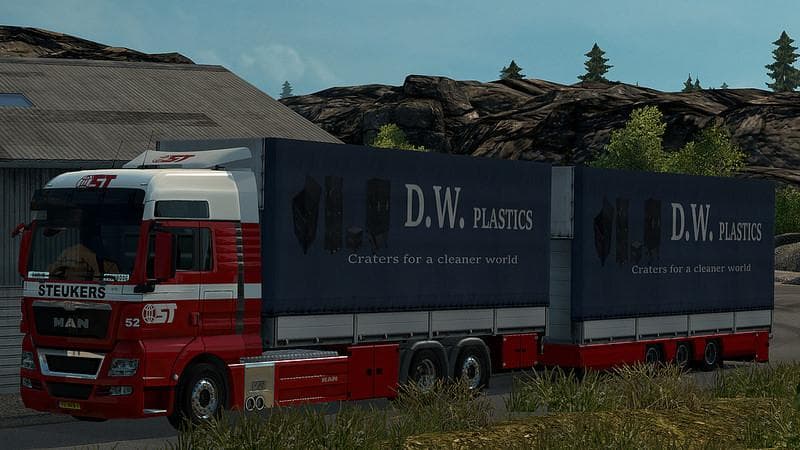
This skin pack mod for ETS2 adds H.Essers Geertrans Steukers designs for tandem trucks and trailers, compatible with version 1.22 of the game. Created by Euro t
The SKIN PACK H.ESSERS GEERTRANS STEUKERS FOR TANDEM 1.22 is a collection of skins designed for the Tandem truck and trailers in Euro Truck Simulator 2, specifically compatible with game version 1.22. This type of mod doesn't alter the truck's model but repaints it, giving your vehicle a fresh look based on existing textures and designs. Skins like this one are usually applied directly in the paint shop, making it easy to customize your rig without affecting gameplay mechanics.
In ETS2, skin mods serve as visual upgrades that let you personalize your trucks and trailers to better match your style or preferred company branding. They work by replacing or adding new textures onto the base vehicles they're made for, which means they rely heavily on having the correct truck or trailer model already installed in your game. Since this pack is tailored for the Tandem setup, it fits neatly into setups where that vehicle type is part of your fleet.
When incorporating skin mods into a modded ETS2 environment, it's worth noting that load order can influence how skins display if multiple mods touch similar assets. Typically, skin packs like this one should be placed after any truck or trailer mods they correspond to in your mod manager to ensure proper application. They generally don't conflict with gameplay mods since they only affect appearance, but compatibility with other skins targeting the same vehicle needs consideration.
This particular skin pack would appeal to players who enjoy adding specific liveries tied to companies like H.Essers and Geertrans Steukers on their Tandem trucks and trailers. It's an option for those wanting their virtual trucking experience to feel more detailed or authentic without changing how their vehicles perform on the road.
How to install
1. Download the .scs file. 2. Drop it into `Documents/Euro Truck Simulator 2/mod/`. 3. Enable in Mod Manager. 4. Apply the skin in the truck/trailer paint shop.
After the mod loads, save your game inside a safe area (parking lot or service) before deciding whether to keep it. If the game refuses to load with the mod enabled, check that all required DLCs are installed and that the supported ETS2 version chips on this page include your installed game patch.
Reviews
No ratings yetNo reviews yet — be the first to rate this mod.