SHARK TRAILER 1.22.X
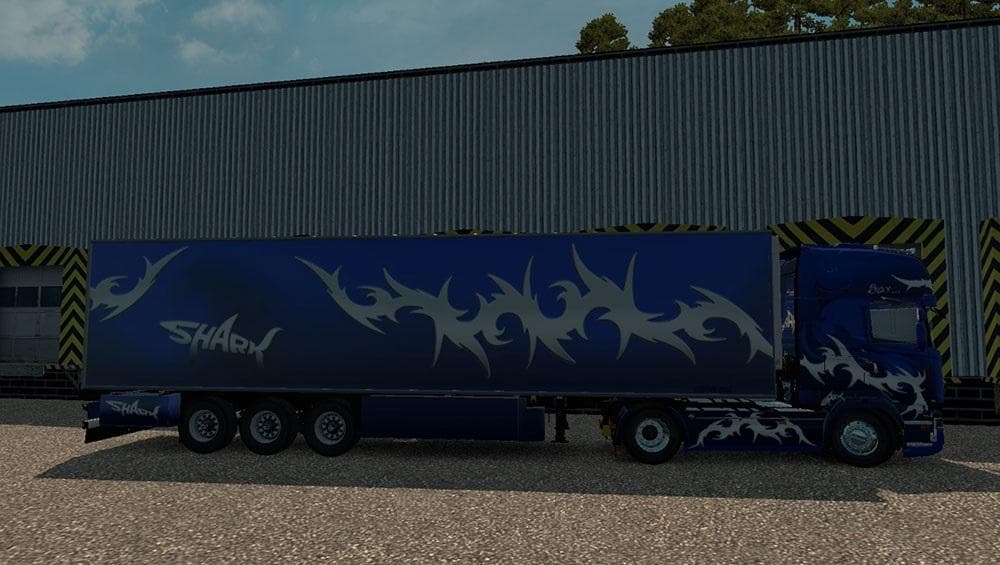
The SHARK TRAILER 1.22.X mod for Euro Truck Simulator 2 adds a trailer with its own lightmask and wheels, replacing the Cooliner. It has been tested on version
SHARK TRAILER 1.22.X is a trailer mod designed for Euro Truck Simulator 2 version 1.22. It introduces a new trailer that replaces the Cooliner model, featuring its own lightmask and wheels for a distinct look. This kind of mod expands the selection of haulable trailers available to players, allowing for more variety in cargo and trailer bodies within the game.
Trailer mods like this one add new options to the trailer dealer or cargo market, meaning you can own and use these trailers just as you would with stock ones. They often come with their own unique visual elements and sometimes different handling characteristics, making each addition feel fresh without altering core gameplay mechanics.
In terms of fitting into a modded setup, trailer mods usually load alongside truck skins and map expansions without causing conflicts if managed correctly. It's generally recommended to place trailer mods after map mods but before gameplay or economy changes in your load order to avoid compatibility issues.
Since SHARK TRAILER 1.22.X replaces an existing trailer model rather than adding an entirely new type, it may not conflict heavily with other mods but still requires attention during installation to ensure smooth operation. Testing on version 1.22.2.3 confirms its functionality at least within that update range.
This mod will appeal to players looking to refresh their fleet's look or who want a slightly different trailer experience without deviating from familiar cargo options. It’s useful for those who enjoy customizing their setups incrementally by swapping out specific assets like trailers while keeping everything else stable.
How to install
1. Download the .scs file. 2. Drop it into `Documents/Euro Truck Simulator 2/mod/`. 3. Enable in Mod Manager. 4. Trailer should appear in cargo selection or trailer dealer depending on the mod's design.
After the mod loads, save your game inside a safe area (parking lot or service) before deciding whether to keep it. If the game refuses to load with the mod enabled, check that all required DLCs are installed and that the supported ETS2 version chips on this page include your installed game patch.
Reviews
No ratings yetNo reviews yet — be the first to rate this mod.





