SERPENTINE ROAD & HOUSE & LONG WAY SMALL
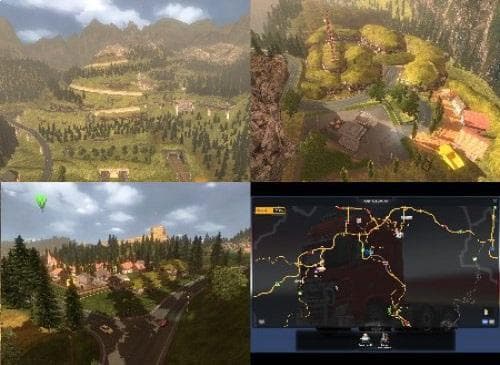
SERPENTINE ROAD & HOUSE & LONG WAY SMALL - ETS2 mods download is an ETS2 maps.
SERPENTINE ROAD & HOUSE & LONG WAY SMALL is a map mod that introduces new drivable areas to Euro Truck Simulator 2, including two named cities: Montana and Premontana. It also adds features like purchasable garages where you can save and rename your vehicles, as well as a truck dealer. These additions aim to broaden the gameplay experience by expanding the in-game world with fresh locations and services.
Map mods like this one typically come as one or more .scs files and require careful attention to load order to work properly. They often need a dedicated profile or specific base map DLCs installed to function without conflicts. Since this mod has updated city names and infrastructure, it fits well into setups that already include other regional expansions or American-themed content.
Given its inclusion of garage buying and truck dealerships, this mod caters to players who enjoy roleplaying elements alongside exploration. It enhances immersion by offering practical points of interest beyond simple road extensions. Players focused on long hauls will appreciate the expanded routes connecting smaller towns within Montana's landscape.
When integrating this kind of map mod, it's wise to place it correctly in your mod manager's load order, usually after core map expansions but before any mods that alter AI traffic or economy. Compatibility can vary depending on other mods installed, so testing in a fresh profile is recommended when possible.
If you’re looking for something to enrich your drives through less familiar American regions with additional cities and economic opportunities, this mod could be worth exploring. It’s suited for those who want more variety in destinations without drastically changing the base game’s structure.
How to install
1. Download every .scs file from the source page (map mods often ship multiple files). 2. Copy all files to `Documents/Euro Truck Simulator 2/mod/`. 3. Enable each file in Mod Manager **in the order documented by the modder**. Load order matters for maps. 4. Start a new save or use an existing save that already supports the map's base regions.
After the mod loads, save your game inside a safe area (parking lot or service) before deciding whether to keep it. If the game refuses to load with the mod enabled, check that all required DLCs are installed and that the supported ETS2 version chips on this page include your installed game patch.
Known conflicts
No conflicts reported for this mod yet. Running a big mod list? Check your whole setup for conflicts →
Reviews
No ratings yetNo reviews yet — be the first to rate this mod.





