Serpentine Road & House & Long Way Small
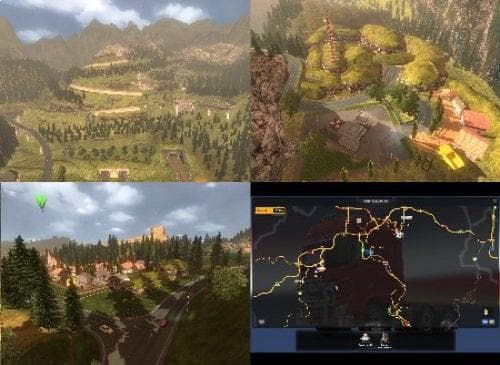
Serpentine Road & House & Long Way Small - ETS2 mods download is an ETS2 maps.
Serpentine Road & House & Long Way Small is a map mod that introduces new drivable areas and features to the game world. It notably includes two named cities, Montana and Premontana, along with facilities like a garage where players can buy, save, or rename their trucks, plus a truck dealer. These additions help expand the scope of exploration beyond the base game maps.
Map mods like this one are designed to broaden or reshape the playable environment by adding new roads, towns, and regions. They typically come as .scs files that must be loaded in a specific order to avoid conflicts. Installing such mods often means starting fresh with a new profile or ensuring compatibility with required base-map DLCs.
Since this mod adds cities and gameplay elements such as garages and dealers, it fits well into modded setups aimed at increasing immersion and variety in long-haul trucking experiences. Players who enjoy exploring less-traveled routes and managing multiple garages will find it useful for adding depth to their journeys.
Users should be mindful that map mods can interfere with each other if not loaded correctly. It's advisable to check load order carefully when combining this with other large map expansions or mods altering the same regions. Compatibility is key to maintaining stability during gameplay.
This mod is suited for players who want to enhance their ETS2 world with additional locations reminiscent of Montana's landscape. Those interested in more detailed road networks and additional city stops will appreciate what it brings to the table.
Given its inclusion of garages and truck dealers within the new cities, it appeals especially to users looking for expanded logistical options on smaller scale but richly connected maps.
How to install
1. Download every .scs file from the source page (map mods often ship multiple files). 2. Copy all files to `Documents/Euro Truck Simulator 2/mod/`. 3. Enable each file in Mod Manager **in the order documented by the modder**. Load order matters for maps. 4. Start a new save or use an existing save that already supports the map's base regions.
After the mod loads, save your game inside a safe area (parking lot or service) before deciding whether to keep it. If the game refuses to load with the mod enabled, check that all required DLCs are installed and that the supported ETS2 version chips on this page include your installed game patch.
Known conflicts
No conflicts reported for this mod yet. Running a big mod list? Check your whole setup for conflicts →
Reviews
No ratings yetNo reviews yet — be the first to rate this mod.





