SELMAN TRANSPORTEN MAN TGX EURO 6 SKIN
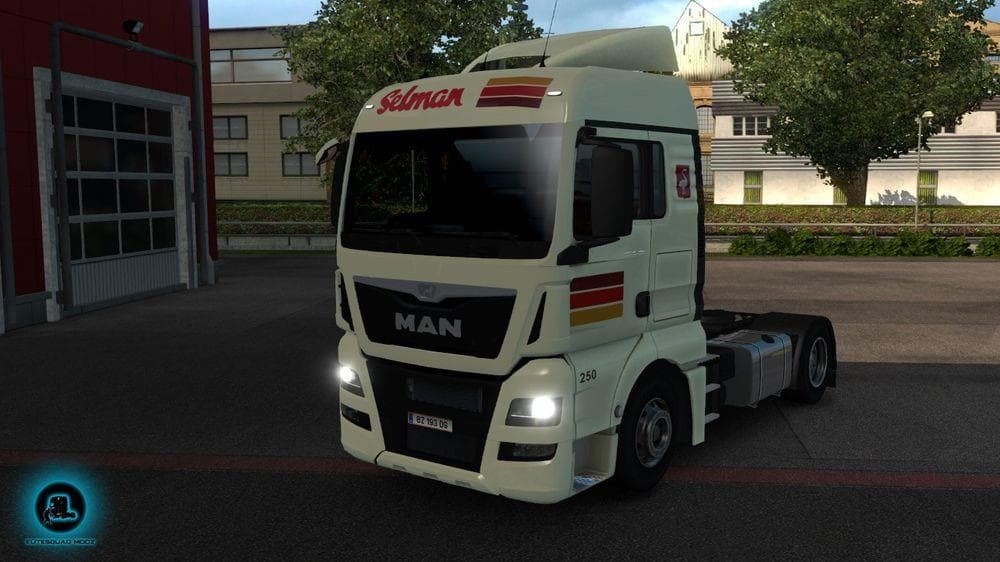
Selman Transporten skin for MAN TGX Euro 6 by MADster, featuring realistic color and textures, including vehicle number. Creator, mod version, file size, suppor
The SELMAN TRANSPORTEN MAN TGX EURO 6 SKIN is a repaint designed specifically for the MAN TGX Euro 6 truck model in Euro Truck Simulator 2. This skin offers a realistic color scheme and textures that closely match what you might see on an actual Selman Transporten vehicle, including details like the vehicle number. Since it’s a skin mod, it only changes the truck's appearance without altering its shape or performance.
Skin mods like this one are applied directly through the paint shop menu in ETS2. They rely on the base truck model—in this case, the MAN TGX Euro 6 by MADster—and do not modify gameplay mechanics or add new parts. You’ll find that skins are usually easy to install and activate, though you should keep track of any updates to your base truck mod to avoid potential conflicts.
When adding skin mods to your setup, it's good practice to load them after any base truck mods but before other mods that affect gameplay or physics. Skins generally don’t interfere with most other types of mods, so they fit well into both simple and heavily modded game environments. Just remember that each skin is tied to a specific truck model, so using this one requires having the corresponding base MAN TGX Euro 6 mod installed.
This skin would appeal to players who enjoy customizing their fleet with authentic-looking liveries and want their trucks to stand out on European roads. Fans of realism and detail often appreciate these kinds of texture updates because they enhance immersion without complicating gameplay.
If you’re running a simulation focused on European trucking routes and prefer consistency in your vehicle appearances, applying skins such as the SELMAN TRANSPORTEN design can add a bit more personality to your drive while keeping things grounded in reality.
How to install
1. Download the .scs file. 2. Drop it into `Documents/Euro Truck Simulator 2/mod/`. 3. Enable in Mod Manager. 4. Apply the skin in the truck/trailer paint shop.
After the mod loads, save your game inside a safe area (parking lot or service) before deciding whether to keep it. If the game refuses to load with the mod enabled, check that all required DLCs are installed and that the supported ETS2 version chips on this page include your installed game patch.
Reviews
No ratings yetNo reviews yet — be the first to rate this mod.





