SCHUBERT SKIN FOR ALL SCANIA
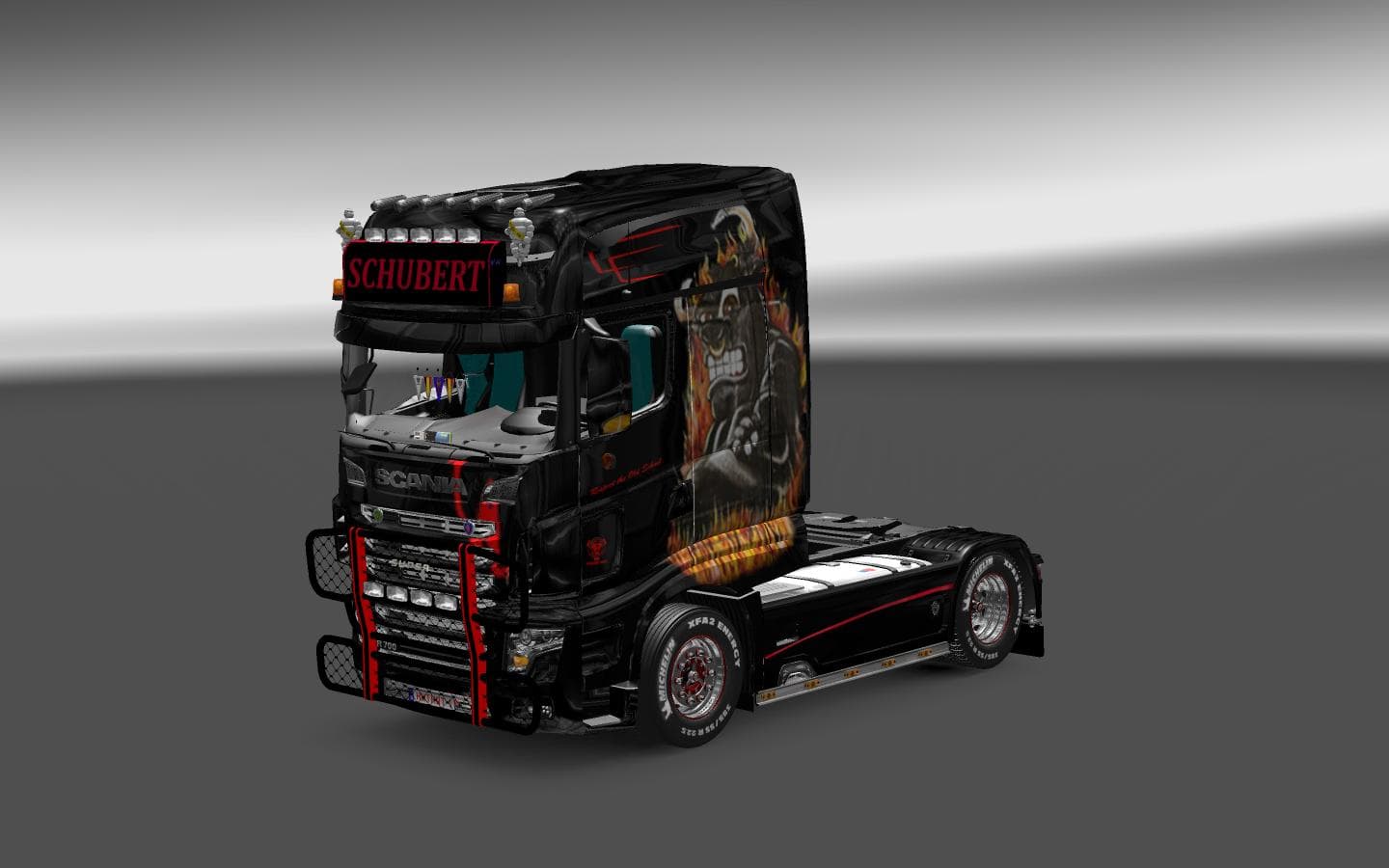
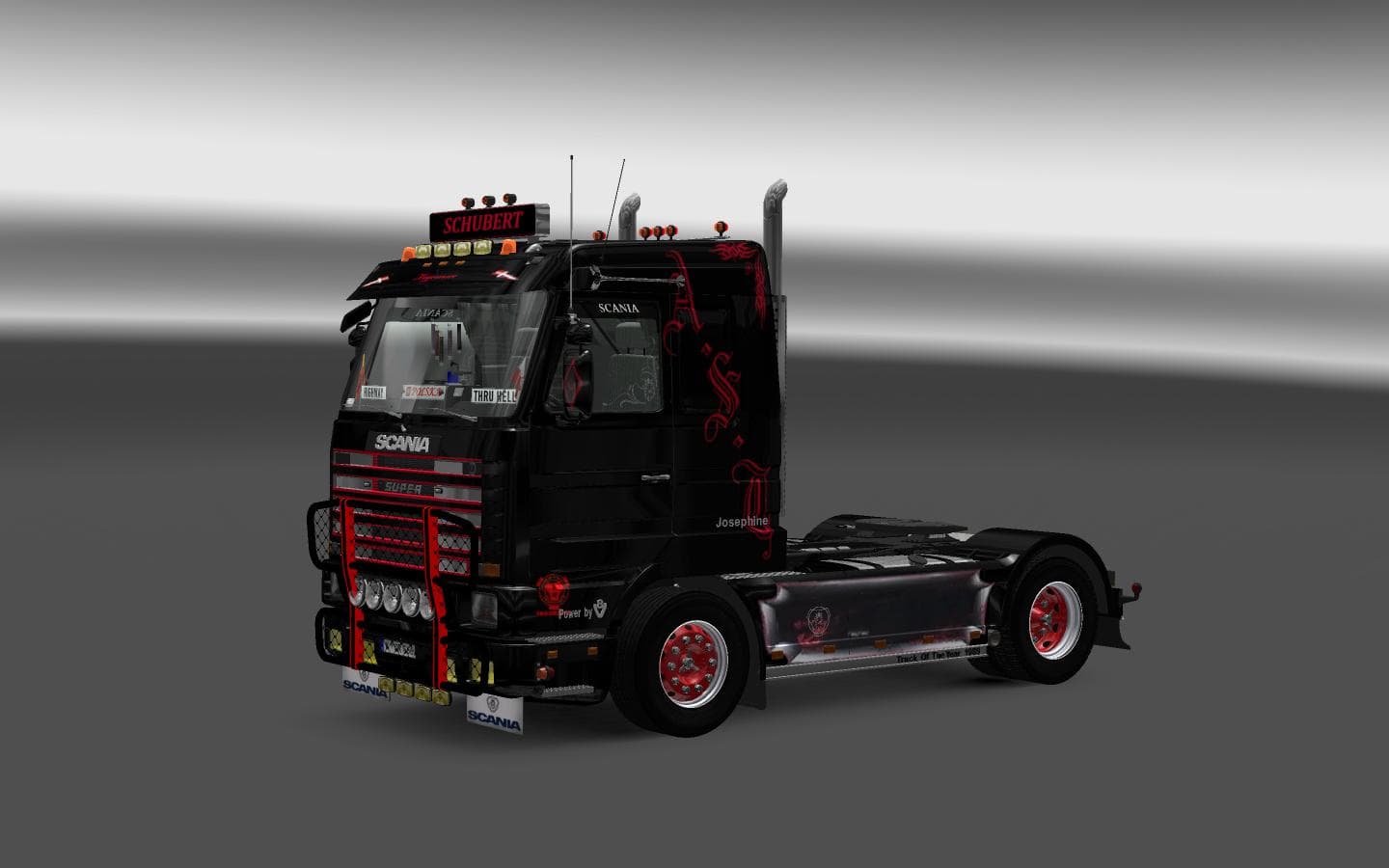
This mod offers a Schubert skin for all Scania trucks, including the new and old models. It also includes Schubert info text for changing the lightbox on Scania
The Schubert Skin for All Scania mod offers a new skin for all Scania trucks, including both the new and old models. It features a unique design for changing the lightbox on the Scania 1 series and Scania 143m.
In Euro Truck Simulator 2, skin mods like this one provide players with the ability to repaint their trucks without altering the underlying model. These mods are applied in the game's paint shop and are specific to the base vehicle they were created for.
When adding skin mods to your ETS2 setup, it's crucial to consider load order and compatibility with other mods. Ensuring that this Schubert Skin mod is placed correctly in your mod list can prevent conflicts with other customization options.
Players who enjoy personalizing their trucks in ETS2 would find the Schubert Skin for All Scania mod appealing. Whether you prefer a fresh look for your vehicles or want to showcase a specific design theme, skin mods offer a great way to customize your in-game experience.
If you're looking to enhance your ETS2 gameplay with unique truck designs, exploring skin mods such as this one can add a new dimension to your virtual trucking adventures.
How to install
1. Download the .scs file. 2. Drop it into `Documents/Euro Truck Simulator 2/mod/`. 3. Enable in Mod Manager. 4. Apply the skin in the truck/trailer paint shop.
After the mod loads, save your game inside a safe area (parking lot or service) before deciding whether to keep it. If the game refuses to load with the mod enabled, check that all required DLCs are installed and that the supported ETS2 version chips on this page include your installed game patch.
Reviews
No ratings yetNo reviews yet — be the first to rate this mod.