SCHMITZ S.KO BY ROADHUNTER – WESTFLEISCH SKIN BY STEINI
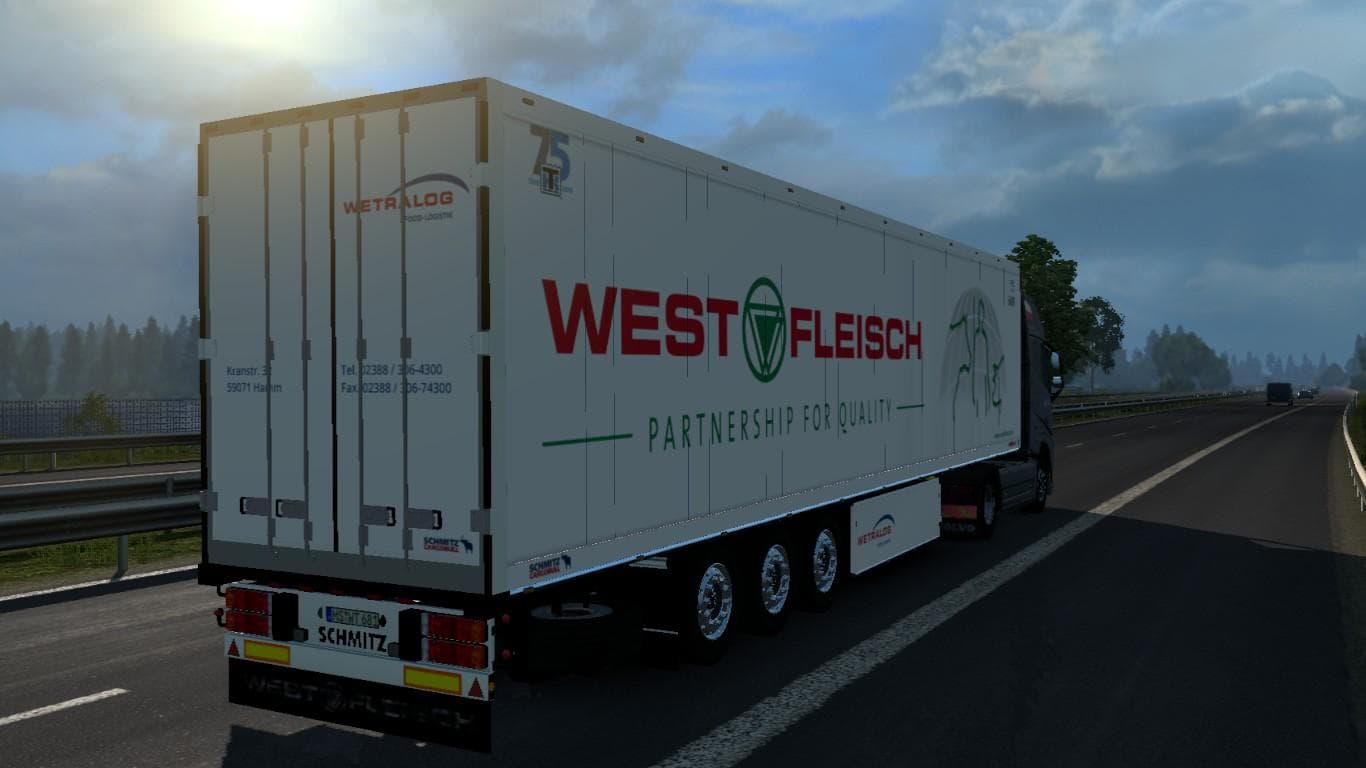
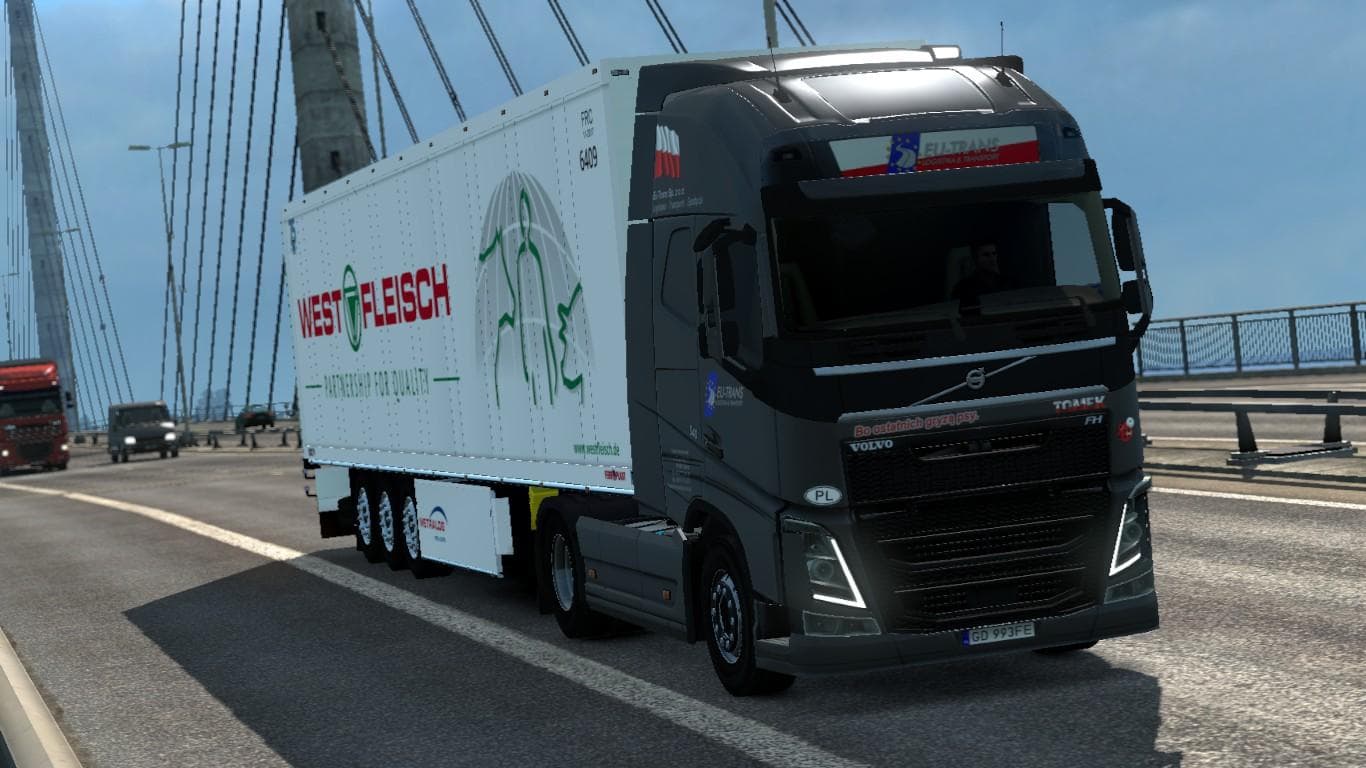
This skin mod for the SCHMITZ S.KO trailer features a Westfleisch design by Steini. Created by Euro Truck Simulator 2, the mod's details such as version, file s
The SCHMITZ S.KO BY ROADHUNTER – WESTFLEISCH SKIN BY STEINI is a repaint mod designed specifically for the Schmitz S.KO trailer in Euro Truck Simulator 2. It applies a fresh look representing the Westfleisch company, giving your trailer a new visual identity without altering its original model. Skins like this one are added through the paint shop interface and rely on having the compatible base trailer installed in your game.
Skin mods focus solely on changing the appearance of vehicles or trailers rather than their structure or performance. They offer a way to customize your fleet visually, allowing you to stand out on European roads or fit a particular theme within your convoy. This type of mod typically works alongside other cosmetic or gameplay mods, as long as they don't replace the same vehicle with conflicting files.
In terms of compatibility, skin mods usually load without issues if they're made for the correct version of ETS2 and match the base model's exact requirements. When running multiple skins or other modifications affecting trailers, it's wise to check your load order and ensure no file conflicts arise. Since this skin depends on the Schmitz S.KO trailer, make sure that mod is active and up to date for smooth integration.
This repaint suits players who want to add some realism or regional flavor to their trailers by featuring an actual company’s branding. It's particularly fitting for those running fleets with authentic liveries or aiming to diversify their cargo visuals while keeping everything consistent with official game assets.
If you enjoy customizing how your trucks and trailers look without changing gameplay elements, this Westfleisch skin offers an easy way to refresh your Schmitz S.KO trailers' appearance and blend them into themed setups involving German logistics.
How to install
1. Download the .scs file. 2. Drop it into `Documents/Euro Truck Simulator 2/mod/`. 3. Enable in Mod Manager. 4. Apply the skin in the truck/trailer paint shop.
After the mod loads, save your game inside a safe area (parking lot or service) before deciding whether to keep it. If the game refuses to load with the mod enabled, check that all required DLCs are installed and that the supported ETS2 version chips on this page include your installed game patch.
Reviews
No ratings yetNo reviews yet — be the first to rate this mod.