SCANIA STREAMLINE MORANA SKIN
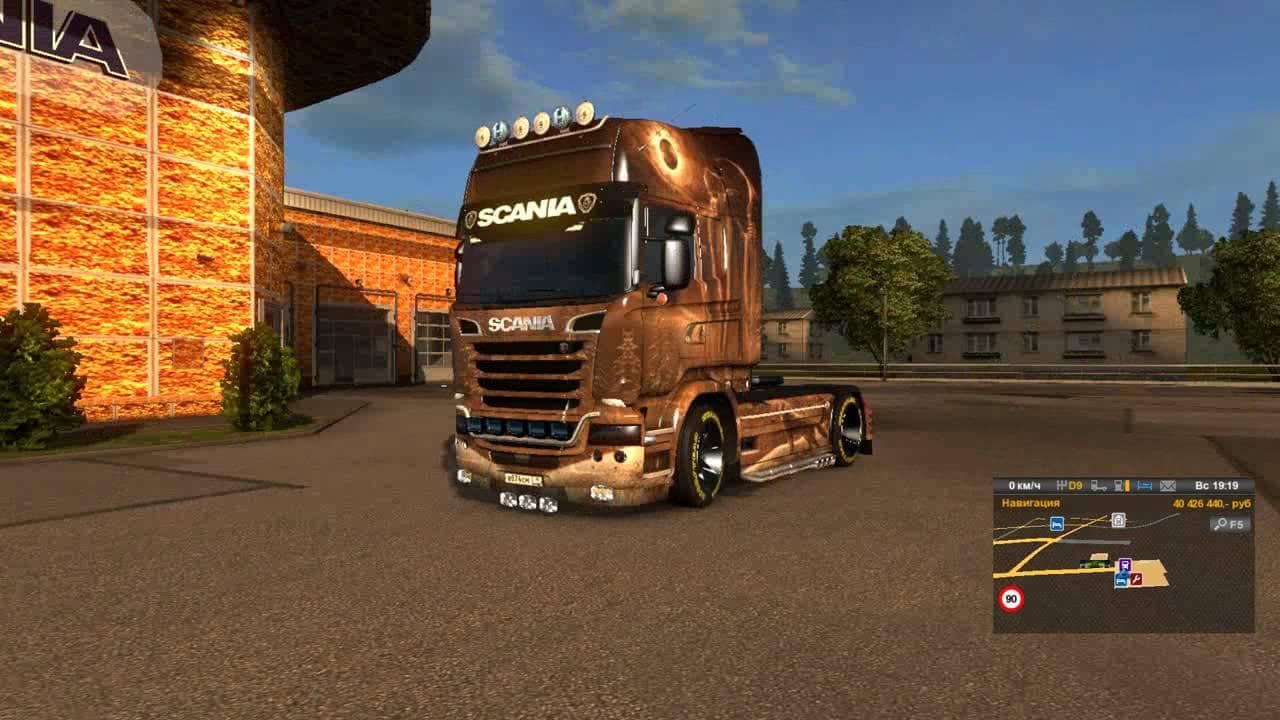
The SCANIA STREAMLINE MORANA SKIN is a skin mod for Euro Truck Simulator 2, compatible with versions 1.21 and 1.1. The creator is credited to Ожиганов and Aleks
The SCANIA STREAMLINE MORANA SKIN is a repaint mod designed for the Scania Streamline truck in Euro Truck Simulator 2. Rather than altering the truck's physical model, this mod changes its exterior appearance by applying a new paint job that can be selected in the game's paint shop. Skins like this one allow players to customize their vehicles without affecting gameplay mechanics or performance.
Skin mods such as this are popular among ETS2 players who enjoy personalizing their trucks to reflect different styles or themes. Since they depend on the base vehicle, it's essential that you have the Scania Streamline model installed and compatible with your game version before using this skin. This particular skin supports ETS2 versions 1.21 and 1.1, so it fits setups running those or close updates.
In a heavily modded environment, skins usually work well alongside other types of mods because they only affect visual elements. However, it's advisable to load skin mods after any truck or cabin model mods to ensure textures apply correctly. Conflicts are rare but keeping an eye on load order helps maintain stability when mixing several cosmetic modifications.
This skin would appeal to players who want to refresh their Scania Streamline without buying new trucks or cabins. It offers a straightforward way to add some variety and personality while driving across various European regions featured in ETS2. Those who prefer subtle visual upgrades over major model changes will find this kind of mod fitting perfectly into their collection.
Since the creator details and file size aren't specified, users should always verify downloads for safety and compatibility from trusted sources before installation. Applying skins is simple: just place the mod file into your ETS2 mod folder and activate it through the game's Mod Manager interface before launching your profile.
How to install
1. Download the .scs file. 2. Drop it into `Documents/Euro Truck Simulator 2/mod/`. 3. Enable in Mod Manager. 4. Apply the skin in the truck/trailer paint shop.
After the mod loads, save your game inside a safe area (parking lot or service) before deciding whether to keep it. If the game refuses to load with the mod enabled, check that all required DLCs are installed and that the supported ETS2 version chips on this page include your installed game patch.
Reviews
No ratings yetNo reviews yet — be the first to rate this mod.





