SCANIA RJL HALLOWEEN SKIN
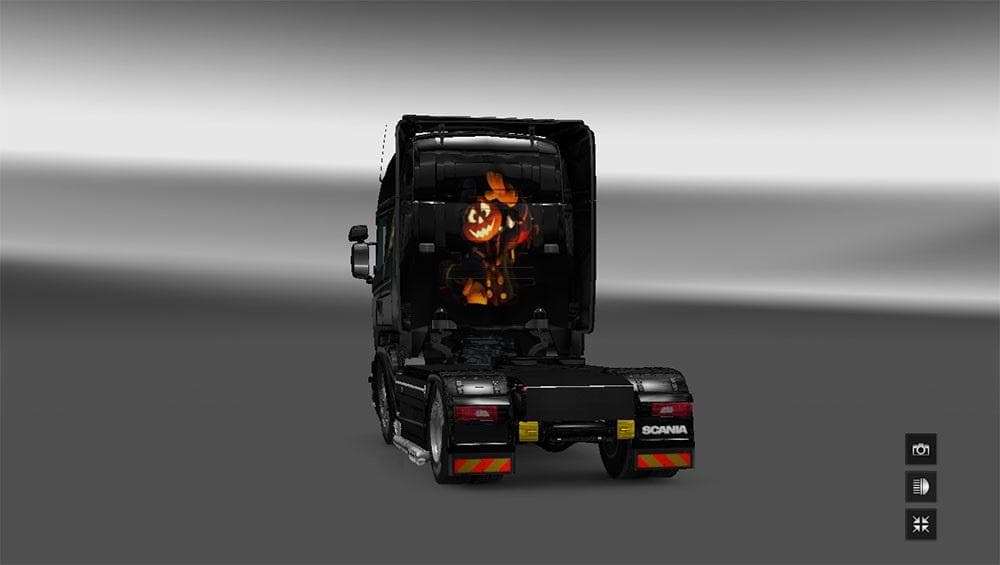
This mod is a Halloween skin for the Scania RJL truck, tested on ETS2 version 1.21. Created by Euro Truck Simulator 2, the file size is 5.4 MB and credits go to
The SCANIA RJL HALLOWEEN SKIN is a repaint mod designed for the Scania RJL truck in Euro Truck Simulator 2. It gives your rig a festive look suitable for Halloween-themed gameplay without altering the truck's model or performance. This type of skin mod is applied through the game's paint shop, relying on the original vehicle model it was created for.
Skins like this one don't change how your truck drives but instead focus on visual customization. They replace or add new textures and graphics to the exterior, allowing players to personalize their trucks with seasonal designs or unique artwork. Since this mod supports ETS2 version 1.21, it fits well within that era of updates and game mechanics.
When adding skins to a modded setup, it's useful to keep an eye on load order if you have multiple paint mods targeting the same vehicle. The game typically loads skins based on installation order, so if you want this Halloween design to show up correctly, make sure it's loaded after any other competing skin mods for the Scania RJL. Compatibility issues are rare unless another mod overwrites the same files.
This kind of skin appeals mainly to players who enjoy thematic customization or want to celebrate holidays in their virtual trucking experience. It's a straightforward way to give your Scania RJL a seasonal twist without diving into more complex mods that alter gameplay or truck mechanics. Fans of visual variety will appreciate adding some Halloween spirit to their fleet.
Since no specific creator details are available and file size is unknown, users should always back up their profiles before installing any new mods and ensure they match their game version, especially when using older versions like 1.21.
How to install
1. Download the .scs file. 2. Drop it into `Documents/Euro Truck Simulator 2/mod/`. 3. Enable in Mod Manager. 4. Apply the skin in the truck/trailer paint shop.
After the mod loads, save your game inside a safe area (parking lot or service) before deciding whether to keep it. If the game refuses to load with the mod enabled, check that all required DLCs are installed and that the supported ETS2 version chips on this page include your installed game patch.
Reviews
No ratings yetNo reviews yet — be the first to rate this mod.





