SCANIA RJL ATLAS CORPORATION
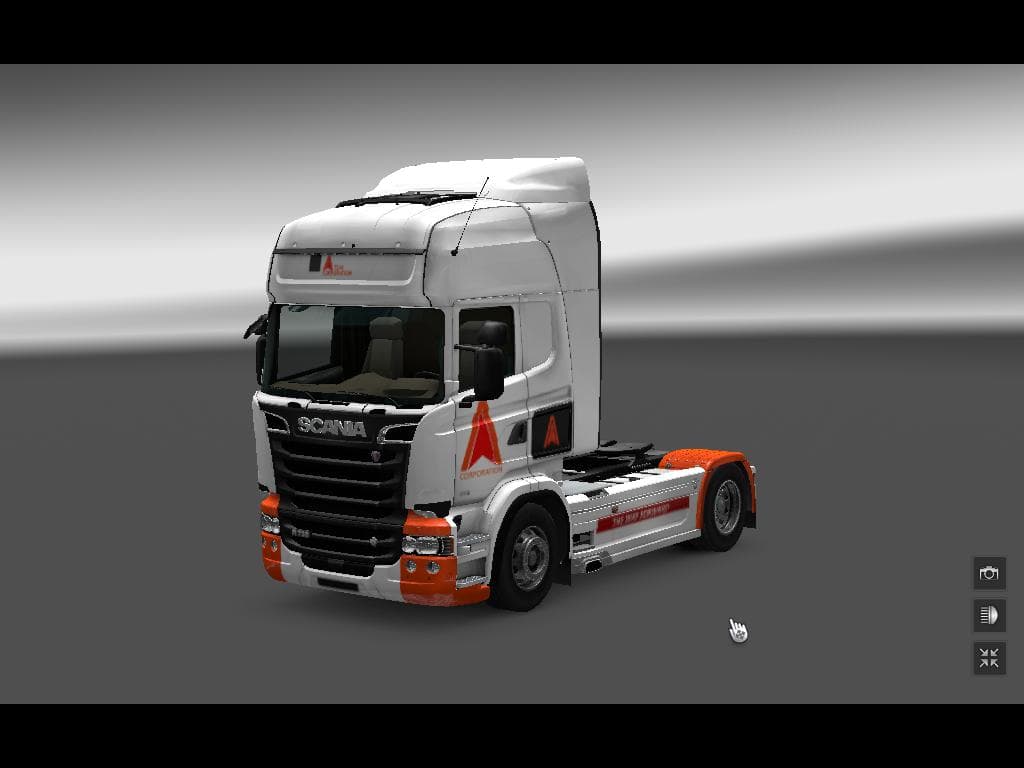
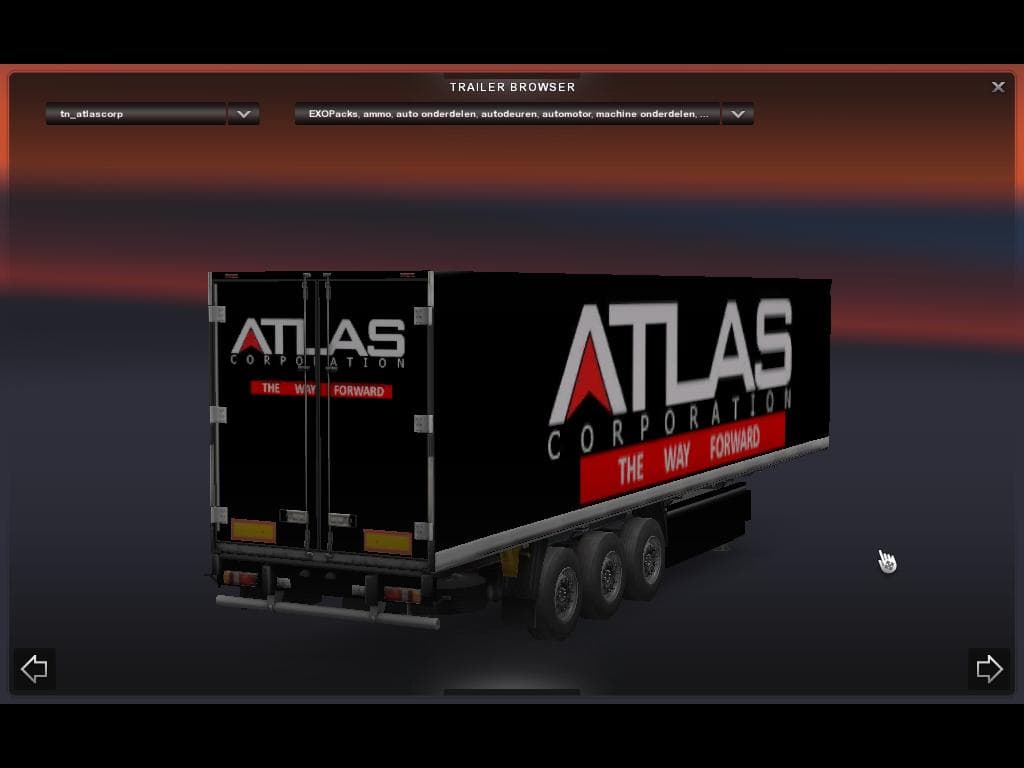
This skin mod for ETS2 features a truck and trailer design inspired by Atlas Corporation from Call of Duty Advanced Warfare. It is specifically designed for use
The SCANIA RJL ATLAS CORPORATION mod is a skin that repaints both the truck and trailer with a design inspired by the Atlas Corporation from Call of Duty Advanced Warfare. It specifically fits the Scania RJL model, meaning you won't see changes to the truck's shape or mechanics, just its appearance. This kind of skin mod lets you customize your vehicle's look without affecting gameplay or performance.
In Euro Truck Simulator 2, skins like this one are applied through the paint shop. They rely on the base vehicle model they were created for, so it's important to have the compatible truck—in this case, the Scania RJL—installed first. Since it includes both truck and trailer designs, it offers a consistent theme if you prefer matching sets during your hauls.
When adding skin mods to a modded setup, keeping track of load order can help avoid conflicts, especially if you have multiple skins for the same truck. Usually, only one skin can be active at a time for a particular vehicle model. This means if you want to switch between different looks, you'll need to enable or disable them accordingly in your mod manager.
This type of mod is ideal for players who enjoy personalizing their trucks beyond stock options or those who appreciate designs drawn from other games and media. It adds some variety and flair without altering core gameplay elements or requiring additional DLC content.
For anyone running a heavily modded ETS2 setup focused on Scania trucks, especially the RJL series, this repaint offers a fresh visual style tied to an iconic fictional corporation. It fits well alongside other cosmetic mods and doesn't interfere with performance since it solely changes textures rather than models or physics.
How to install
1. Download the .scs file. 2. Drop it into `Documents/Euro Truck Simulator 2/mod/`. 3. Enable in Mod Manager. 4. Apply the skin in the truck/trailer paint shop.
After the mod loads, save your game inside a safe area (parking lot or service) before deciding whether to keep it. If the game refuses to load with the mod enabled, check that all required DLCs are installed and that the supported ETS2 version chips on this page include your installed game patch.
Reviews
No ratings yetNo reviews yet — be the first to rate this mod.





