SCANIA R520 ROBERT VD LINDEN
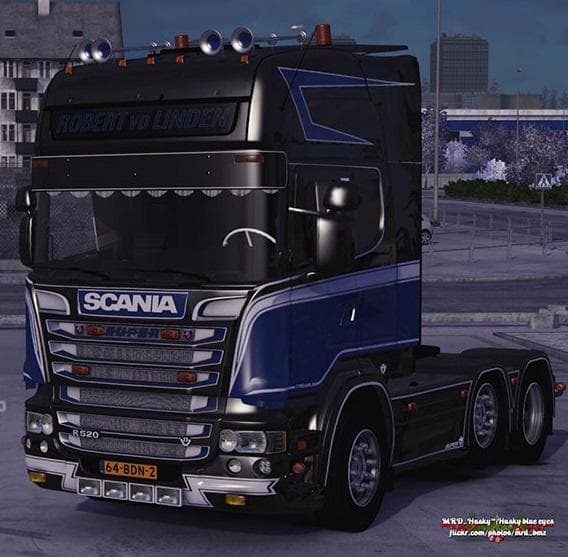
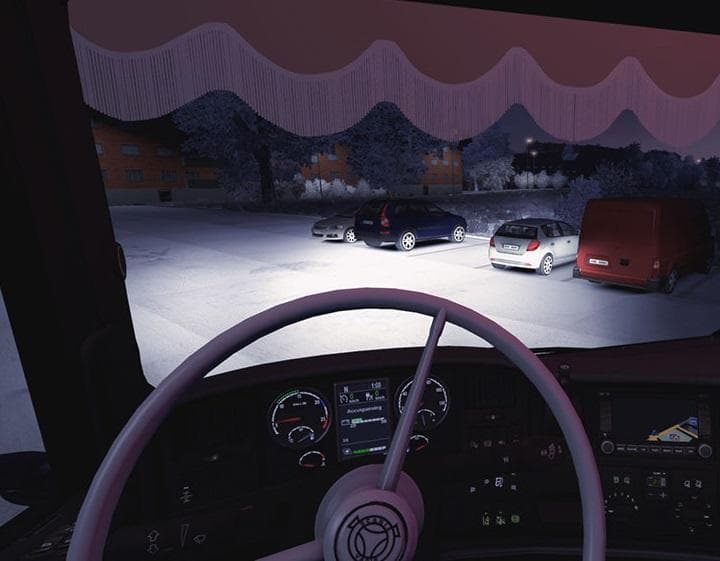
The SCANIA R520 ROBERT VD LINDEN mod for ETS2 adds a truck with included wheels, interior, and red interior light. It has been tested on version 1.22.1s and cre
The SCANIA R520 ROBERT VD LINDEN mod adds a drivable truck to Euro Truck Simulator 2, specifically modeled after the Scania R520. Mods in the trucks category usually introduce a new cab and chassis combination that you can buy from dealers within the game. This mod includes features like wheels, a detailed interior, and an interior red light, enhancing the driving experience with some added realism.
Truck mods such as this one generally come with their own engine and transmission options along with paint slots. That means you can customize your vehicle's performance and appearance to fit your preferences or match other mods in your setup. The SCANIA R520 ROBERT VD LINDEN has been tested on ETS2 version 1.22.1s, so it's tailored for that game version environment.
When incorporating truck mods into a modded setup, load order matters to avoid conflicts. Usually, truck mods should be placed below map mods but above skins or tuning packs if you use those. Since this mod is focused on adding a new drivable truck model rather than altering existing content, it tends to have fewer compatibility issues but still benefits from proper placement in your mod manager.
This particular truck would appeal to players who enjoy driving Scania trucks and want an alternative to the default models available in ETS2. It fits well for those who appreciate extra interior details like lighting effects and want something beyond standard offerings without drastically changing gameplay.
Overall, if you run ETS2 on version 1.22 and are looking for a new Scania option with its own visual touches inside and out, this mod is worth considering. It slots nicely into setups that include other trucks or vehicle-related mods and won't require special tweaks for typical installations.
How to install
1. Download the .scs file from the original source linked above. 2. Copy the file to `Documents/Euro Truck Simulator 2/mod/`. 3. Launch ETS2, open the Mod Manager from the main menu, enable the mod, restart the game. 4. Visit any truck dealer to spawn the new truck.
After the mod loads, save your game inside a safe area (parking lot or service) before deciding whether to keep it. If the game refuses to load with the mod enabled, check that all required DLCs are installed and that the supported ETS2 version chips on this page include your installed game patch.
Reviews
No ratings yetNo reviews yet — be the first to rate this mod.





![Fuso Supergreat Hi Cab Truck [1.50 – 1.60] – Trucks mod for Euro Truck Simulator 2](/_next/image?url=https%3A%2F%2F802software.s3.us-east-1.amazonaws.com%2Fets2modspot%2Fscreenshots%2F7494%2F0.jpg&w=3840&q=75)