SCANIA R2009 + INTERIOR + TRAILER 1.22.X
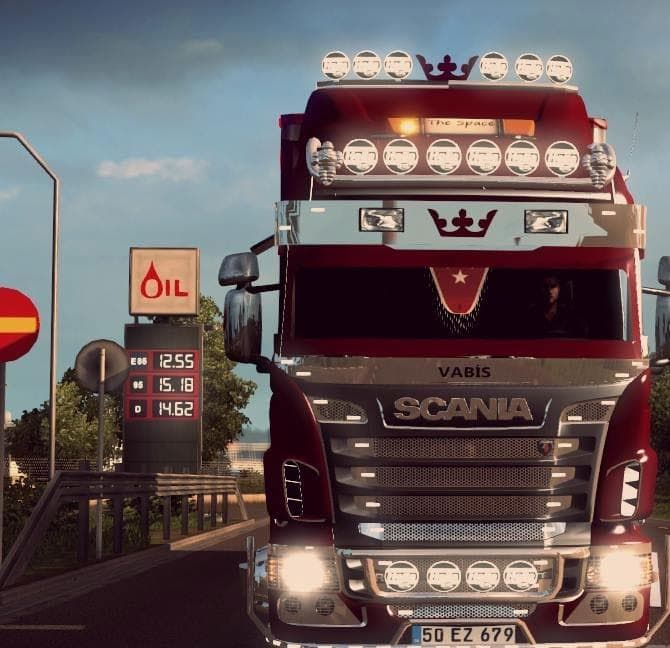
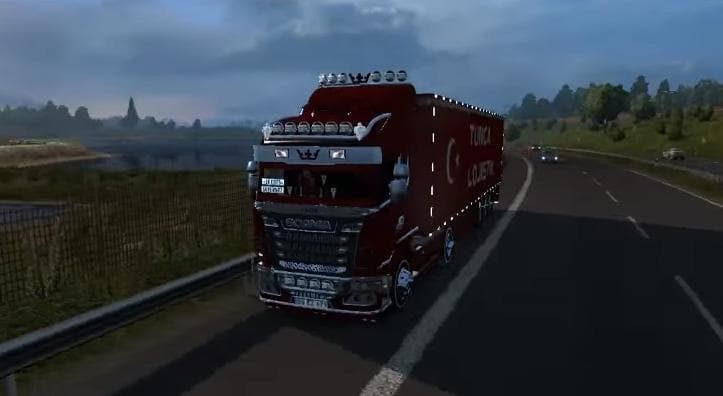
The SCANIA R2009 + INTERIOR + TRAILER 1.22.X mod for Euro Truck Simulator 2 offers a Scania truck with interior and trailer. It is compatible with ETS2 versions
The SCANIA R2009 + INTERIOR + TRAILER 1.22.X mod brings a classic Scania truck model to Euro Truck Simulator 2, complete with its own interior and a matching trailer. This type of mod typically adds a new drivable cab and chassis option that players can purchase at dealerships within the game, allowing for a fresh driving experience with different engine and transmission choices.
Truck mods like this one usually come with several paint slots to customize your vehicle's look, enhancing the visual variety on the roads. They integrate into your existing setup by appearing as standard trucks once installed, letting you switch between them just like any other in-game model. Since this mod supports ETS2 versions 1.21 and 1.22, it fits well if you haven't updated beyond those versions or want compatibility with mods designed for these releases.
When adding truck mods to your collection, it's important to keep an eye on load order to avoid conflicts with other vehicle mods or skins. Placing this Scania mod after any general truck packs or large overhaul mods helps ensure it loads correctly without overriding crucial files.
Players who enjoy driving classic European trucks or are fans of Scania models will find this mod appealing. It offers a nostalgic touch while still functioning smoothly in the game's current version range. The included trailer also adds convenience for those who prefer hauling their own cargo setups rather than relying solely on AI trailers.
Since the creator is unknown and file size details aren't provided, it's wise to test this mod in a controlled environment before integrating it fully into your main profile. This helps prevent unexpected crashes or issues when combined with other content.
Overall, SCANIA R2009 + INTERIOR + TRAILER 1.22.X suits anyone looking to expand their truck roster with a familiar yet distinct option from the earlier ETS2 updates.
How to install
1. Download the .scs file from the original source linked above. 2. Copy the file to `Documents/Euro Truck Simulator 2/mod/`. 3. Launch ETS2, open the Mod Manager from the main menu, enable the mod, restart the game. 4. Visit any truck dealer to spawn the new truck.
After the mod loads, save your game inside a safe area (parking lot or service) before deciding whether to keep it. If the game refuses to load with the mod enabled, check that all required DLCs are installed and that the supported ETS2 version chips on this page include your installed game patch.
Reviews
No ratings yetNo reviews yet — be the first to rate this mod.





![Fuso Supergreat Hi Cab Truck [1.50 – 1.60] – Trucks mod for Euro Truck Simulator 2](/_next/image?url=https%3A%2F%2F802software.s3.us-east-1.amazonaws.com%2Fets2modspot%2Fscreenshots%2F7494%2F0.jpg&w=3840&q=75)