SCANIA R124 1.20.X
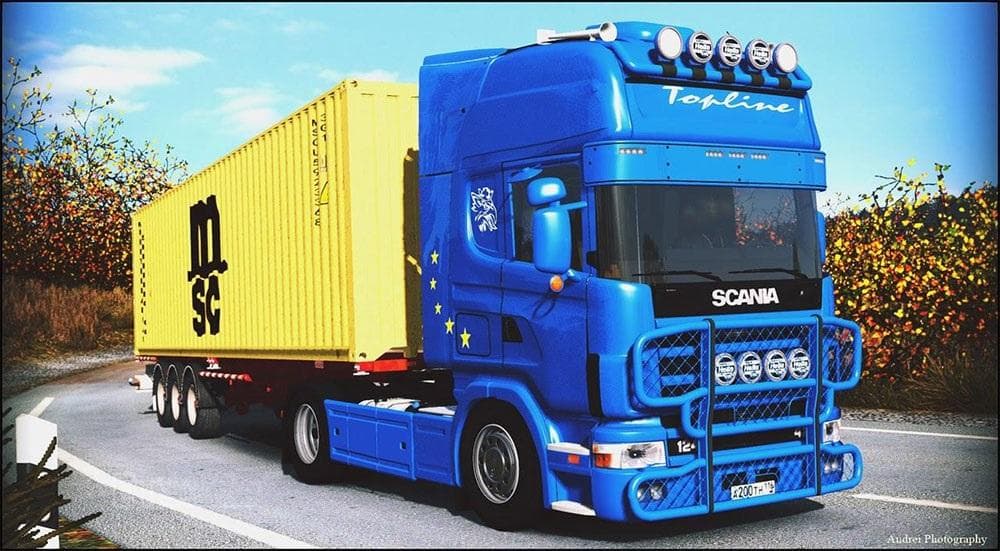
SCANIA R124 1.20.X - ETS2 mods download is an ETS2 trucks. Listed compatible with ETS2 1.20.
The SCANIA R124 1.20.X mod introduces a standalone truck model based on the classic Scania R124 series for Euro Truck Simulator 2. This mod adds a new drivable cab and chassis that players can buy from in-game dealers, expanding the range of truck options available to explore in the game version 1.20. It includes its own interior design, which helps immerse players in the driving experience by replicating elements typical of this truck line.
Truck mods like this one usually come with various engine and transmission choices, along with several paint slots to customize your vehicle's appearance. This customization aspect is part of what makes these mods appealing—they let you tailor your rig to your preferences, both visually and performance-wise. The SCANIA R124 fits naturally into a modded setup where you want more variety beyond the default trucks offered by ETS2.
When integrating this kind of standalone truck mod, it's wise to pay attention to load order if you're running multiple vehicle mods simultaneously. Since it operates as a separate truck rather than altering existing ones, conflicts are less common but can still occur if other mods change similar parts of the game files or interfaces. Users should ensure compatibility with their ETS2 version (in this case, 1.20) and back up their profiles before adding new content.
Players who enjoy driving Scania models or those looking for authentic vintage trucks will find this mod interesting. It suits drivers aiming to diversify their fleet or those wanting a distinct look and feel compared to more modern vehicles available in ETS2’s standard lineup. Given its focus on one specific truck series, it appeals especially to fans of European heavy trucks who appreciate detailed interiors and classic designs.
How to install
1. Download the .scs file from the original source linked above. 2. Copy the file to `Documents/Euro Truck Simulator 2/mod/`. 3. Launch ETS2, open the Mod Manager from the main menu, enable the mod, restart the game. 4. Visit any truck dealer to spawn the new truck.
After the mod loads, save your game inside a safe area (parking lot or service) before deciding whether to keep it. If the game refuses to load with the mod enabled, check that all required DLCs are installed and that the supported ETS2 version chips on this page include your installed game patch.
Reviews
No ratings yetNo reviews yet — be the first to rate this mod.