SCANIA R XMAS V1.0
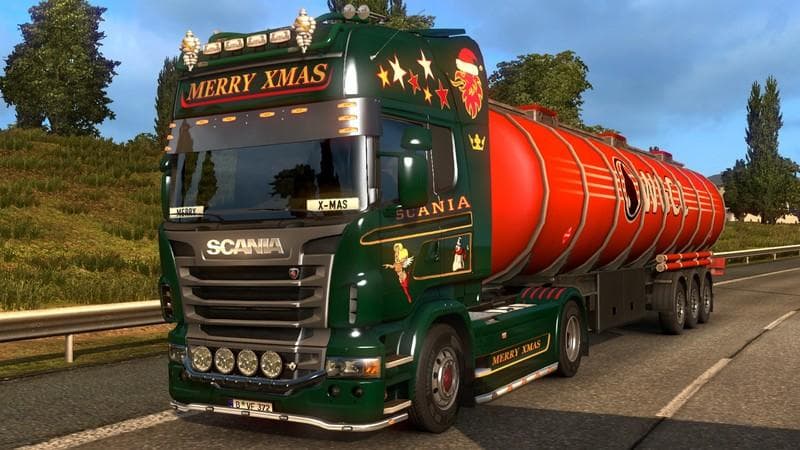
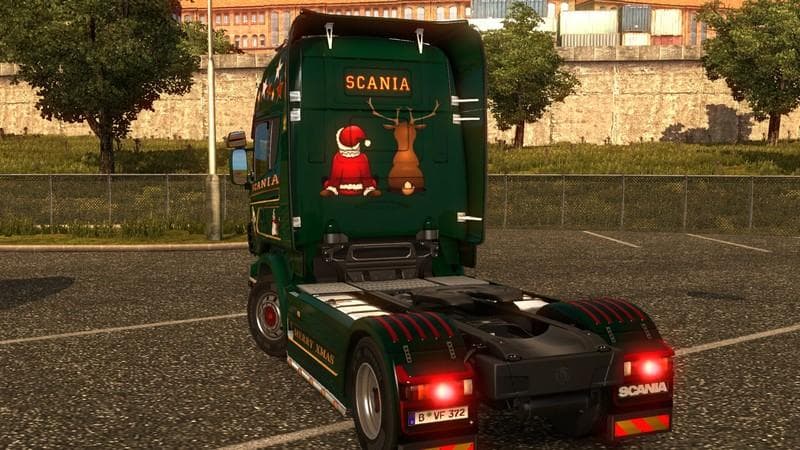
The SCANIA R XMAS mod is a skin for Scania R trucks in Euro Truck Simulator 2. Created by Euro truck simulator 2, version 1.0 is supported. The file size is 3.9
The SCANIA R XMAS V1.0 is a skin mod designed for Euro Truck Simulator 2, giving the Scania R truck a festive makeover. Instead of altering the truck's model or mechanics, this type of mod simply changes its paint job, letting you drive around with a seasonal look during the holidays. Skin mods like this one are applied through the in-game paint shop and rely on having the base vehicle available to work properly.
Skin mods are popular among players who want to customize their trucks without adding extra weight or affecting performance. They work by repainting the existing model textures, which means they usually have minimal impact on game stability or compatibility with other mods. However, it’s good practice to ensure the mod matches your ETS2 version—this one supports version 1.0.
When using multiple skins or any visual mods, load order generally isn’t as critical as with gameplay-affecting mods, but conflicts can occur if two skins target the same truck model simultaneously. Since SCANIA R XMAS is made specifically for Scania R trucks, it fits well into setups focused on cosmetic customization without interfering with gameplay tweaks or map expansions.
This particular skin suits players who enjoy adding some seasonal spirit to their trucking experience. It’s especially fitting if you’re running a modded fleet of Scania R trucks and want each rig to stand out during winter events or holiday-themed convoys.
Overall, this kind of skin mod is straightforward to install and use, making it accessible even for players new to modding in ETS2. Just drop it into your mod folder and activate it from the game’s mod manager before heading to the paint shop to apply the festive design.
If you’re looking to add variety and personality to your Scania R trucks without changing how they drive or perform, SCANIA R XMAS offers a simple way to do that with a holiday twist.
How to install
1. Download the .scs file. 2. Drop it into `Documents/Euro Truck Simulator 2/mod/`. 3. Enable in Mod Manager. 4. Apply the skin in the truck/trailer paint shop.
After the mod loads, save your game inside a safe area (parking lot or service) before deciding whether to keep it. If the game refuses to load with the mod enabled, check that all required DLCs are installed and that the supported ETS2 version chips on this page include your installed game patch.
Reviews
No ratings yetNo reviews yet — be the first to rate this mod.