SCANIA HIGHLINE R440 1.21.X
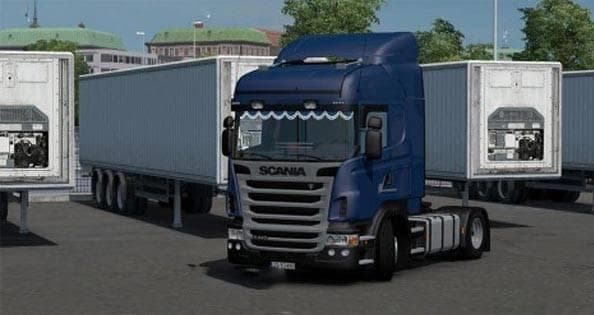
The SCANIA HIGHLINE R440 1.21.X mod is a truck mod for ETS2 by Euro Truck Simulator 2. It features a Scania with a detailed interior, compatible with ETS2 versi
The SCANIA HIGHLINE R440 1.21.X mod introduces a drivable Scania truck to Euro Truck Simulator 2, compatible with versions 1.20 and 1.21. This mod offers a new cab and chassis option that players can purchase at in-game dealers, expanding the variety of vehicles available on the road. It features its own interior setup and includes engine and transmission options typical for truck mods.
Truck mods like this one enhance the game by adding realistic vehicle models that blend into the existing world, often including multiple paint slots for customization. They usually come with functional wheels and detailed interiors, which allow for a more immersive driving experience. Since this mod supports recent ETS2 versions, it fits well within current gameplay environments without causing conflicts.
When incorporating truck mods into your setup, it's essential to consider load order because some trucks may share resources or have overlapping files. Generally, placing truck mods after map or trailer mods helps avoid compatibility issues. Though specific compatibility details aren't provided here, users should test this Scania model alongside other add-ons to ensure smooth operation.
This particular mod suits players who want to drive a classic Scania model with authentic interior features in ETS2. It's a solid choice for those looking to diversify their garage or enjoy a different driving feel compared to the base game trucks. Since it supports two consecutive game versions, it also appeals to users who haven't updated ETS2 immediately but want new content.
Overall, this mod is straightforward and focuses on delivering an additional truck option without unnecessary complexity or heavy modifications. Players interested in European trucking or specifically Scania vehicles will likely find it fits their preferences nicely.
How to install
1. Download the .scs file from the original source linked above. 2. Copy the file to `Documents/Euro Truck Simulator 2/mod/`. 3. Launch ETS2, open the Mod Manager from the main menu, enable the mod, restart the game. 4. Visit any truck dealer to spawn the new truck.
After the mod loads, save your game inside a safe area (parking lot or service) before deciding whether to keep it. If the game refuses to load with the mod enabled, check that all required DLCs are installed and that the supported ETS2 version chips on this page include your installed game patch.
Reviews
No ratings yetNo reviews yet — be the first to rate this mod.





![Fuso Supergreat Hi Cab Truck [1.50 – 1.60] – Trucks mod for Euro Truck Simulator 2](/_next/image?url=https%3A%2F%2F802software.s3.us-east-1.amazonaws.com%2Fets2modspot%2Fscreenshots%2F7494%2F0.jpg&w=3840&q=75)