Scania 4
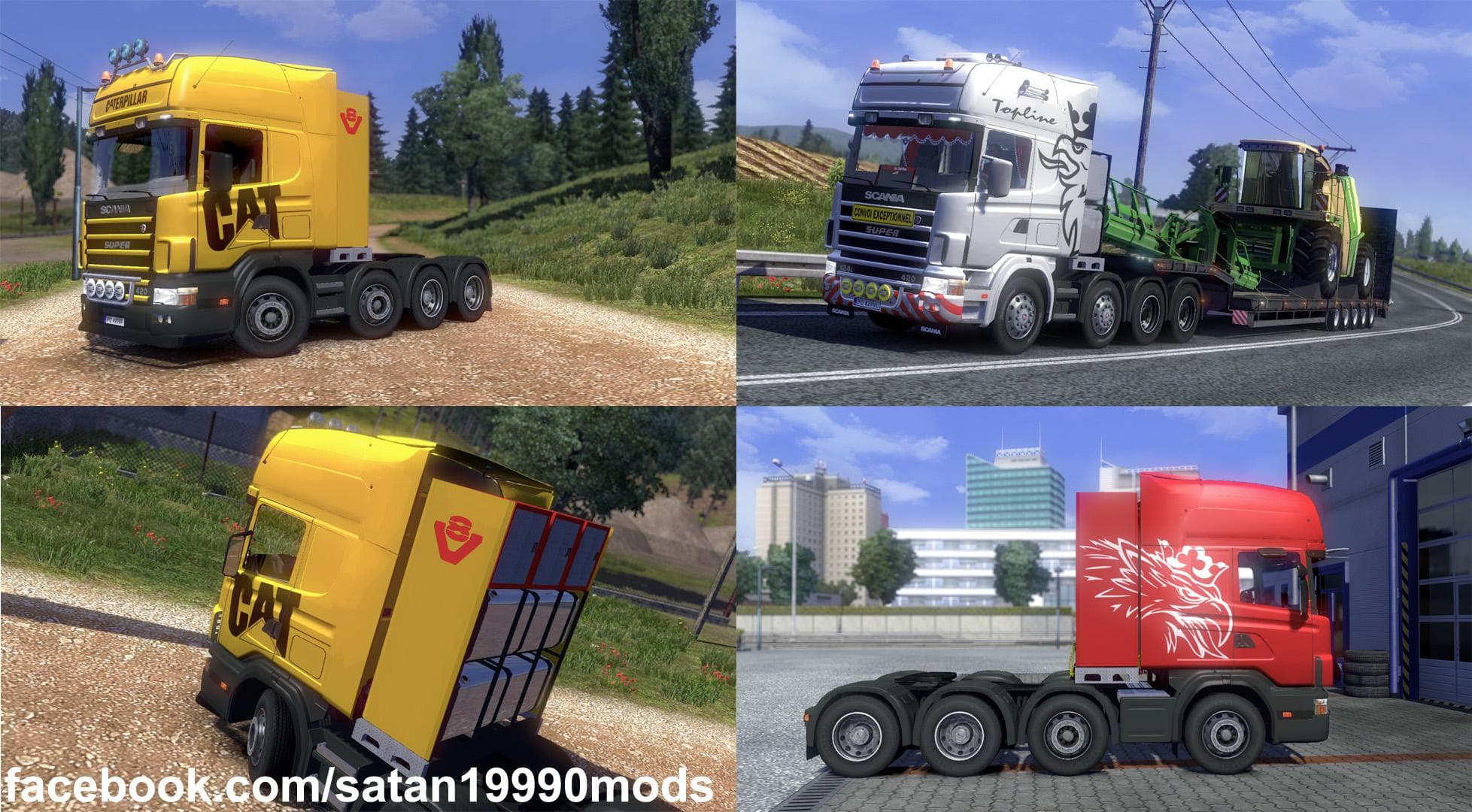
The Scania 4 mod introduces a drivable truck model into Euro Truck Simulator 2, adding a new cab and chassis option for players. As with most truck mods, it offers its own set of interiors, engine choices, and paint slots to customize the vehicle to your liking. This version 2.1 update ensures compatibility with ETS2 patches 1.17 and 1.18, eliminating the need for additional fixes that earlier versions might have required.
Truck mods like this one expand the in-game roster of vehicles you can purchase at dealers across the map. They blend into your game just like official trucks but bring fresh design and driving experiences that can refresh long hours on the road. Since they come with their own configurations, they often provide a variety of tuning options from powerful engines to different transmissions.
When integrating a truck mod such as Scania 4 into a modded setup, it's generally advised to place it after map or traffic mods in your load order to avoid conflicts. These types of mods usually work well alongside other cosmetic or functional add-ons but should be kept separate from core game patches or AI behavior mods for smoother performance.
Players who enjoy diversifying their fleet or those who prefer classic European trucks will find this mod particularly appealing. It fits nicely into setups focusing on realism or nostalgia, especially if you want an alternative to the base game’s default Scania models without straying too far from familiar aesthetics.
Because it supports ETS2 versions 1.17 and 1.18, it's accessible for users not yet running the latest updates but still looking to enrich their gameplay experience with a reliable truck mod option.
Overall, Scania 4 provides an opportunity to drive something different within ETS2’s extensive trucking world while maintaining compatibility and ease of use in typical mod collections.
How to install
1. Download the .scs file from the original source linked above. 2. Copy the file to `Documents/Euro Truck Simulator 2/mod/`. 3. Launch ETS2, open the Mod Manager from the main menu, enable the mod, restart the game. 4. Visit any truck dealer to spawn the new truck.
After the mod loads, save your game inside a safe area (parking lot or service) before deciding whether to keep it. If the game refuses to load with the mod enabled, check that all required DLCs are installed and that the supported ETS2 version chips on this page include your installed game patch.
Reviews
No ratings yetNo reviews yet — be the first to rate this mod.





![Fuso Supergreat Hi Cab Truck [1.50 – 1.60] – Trucks mod for Euro Truck Simulator 2](/_next/image?url=https%3A%2F%2F802software.s3.us-east-1.amazonaws.com%2Fets2modspot%2Fscreenshots%2F7494%2F0.jpg&w=3840&q=75)