SCANIA 143M - EDIT BY EKUALIZER V3.4
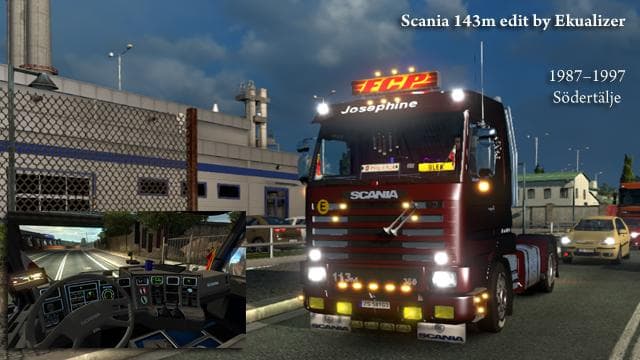
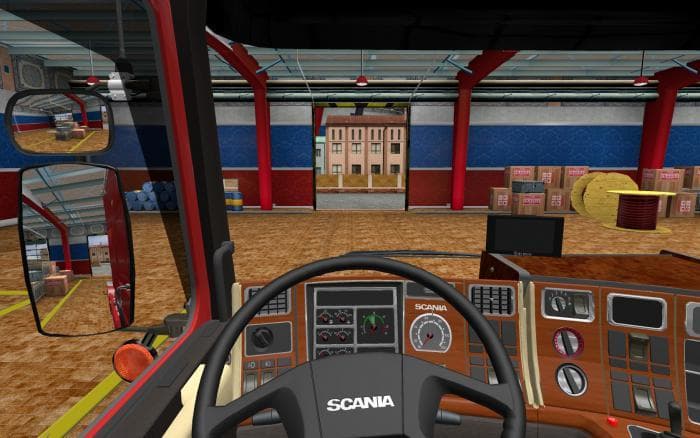
The SCANIA 143M mod by EKUALIZER for ETS2 offers a separate slot registration, 4 interior types, 5 cab variants, 8 chassis options, own sounds, and a Big Tune T
The SCANIA 143M - EDIT BY EKUALIZER V3.4 is a truck mod that brings the classic Scania 143M cab to Euro Truck Simulator 2. This mod adds a separate slot for the truck, meaning it won't overwrite existing vehicles in your game. It features multiple cab options and chassis types, giving players some variety in how they set up their rig. With four interior styles and unique sound effects, it offers a distinct driving experience compared to standard ETS2 trucks.
Truck mods like this one usually provide new drivable vehicles that can be bought at dealers within the game. They often come with their own engine choices, transmissions, and paint jobs to customize appearance and performance. The SCANIA 143M fits this pattern by offering several configurations including five cab variants and eight chassis options. This allows players to tailor the truck to their preferences or roleplay needs.
When integrating this type of truck mod into a modded setup, it's essential to consider load order since it uses its own slot rather than replacing a stock vehicle. This helps reduce conflicts with other truck mods but checking compatibility with other gameplay-enhancing mods is still advised. Since specific ETS2 version support is unknown here, users should test the mod carefully after updates or alongside other large mods.
Players who enjoy driving vintage or iconic European trucks will find this mod appealing. It suits those who like detailed customization and want something different from the usual modern trucks found in ETS2. Given its range of interiors and chassis types, it also works well for roleplayers or enthusiasts aiming for authenticity in their trucking experience.
Overall, SCANIA 143M - EDIT BY EKUALIZER V3.4 is an addition worth trying if you're interested in classic trucks with diverse configuration options and custom sounds. While exact compatibility details are scarce, the fact that it occupies its own slot means it should coexist nicely with many other mods.
How to install
1. Download the .scs file from the original source linked above. 2. Copy the file to `Documents/Euro Truck Simulator 2/mod/`. 3. Launch ETS2, open the Mod Manager from the main menu, enable the mod, restart the game. 4. Visit any truck dealer to spawn the new truck.
After the mod loads, save your game inside a safe area (parking lot or service) before deciding whether to keep it. If the game refuses to load with the mod enabled, check that all required DLCs are installed and that the supported ETS2 version chips on this page include your installed game patch.
Reviews
No ratings yetNo reviews yet — be the first to rate this mod.





![Fuso Supergreat Hi Cab Truck [1.50 – 1.60] – Trucks mod for Euro Truck Simulator 2](/_next/image?url=https%3A%2F%2F802software.s3.us-east-1.amazonaws.com%2Fets2modspot%2Fscreenshots%2F7494%2F0.jpg&w=3840&q=75)