SCANIA 143M 1.19.X
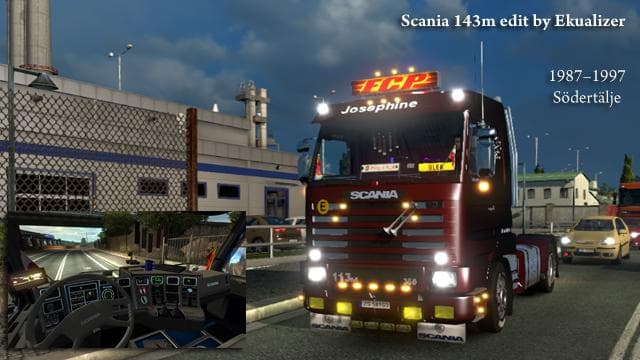
The SCANIA 143M 1.19.X mod adds a drivable Scania truck to Euro Truck Simulator 2, specifically designed for game version 1.19. Players can purchase this model at large Scania dealerships within the game, integrating it into their fleet as they would with any stock truck. This type of truck mod typically includes its own interior design, engine and transmission options, along with paint slots that allow customization through skins.
Truck mods like this one bring new driving experiences by introducing unique cabs and chassis not found in the base game. They often offer a variety of tuning possibilities and visual upgrades that let players tailor their vehicles to personal preferences. The SCANIA 143M is no exception, providing an alternative to standard trucks while fitting naturally into the game's economy and progression system.
In terms of installation, truck mods generally require careful attention to load order when used alongside other vehicle-related mods to avoid conflicts or performance issues. Since this mod supports ETS2 version 1.19, it should be compatible with other mods targeting the same game build. Skins can be applied on top of this truck, enhancing visual variety without interfering with gameplay mechanics.
For those running a heavily modded setup focused on expanding their truck selection, adding a classic Scania model might enrich the driving roster. Fans of vintage trucks or players who enjoy collecting different brands will find this mod a suitable addition without disrupting existing gameplay balance.
This truck is described as fully autonomous in some respects, which could mean automated features or ease of use within the game's mechanics, though exact details aren't specified here. It’s designed to blend well with other content from similar creators known for detailed vehicle models.
Overall, if you want a new Scania option that fits well into your current setup and offers customization through skins, this mod makes for a practical choice without extra complications.
How to install
1. Download the .scs file from the original source linked above. 2. Copy the file to `Documents/Euro Truck Simulator 2/mod/`. 3. Launch ETS2, open the Mod Manager from the main menu, enable the mod, restart the game. 4. Visit any truck dealer to spawn the new truck.
After the mod loads, save your game inside a safe area (parking lot or service) before deciding whether to keep it. If the game refuses to load with the mod enabled, check that all required DLCs are installed and that the supported ETS2 version chips on this page include your installed game patch.
Reviews
No ratings yetNo reviews yet — be the first to rate this mod.





![Fuso Supergreat Hi Cab Truck [1.50 – 1.60] – Trucks mod for Euro Truck Simulator 2](/_next/image?url=https%3A%2F%2F802software.s3.us-east-1.amazonaws.com%2Fets2modspot%2Fscreenshots%2F7494%2F0.jpg&w=3840&q=75)