SCANIA 114L V1.0
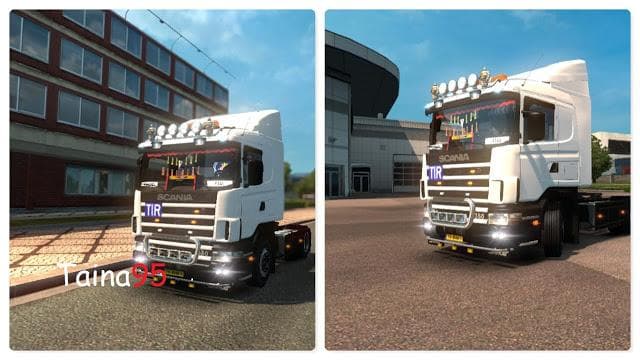
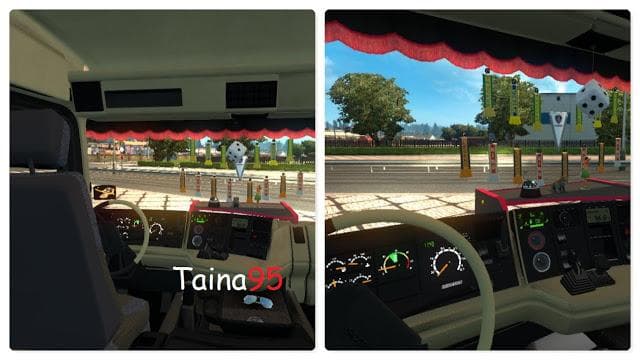
The SCANIA 114L mod for Euro Truck Simulator 2 offers a 4x2 chassis, DLC cabin, interior options, and more. Created by Euro truck simulator 2, this version 1.0
The SCANIA 114L V1.0 mod brings a new truck option to Euro Truck Simulator 2, offering players the chance to drive a classic Scania model with a 4x2 chassis configuration. This addition includes its own cabin design, interior details, and presumably engine and transmission options that reflect the truck's characteristics. Mods like this one typically appear at in-game dealerships where you can purchase them as part of your fleet.
Truck mods generally add variety to your trucking experience by introducing different vehicle models with unique handling, sounds, and customization possibilities. The SCANIA 114L fits into this category by expanding your selection beyond the base game trucks. It enhances immersion by providing an alternative rig that might appeal to those who appreciate older or less common truck designs within ETS2.
When incorporating truck mods such as the SCANIA 114L into a modded setup, it's advisable to check load order carefully since these mods replace or add drivable vehicles which could conflict with other truck mods or DLC content. Usually, you want to place truck mods either before or after certain gameplay-affecting mods depending on compatibility notes if any are provided. Since supported ETS2 versions here start at 1.0, ensure your game version aligns to avoid issues.
This mod is likely aimed at players who enjoy diversifying their garage with trucks not included in the base game or official DLCs. If you're interested in adding a specific Scania model that offers its own visual style and driving feel, this mod could be worth trying out. It's also suitable for those who like tinkering with their load order and mod combinations to tailor their trucking experience more personally.
How to install
1. Download the .scs file from the original source linked above. 2. Copy the file to `Documents/Euro Truck Simulator 2/mod/`. 3. Launch ETS2, open the Mod Manager from the main menu, enable the mod, restart the game. 4. Visit any truck dealer to spawn the new truck.
After the mod loads, save your game inside a safe area (parking lot or service) before deciding whether to keep it. If the game refuses to load with the mod enabled, check that all required DLCs are installed and that the supported ETS2 version chips on this page include your installed game patch.
Reviews
No ratings yetNo reviews yet — be the first to rate this mod.





![Fuso Supergreat Hi Cab Truck [1.50 – 1.60] – Trucks mod for Euro Truck Simulator 2](/_next/image?url=https%3A%2F%2F802software.s3.us-east-1.amazonaws.com%2Fets2modspot%2Fscreenshots%2F7494%2F0.jpg&w=3840&q=75)