SCANDINAVIA REBUILDING V1.3
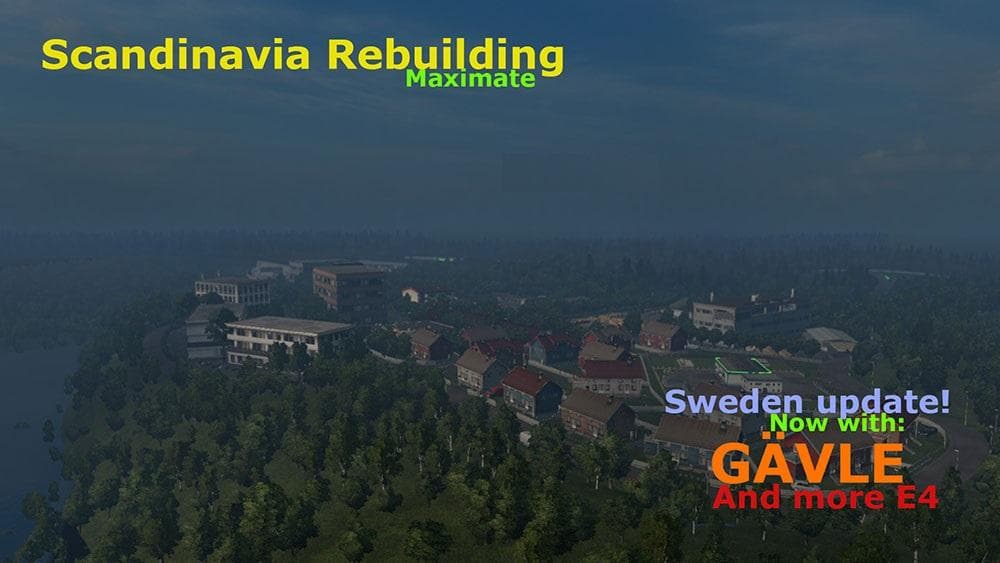
SCANDINAVIA REBUILDING is a map mod for ETS2 version 1.3 by Euro truck simulator 2. It adds new roads and two additional cities, Herning and Gävle, to the Scand
SCANDINAVIA REBUILDING V1.3 is a map modification for Euro Truck Simulator 2 that focuses on expanding the Scandinavian region. It introduces additional roads along with two new cities, Herning and Gävle, enriching the driving environment beyond the base Scandinavia DLC. This mod builds upon the existing map content to offer fresh routes and urban areas for players who enjoy exploring Northern Europe.
Map mods like this one typically come as .scs files and alter the game’s world by adding or reworking roads, cities, and sometimes entire regions. Since they impact the drivable map, they often require compatible base DLCs—in this case, the official Scandinavia expansion—to function correctly. Players should be aware that map mods are sensitive to load order, which can affect stability and performance if not managed properly.
For those running a modded setup with several map expansions, integrating SCANDINAVIA REBUILDING means checking that it loads after any conflicting mods or core maps to avoid issues such as missing textures or road errors. It might also be wise to start a new profile when using significant map changes since older save games can sometimes behave unpredictably with major world edits.
This kind of mod suits truckers who want more variety in their Scandinavian trucking experience without moving into entirely different countries or regions. Adding new cities and roads lets you take different delivery routes and explore less familiar territory within a familiar setting.
Overall, SCANDINAVIA REBUILDING V1.3 offers a straightforward way to refresh your ETS2 journeys through Denmark, Sweden, and neighboring areas by expanding what’s available in the official DLC.
How to install
1. Download every .scs file from the source page (map mods often ship multiple files). 2. Copy all files to `Documents/Euro Truck Simulator 2/mod/`. 3. Enable each file in Mod Manager **in the order documented by the modder**. Load order matters for maps. 4. Start a new save or use an existing save that already supports the map's base regions.
After the mod loads, save your game inside a safe area (parking lot or service) before deciding whether to keep it. If the game refuses to load with the mod enabled, check that all required DLCs are installed and that the supported ETS2 version chips on this page include your installed game patch.
Known conflicts
No conflicts reported for this mod yet. Running a big mod list? Check your whole setup for conflicts →
Reviews
No ratings yetNo reviews yet — be the first to rate this mod.





