SCANDINAVIA REBUILDING V1.2
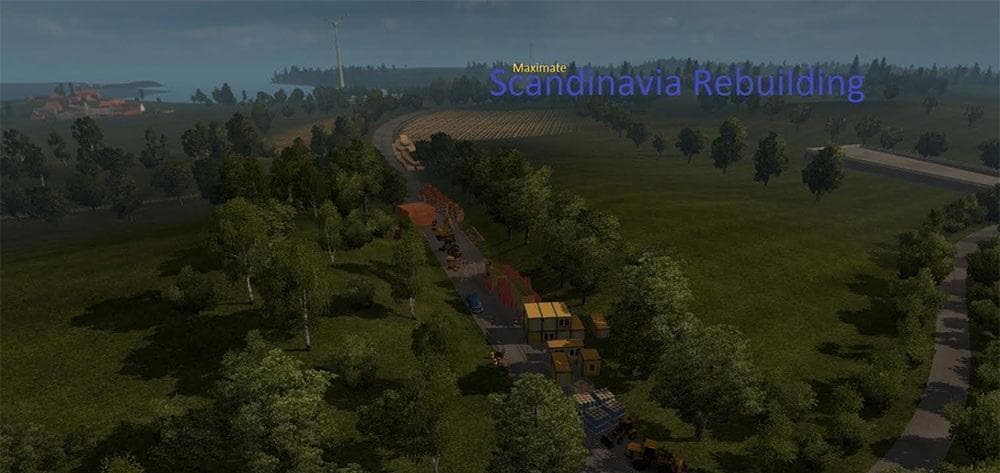
SCANDINAVIA REBUILDING is a map mod for ETS2 version 1.2 by Euro Truck Simulator 2. It adds new roads and two additional cities, Herning and Gävle, requiring th
Scandinavia Rebuilding V1.2 is a map mod for Euro Truck Simulator 2 that enhances the Scandinavian region by adding new roads and expanding the drivable area with two additional cities, Herning and Gävle. It requires the official Scandinavia DLC to work properly, so make sure you have that installed before using this mod. Map mods like this one typically come as .scs files and are sensitive to load order, which means they should be placed appropriately in your mod manager to avoid conflicts.
Map mods expand or rework the game's world by introducing fresh routes, towns, or entire regions. They often provide more variety for long-haul trucking across Europe and can refresh gameplay by offering new destinations and challenges. Since this mod adds new locations within Scandinavia, it fits well into setups focused on exploring northern Europe or enhancing the base map's coverage in that area.
When integrating a map mod such as Scandinavia Rebuilding into your setup, it's wise to check compatibility with other map expansions or mods you use. Conflicts might occur if multiple mods alter the same regions or road networks. A clean profile is sometimes recommended to ensure stable performance, especially after significant changes to maps.
This type of mod appeals mostly to players who enjoy exploring less traveled parts of ETS2's world or want a deeper experience in specific regions like Denmark, Sweden, or Norway. Adding cities like Herning and Gävle gives more options for freight deliveries and sightseeing, enriching the overall immersion for those invested in Scandinavian routes.
Because it targets version 1.2 of ETS2, users should verify their game version matches before attempting installation. Using outdated or mismatched versions can cause crashes or unexpected behavior. Keeping your mods updated and loaded in an orderly fashion helps maintain smooth gameplay when running expansive map packs.
How to install
1. Download every .scs file from the source page (map mods often ship multiple files). 2. Copy all files to `Documents/Euro Truck Simulator 2/mod/`. 3. Enable each file in Mod Manager **in the order documented by the modder**. Load order matters for maps. 4. Start a new save or use an existing save that already supports the map's base regions.
After the mod loads, save your game inside a safe area (parking lot or service) before deciding whether to keep it. If the game refuses to load with the mod enabled, check that all required DLCs are installed and that the supported ETS2 version chips on this page include your installed game patch.
Known conflicts
No conflicts reported for this mod yet. Running a big mod list? Check your whole setup for conflicts →
Reviews
No ratings yetNo reviews yet — be the first to rate this mod.





