SATELLITE MAP BACKGROUNDS
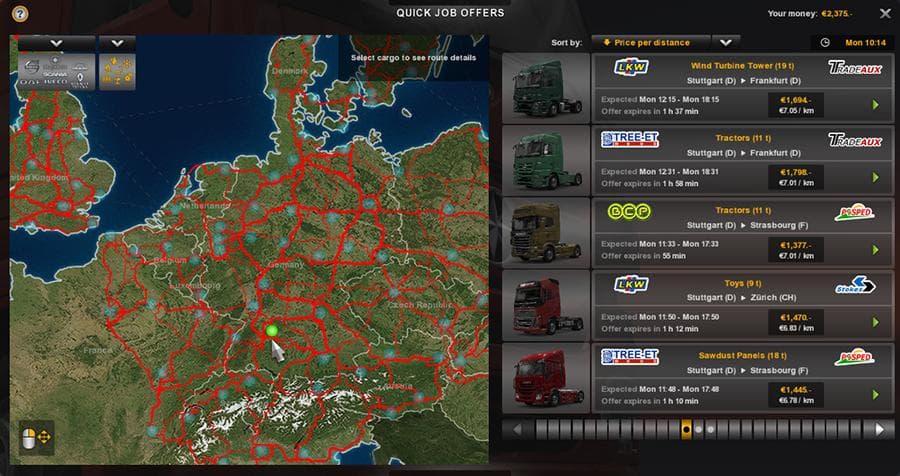
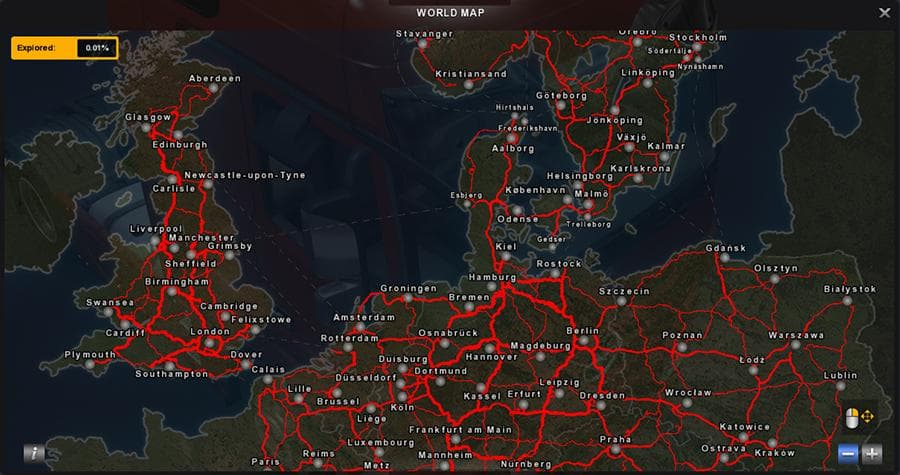
SATELLITE MAP BACKGROUNDS - ETS2 mods download is an ETS2 maps.
SATELLITE MAP BACKGROUNDS is a map mod that updates and improves the visual backdrop used in Euro Truck Simulator 2. It replaces the in-game background images with higher quality satellite imagery, now including coverage for the Scandinavia DLC countries. This type of mod doesn't add new roads or cities but enhances the overall look behind the main menu and map screens, providing a more realistic and immersive atmosphere.
Map mods like this one come as .scs files that players add to their mod folder. They usually need to be loaded after any base map expansions to ensure compatibility. Since it alters background textures rather than gameplay elements, it generally coexists well with other map mods without causing conflicts, though it's wise to check load order if using multiple visual enhancement mods.
For those running a heavily modded setup focused on geographic or graphical improvements, SATELLITE MAP BACKGROUNDS fits nicely by upgrading one of the game's subtle visual details. The lack of compression artifacts in these updated images means clearer and crisper backgrounds on all screens where maps appear.
Players who enjoy exploring the game’s diverse regions from Norway down through Denmark and Sweden will appreciate this update for its inclusion of new Scandinavian areas. It’s particularly suited for users who want their ETS2 experience polished beyond just driving routes, adding a layer of realism even before hitting the road.
Installing this kind of map background mod is straightforward, requiring only that you enable it in your mod manager and position it properly in your load order. No special profile or DLC requirements are explicitly stated here, but having the relevant Scandinavia DLC is implied for full effect.
Overall, this mod appeals mostly to those who like subtle graphical enhancements that complement existing map expansions. It helps bring out finer details in satellite views behind menus, which can enhance immersion without changing gameplay mechanics.
How to install
1. Download every .scs file from the source page (map mods often ship multiple files). 2. Copy all files to `Documents/Euro Truck Simulator 2/mod/`. 3. Enable each file in Mod Manager **in the order documented by the modder**. Load order matters for maps. 4. Start a new save or use an existing save that already supports the map's base regions.
After the mod loads, save your game inside a safe area (parking lot or service) before deciding whether to keep it. If the game refuses to load with the mod enabled, check that all required DLCs are installed and that the supported ETS2 version chips on this page include your installed game patch.
Known conflicts
No conflicts reported for this mod yet. Running a big mod list? Check your whole setup for conflicts →
Reviews
No ratings yetNo reviews yet — be the first to rate this mod.





