RUTAS ARGENTINAS V 1.1 (BUENOS AIRES) V1.1
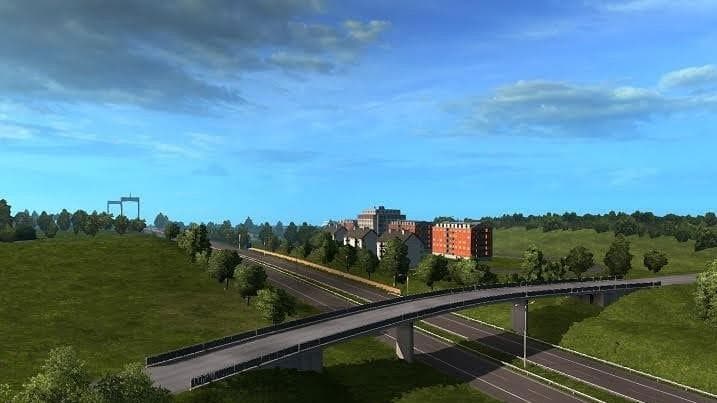

RUTAS ARGENTINAS V 1.1 (BUENOS AIRES) is an ETS2 maps. Listed compatible with ETS2 1.1, 1.20.
RUTAS ARGENTINAS V 1.1 (BUENOS AIRES) V1.1 is a map mod designed to add new roads, cities, and regions around Buenos Aires in Euro Truck Simulator 2. This version includes several bug fixes along with additional cities and routes, some featuring potholes for a bit more driving challenge. The mod has been tested on ETS2 versions 1.1 and 1.20, ensuring compatibility within that range.
Map mods like this one expand the drivable world significantly by introducing fresh terrain and locations to explore beyond the base game. They usually come as one or more .scs files that need to be loaded carefully in the mod manager since load order can affect their performance or cause conflicts with other map expansions.
In a modded setup, this kind of map addition is great for players looking to diversify their long haul routes or add regional variety without leaving ETS2's core experience behind. Because it modifies the game's geography, it's often recommended to start a new profile when using extensive map mods to avoid issues with existing saves or delivery contracts.
Compatibility is key when using map mods; they typically require specific base-map DLCs related to the area they cover and may not work well alongside other large-scale maps without proper load order adjustments. Players should check which DLCs are needed and ensure this mod loads after any core maps but before smaller cosmetic mods.
This mod suits those who want a deeper South American trucking experience focusing on Argentina’s capital region. If you enjoy exploring detailed road networks and city layouts while managing realistic road conditions like potholes, this addition could fit nicely into your ETS2 collection.
How to install
1. Download every .scs file from the source page (map mods often ship multiple files). 2. Copy all files to `Documents/Euro Truck Simulator 2/mod/`. 3. Enable each file in Mod Manager **in the order documented by the modder**. Load order matters for maps. 4. Start a new save or use an existing save that already supports the map's base regions.
After the mod loads, save your game inside a safe area (parking lot or service) before deciding whether to keep it. If the game refuses to load with the mod enabled, check that all required DLCs are installed and that the supported ETS2 version chips on this page include your installed game patch.
Known conflicts
No conflicts reported for this mod yet. Running a big mod list? Check your whole setup for conflicts →
Reviews
No ratings yetNo reviews yet — be the first to rate this mod.





