RUSSIAN TRAILER 1.21.X
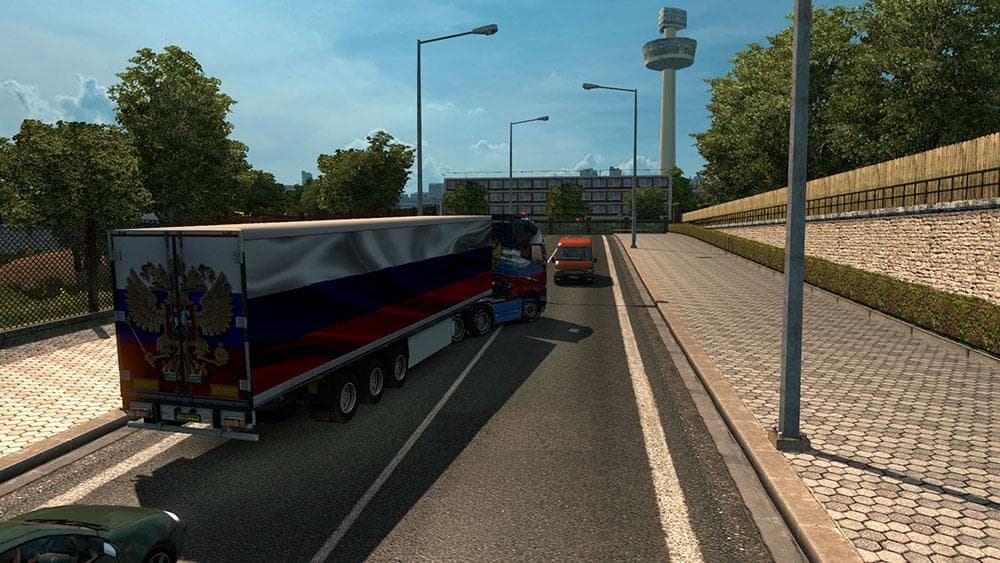
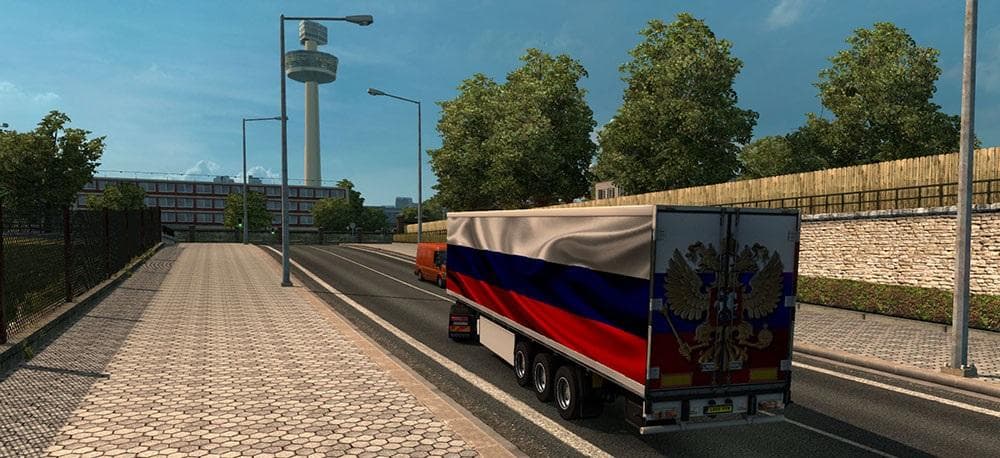
RUSSIAN TRAILER 1.21.X is a trailer mod for ETS2 version 1.21 created by Euro truck simulator 2. It has been tested and credited to Zori Russia, with a file siz
The RUSSIAN TRAILER 1.21.X mod adds a haulable trailer to Euro Truck Simulator 2 compatible with version 1.21. This type of mod typically introduces new trailer bodies or cargo options that you can find in the trailer dealer or when selecting freight jobs. It blends into the existing game content by expanding your hauling possibilities with fresh trailer models.
Trailer mods like this one usually bring variety to your trucking experience, letting you pull different types of trailers that can be owned and used for various jobs. They often integrate smoothly with other mods as long as they're designed for the same ETS2 version, which is key since this mod supports 1.21 specifically.
When running a modded setup, trailer mods are loaded alongside truck and map mods but require attention to load order if they affect similar game elements. Since this is solely a trailer addition, it generally won't conflict much with other mods unless they also alter trailers or cargo in the same way.
This particular trailer mod would appeal to players interested in Russian-themed content or those wanting to diversify their fleet with trailers from that region. It offers a straightforward way to add something new without overhauling gameplay mechanics or adding complex features.
Installing such a trailer mod is standard: place it in your mod folder and activate it through the game's mod manager before launching. Compatibility is usually good provided the ETS2 version matches, so users on version 1.21 should have no trouble integrating it into their game.
Overall, RUSSIAN TRAILER 1.21.X fits well for anyone who enjoys hauling across Europe and Russia and wants more options in their cargo selection without needing extensive configuration or worrying about complicated conflicts.
How to install
1. Download the .scs file. 2. Drop it into `Documents/Euro Truck Simulator 2/mod/`. 3. Enable in Mod Manager. 4. Trailer should appear in cargo selection or trailer dealer depending on the mod's design.
After the mod loads, save your game inside a safe area (parking lot or service) before deciding whether to keep it. If the game refuses to load with the mod enabled, check that all required DLCs are installed and that the supported ETS2 version chips on this page include your installed game patch.
Reviews
No ratings yetNo reviews yet — be the first to rate this mod.





