Russian Open Spaces v2.4 1.22
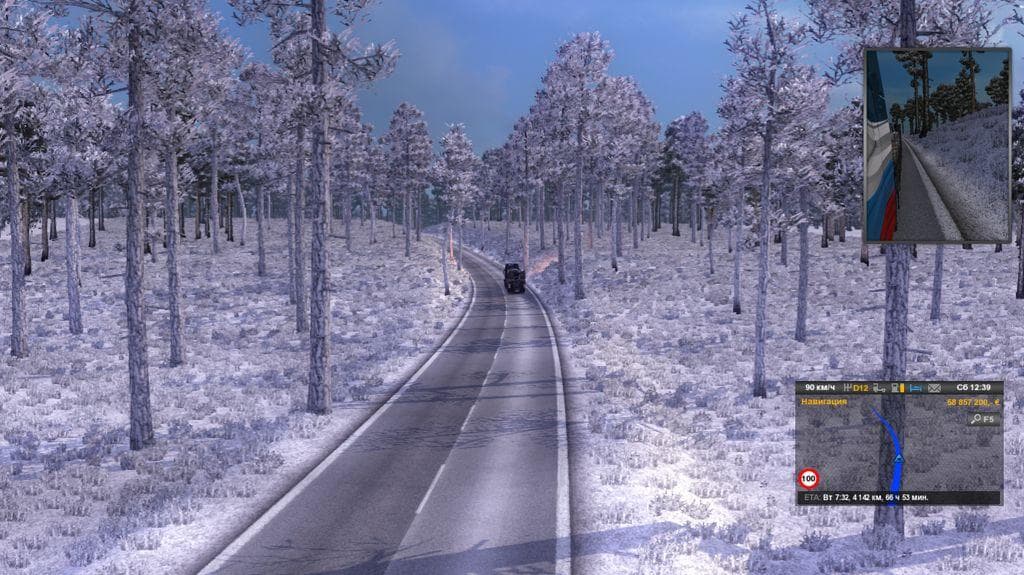
Russian Open Spaces 1.22 is a map mod for ETS2 version 1.22 created by Euro Truck Simulator 2. Update 2.4 fixed bugs for 1.22 and added compatibility with DLCs
Russian Open Spaces v2.4 1.22 is a map mod designed for Euro Truck Simulator 2 version 1.22. It expands the game's drivable areas by adding new roads and regions focused on Russia's open landscapes. Map mods like this one come as .scs files and require proper installation to work correctly within the game environment.
Map expansions such as Russian Open Spaces offer players fresh routes and locations to explore beyond the base game content. They enrich the trucking experience by introducing unfamiliar terrain and road networks, giving more variety to long-haul drives across virtual Russia. These mods often rely on compatible base DLCs to function smoothly.
This particular mod has been updated to fix bugs relevant to ETS2 version 1.22 and addresses issues related to DLCs like Going East! The compatibility with Scandinavia DLC is less clear, so users might want to test or avoid conflicts there. Load order matters with map mods; placing them correctly ensures stability alongside other map expansions.
For a modded setup, Russian Open Spaces fits well when paired with official map DLCs that cover Eastern Europe and Russia. Players should consider starting a fresh profile after installing or updating this kind of map mod, as existing saves may not handle new world changes properly. Checking load order against other map mods helps prevent crashes or missing assets.
Drivers who enjoy exploring extensive Russian routes or want more depth in their ETS2 maps would find this mod appealing. It's suitable for those who like combining multiple map expansions to create a larger and more diverse driving experience within the game.
How to install
1. Download every .scs file from the source page (map mods often ship multiple files). 2. Copy all files to `Documents/Euro Truck Simulator 2/mod/`. 3. Enable each file in Mod Manager **in the order documented by the modder**. Load order matters for maps. 4. Start a new save or use an existing save that already supports the map's base regions.
After the mod loads, save your game inside a safe area (parking lot or service) before deciding whether to keep it. If the game refuses to load with the mod enabled, check that all required DLCs are installed and that the supported ETS2 version chips on this page include your installed game patch.
Known conflicts
No conflicts reported for this mod yet. Running a big mod list? Check your whole setup for conflicts →
Reviews
No ratings yetNo reviews yet — be the first to rate this mod.





