Romania Map By Andu v 0.04a
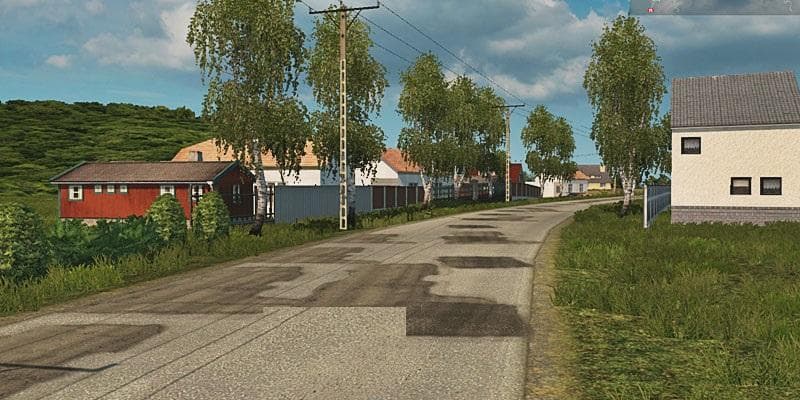
The Romania Map By Andu v 0.04a is an alpha version map mod for ETS2, requiring version 1.18 of the game and the Going East DLC. Created by the Andu Team, this
The Romania Map By Andu v 0.04a is a map mod for Euro Truck Simulator 2 that adds new drivable areas focused on Romania. It requires the base game version 1.18 and the Going East DLC to work properly. This mod is still in an alpha state, meaning it's an early release that might receive updates and improvements over time.
Map mods like this one expand the game's world with additional roads, cities, and regions that aren't available in the standard version. They typically come as .scs files that you place into your mods folder. Because of their nature, these maps can change how you travel across Europe by introducing fresh routes and destinations.
When adding a map mod to your setup, it's crucial to pay attention to load order since conflicts can arise if multiple maps overlap or try to modify the same areas. Some map mods also require starting a new profile or having specific DLCs installed — in this case, Going East is necessary. Running multiple map expansions together may need careful management to avoid crashes or missing content.
This particular mod brings a slice of Romania into ETS2, which could appeal to players who want to explore less-covered parts of Eastern Europe beyond what base maps offer. If you're interested in Balkan geography or just want a fresh experience with different trucking routes, it might fit well into your collection of map expansions.
Since the creator information isn't specified and the file size remains unknown, users should be cautious and check compatibility notes before combining it with other large-scale map mods. Keeping backups before installing new maps is always recommended due to potential issues during early development stages like alpha releases.
How to install
1. Download every .scs file from the source page (map mods often ship multiple files). 2. Copy all files to `Documents/Euro Truck Simulator 2/mod/`. 3. Enable each file in Mod Manager **in the order documented by the modder**. Load order matters for maps. 4. Start a new save or use an existing save that already supports the map's base regions.
After the mod loads, save your game inside a safe area (parking lot or service) before deciding whether to keep it. If the game refuses to load with the mod enabled, check that all required DLCs are installed and that the supported ETS2 version chips on this page include your installed game patch.
Known conflicts
No conflicts reported for this mod yet. Running a big mod list? Check your whole setup for conflicts →
Reviews
No ratings yetNo reviews yet — be the first to rate this mod.





