ROMANIA MAP BY ANDU TEAM 1.18
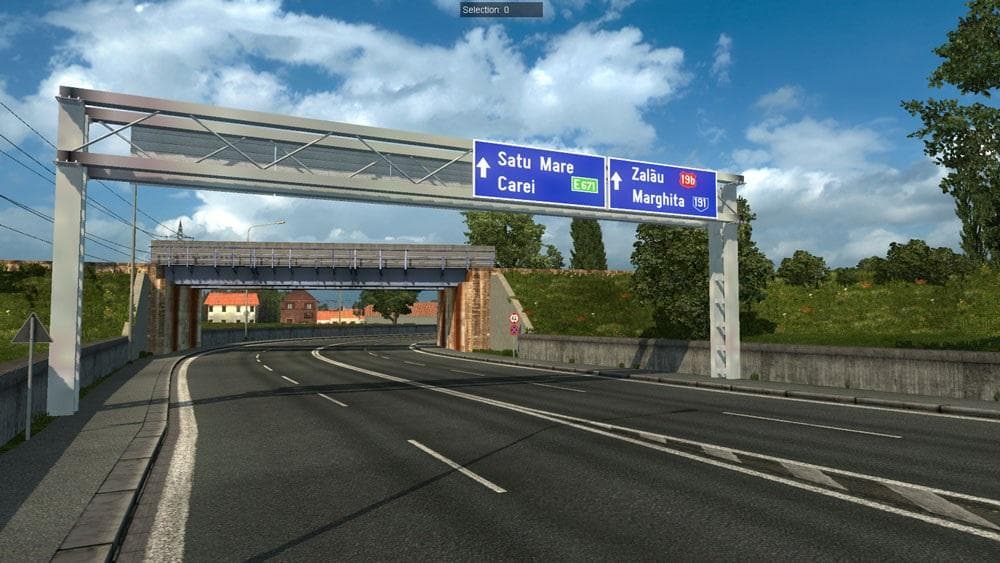
The Romania Map by Andu Team is a map expansion mod designed for Euro Truck Simulator 2 versions 1.17 and 1.18. It adds new drivable areas based on Romanian geography, complementing the base game’s coverage of Eastern Europe. Like other map mods, it comes as .scs files that players add to their mods folder to extend the world with additional cities and road networks.
Map mods such as this one change the playable environment, letting you explore routes that aren't available in the official game or DLCs. The Romania Map relies on the Going East DLC, which provides essential assets for Eastern European territories. Players typically need to activate it in their mod manager and ensure it loads in the correct order to avoid conflicts with other map expansions.
In a heavily modded setup, map expansions require careful load order management because overlapping territories can cause visual glitches or inaccessible roads. It's common practice to place larger map mods like this one higher in the load list than smaller mods affecting specific features or textures. Some users prefer starting fresh profiles to fully enjoy new regions without legacy save issues.
This mod will appeal mostly to those who want to broaden their ETS2 experience with more Eastern European content, particularly if they enjoy long-haul trucking through diverse landscapes. It fits well alongside other regional map mods covering neighboring countries such as Bulgaria, Hungary, or Serbia, helping create a richer driving environment across the Balkans.
Since this is an alpha version from Andu Team, players should be aware that some areas might still be under development or less polished than official maps. Still, it's a good pick for anyone interested in exploring Romania within ETS2's growing network of custom maps.
How to install
1. Download every .scs file from the source page (map mods often ship multiple files). 2. Copy all files to `Documents/Euro Truck Simulator 2/mod/`. 3. Enable each file in Mod Manager **in the order documented by the modder**. Load order matters for maps. 4. Start a new save or use an existing save that already supports the map's base regions.
After the mod loads, save your game inside a safe area (parking lot or service) before deciding whether to keep it. If the game refuses to load with the mod enabled, check that all required DLCs are installed and that the supported ETS2 version chips on this page include your installed game patch.
Known conflicts
No conflicts reported for this mod yet. Running a big mod list? Check your whole setup for conflicts →
Reviews
No ratings yetNo reviews yet — be the first to rate this mod.





