ROAD ATLAS MAP BACKGROUND ETS2, PROMOD, RUSMAP, RUSSIAN OPEN
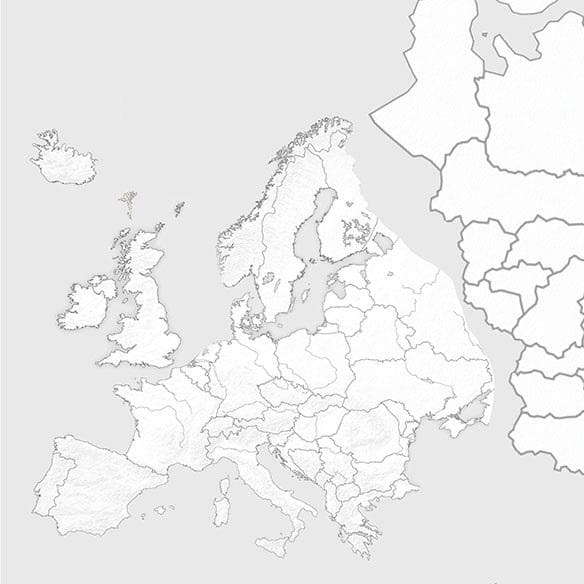
ROAD ATLAS MAP BACKGROUND ETS2 is a map mod for Euro Truck Simulator 2 that supports versions 1.5 and 1.9. It is designed to be used in conjunction with Road At
The ROAD ATLAS MAP BACKGROUND ETS2 mod is designed to work alongside popular map expansions like PROMOD, RUSMAP, and RUSSIAN OPEN. It provides a background map layer that helps these large-scale map mods fit together more coherently in Euro Truck Simulator 2. This type of mod typically acts as a base or framework, offering a unified visual context when multiple map packs are combined.
Map mods in ETS2 expand the drivable world by adding new roads, cities, and regions. They come as .scs files that you place in your mod folder and enable through the game’s mod manager. Because of their size and complexity, map mods often require careful load-order management to avoid conflicts and ensure smooth gameplay.
Using a background map mod like this one is especially useful for players running several big map mods simultaneously. It can help reduce visual inconsistencies between different map areas by providing a consistent backdrop. However, these mods are sensitive to load order and may need to be loaded before or after certain other maps for optimal compatibility.
Since this background map supports versions 1.5 and 1.9 of ETS2, it's tailored for setups that include PROMOD 1.9.8 and RUSMAP 1.5.2 or similar versions of those expansions. Players should check their profiles and possibly start fresh ones when combining large maps like these to avoid issues related to saved data.
This kind of mod appeals mainly to truckers who enjoy exploring extensive European and Russian territories with enhanced realism from multiple map packs combined. If you’re into long hauls across different countries added by mods such as Russia or the Balkans, having a compatible background map helps keep everything visually aligned.
How to install
1. Download every .scs file from the source page (map mods often ship multiple files). 2. Copy all files to `Documents/Euro Truck Simulator 2/mod/`. 3. Enable each file in Mod Manager **in the order documented by the modder**. Load order matters for maps. 4. Start a new save or use an existing save that already supports the map's base regions.
After the mod loads, save your game inside a safe area (parking lot or service) before deciding whether to keep it. If the game refuses to load with the mod enabled, check that all required DLCs are installed and that the supported ETS2 version chips on this page include your installed game patch.
Known conflicts
No conflicts reported for this mod yet. Running a big mod list? Check your whole setup for conflicts →
Reviews
No ratings yetNo reviews yet — be the first to rate this mod.





