ROAD ATLAS MAP BACKGROUND ETS2
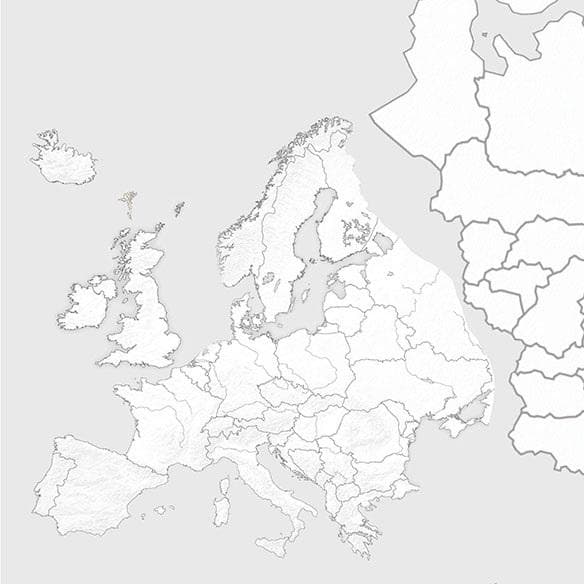
ROAD ATLAS MAP BACKGROUND is an ETS2 unknown. Listed compatible with ETS2 1.5, 1.9.
The ROAD ATLAS MAP BACKGROUND ETS2 is a map mod designed to serve as a background layer when using multiple map expansions together in Euro Truck Simulator 2. It acts as a common base that helps integrate other large-scale map mods like Rusmap and Promods, which cover extensive regions including Russia and various parts of Europe. This kind of mod doesn't add new roads or cities by itself but provides a unified visual and geographical backdrop to support other map packs.
Map mods in ETS2 generally expand the drivable world by adding new areas, roads, and sometimes even features like ferry routes or tunnels. The ROAD ATLAS MAP BACKGROUND fits into this category but is specifically focused on compatibility rather than content expansion. It helps prevent conflicts and visual inconsistencies that might arise when you combine multiple detailed maps in your game setup.
Since this mod functions as a background map, it’s particularly useful for players running several large mods simultaneously. Many map mods are load-order sensitive, meaning they need to be loaded in a specific sequence within the game's mod manager to work correctly without crashes or glitches. This type of background map often needs to be loaded before more detailed maps like Rusmap or Promod for smooth operation.
Players who enjoy exploring vast areas across different European countries and Russia with various popular map expansions would find this mod helpful. It’s compatible with ETS2 versions 1.5 through 1.9, making it suitable for those with older game versions who want to combine large-scale maps without issues. If you run multi-map setups aiming for broader coverage, this mod can help keep everything visually consistent.
How to install
1. Download every .scs file from the source page (map mods often ship multiple files). 2. Copy all files to `Documents/Euro Truck Simulator 2/mod/`. 3. Enable each file in Mod Manager **in the order documented by the modder**. Load order matters for maps. 4. Start a new save or use an existing save that already supports the map's base regions.
After the mod loads, save your game inside a safe area (parking lot or service) before deciding whether to keep it. If the game refuses to load with the mod enabled, check that all required DLCs are installed and that the supported ETS2 version chips on this page include your installed game patch.
Known conflicts
No conflicts reported for this mod yet. Running a big mod list? Check your whole setup for conflicts →
Reviews
No ratings yetNo reviews yet — be the first to rate this mod.





