RE-EDITED KRONE PROFI LINER - MARCOTRAN 1.0
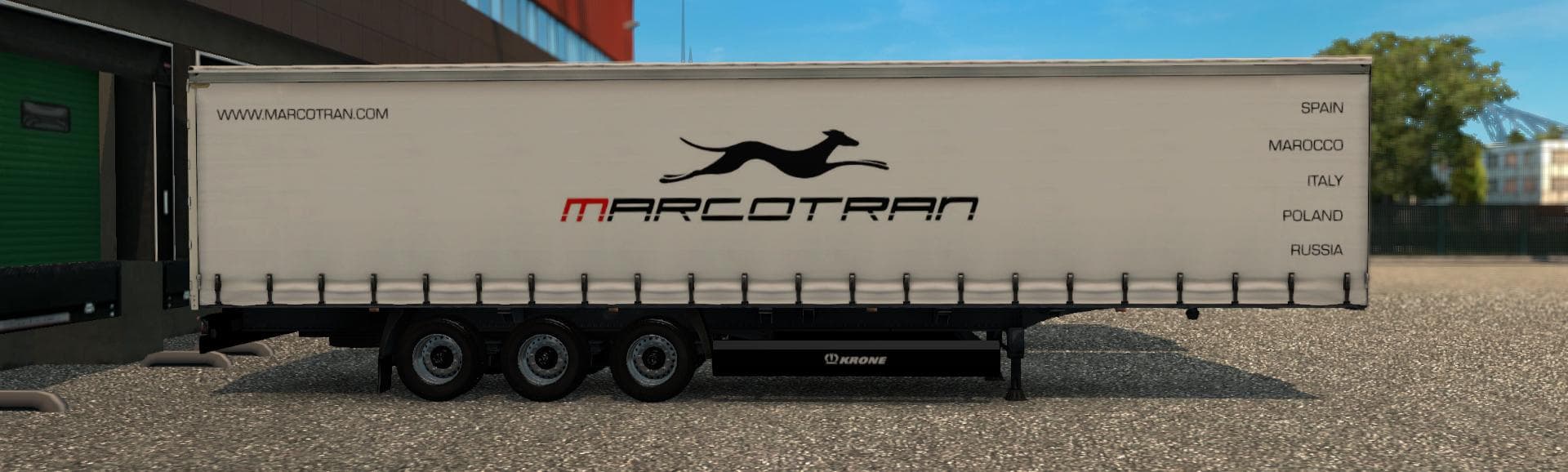

The RE-EDITED KRONE PROFI LINER - MARCOTRAN 1.0 mod is a trailer replacement for SCS in ETS2 version 1.0. It features updated wheels and added license plate lig
The RE-EDITED KRONE PROFI LINER - MARCOTRAN 1.0 is a trailer mod that updates the standard Krone Profi Liner found in Euro Truck Simulator 2. It replaces the default trailer model provided by SCS with a version that features changed wheels and an added light for the license plate, offering a slightly different look while maintaining the original functionality. This kind of modification affects trailers you can haul, appearing in cargo selection and trailer dealers just like stock trailers do.
Trailer mods such as this one enhance gameplay by providing variations on existing trailer models or adding new ones. They fit naturally into a modded setup where players want more diversity or specific visual tweaks to their hauling experience. Since this mod simply replaces the base Krone Profi Liner model, it generally slots in without conflicts, but it's wise to load it after any other mods altering the same trailer to ensure its changes take effect.
In terms of compatibility, trailer mods often depend on the ETS2 version they support; this one is designed for version 1.0 of the game. Users should be cautious when mixing multiple mods affecting trailers to avoid graphical glitches or missing parts. Proper load order can prevent these issues—usually by placing re-edited or replacement mods near the end of your mod list.
Players who prefer subtle enhancements over completely new content might appreciate this mod's approach. It’s suitable for those who want their Krone Profi Liner to have a distinctive look without straying far from what’s familiar in ETS2. It blends well with other cargo and trailer additions, especially if you’re running a realistic trucking profile across regions like Germany or France where this trailer is common.
How to install
1. Download the .scs file. 2. Drop it into `Documents/Euro Truck Simulator 2/mod/`. 3. Enable in Mod Manager. 4. Trailer should appear in cargo selection or trailer dealer depending on the mod's design.
After the mod loads, save your game inside a safe area (parking lot or service) before deciding whether to keep it. If the game refuses to load with the mod enabled, check that all required DLCs are installed and that the supported ETS2 version chips on this page include your installed game patch.
Reviews
No ratings yetNo reviews yet — be the first to rate this mod.





