POLISH WINTER DAYLIGHT HOURS V1.1
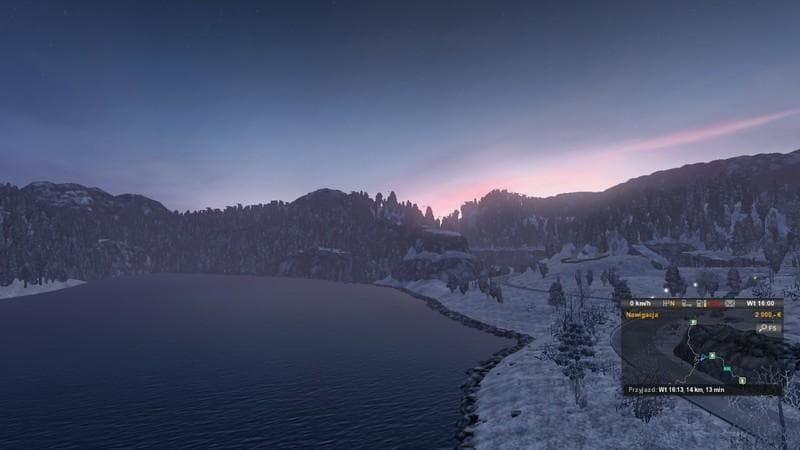
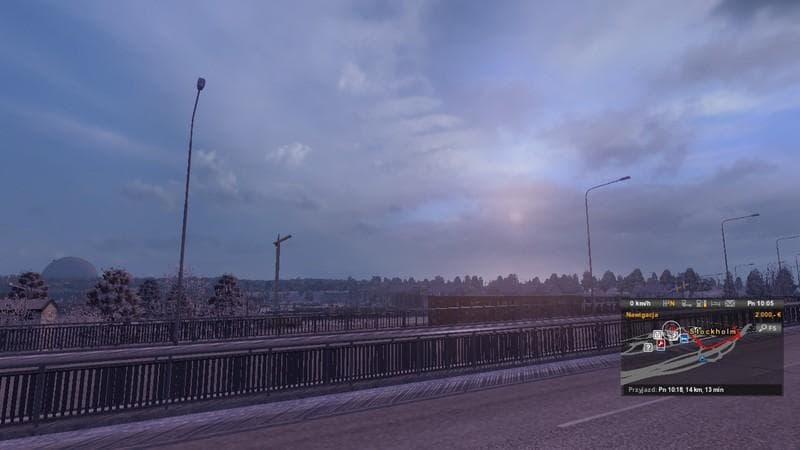
POLISH WINTER DAYLIGHT HOURS mod version 1.1 adjusts daylight hours in North Europe during winter, setting night from 17 to 7. Created by Euro Truck Simulator 2
The POLISH WINTER DAYLIGHT HOURS V1.1 mod adjusts the length of daylight during winter specifically for Northern Europe, including areas like Scandinavia, Iceland, and Russia. It modifies night hours to span from 17:00 to 7:00, aligning more closely with real-world winter conditions in these regions. This kind of adjustment can add a layer of realism for players driving through northern territories during the colder months.
Map mods like this one typically alter or expand the game’s environment by changing features such as roads or regions, but here the focus is on tweaking environmental lighting rather than geography itself. They usually come as .scs files that you place in your mod folder and load through the game's menu. Since this mod affects lighting times rather than map data directly, it should generally work alongside most map setups without conflicts.
When it comes to integrating this into a heavily modded profile, it's wise to consider load order. Lighting and weather mods often need to be placed after map mods to avoid overwriting settings. Although no specific compatibility notes are given for this mod, those using multiple environmental tweaks should test for any overlapping effects on daylight hours.
This mod is aimed at drivers who want a more immersive experience reflecting actual **winter daylight hours** in northern parts of Europe. It fits well for those who enjoy long hauls through countries like **Poland**, **Norway**, or **Russia** during winter seasons and seek consistency in visual cues tied to time of day.
Overall, if you're running a profile with detailed maps and want your game world to feel closer to reality when it comes to seasonal light changes up north, this small adjustment can help set the tone without major overhauls or compatibility hassles.
How to install
1. Download every .scs file from the source page (map mods often ship multiple files). 2. Copy all files to `Documents/Euro Truck Simulator 2/mod/`. 3. Enable each file in Mod Manager **in the order documented by the modder**. Load order matters for maps. 4. Start a new save or use an existing save that already supports the map's base regions.
After the mod loads, save your game inside a safe area (parking lot or service) before deciding whether to keep it. If the game refuses to load with the mod enabled, check that all required DLCs are installed and that the supported ETS2 version chips on this page include your installed game patch.
Known conflicts
No conflicts reported for this mod yet. Running a big mod list? Check your whole setup for conflicts →
Reviews
No ratings yetNo reviews yet — be the first to rate this mod.





