POLAR DAY & POLAR NIGHT
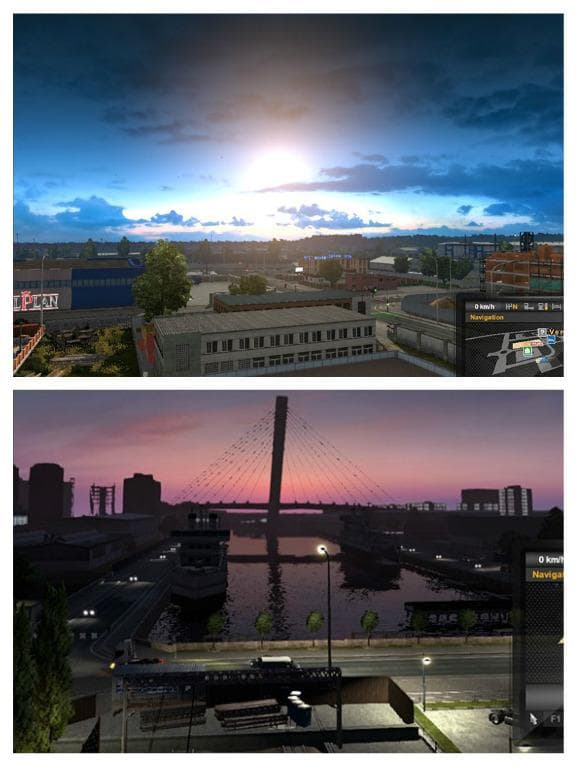
The POLAR DAY & POLAR NIGHT mod package includes two mods: PolarDay.scs for constant sunlight and PolarNights.scs for perpetual darkness. These mods are compati
POLAR DAY & POLAR NIGHT is a pair of map-related mods that adjust the daylight cycle in Euro Truck Simulator 2. One mod keeps the sun above the horizon, simulating continuous daylight, while the other does the opposite, producing a constant night scenario where the sun never rises. These changes affect how time feels in-game and can alter driving conditions dramatically.
Map mods like this one generally modify or add to the game's world by introducing new regions, roads, or environmental tweaks. They come as .scs files that need to be placed in your mod folder and activated through the game menu. Since map mods can be sensitive to load order, it's advisable to position this mod appropriately relative to other map expansions or weather mods to avoid conflicts.
This particular mod works with all weather mods compatible with ETS2, so it fits well into setups where players want specific atmospheric or lighting effects paired with realistic weather patterns. Because it alters fundamental aspects of day and night cycles, using it alongside other lighting or weather mods should be tested for any unintended visual overlaps.
Players who enjoy driving through northern or polar regions might find these lighting conditions interesting for adding variety or realism during certain seasons. It’s also useful for those who want a unique visual challenge or atmosphere when hauling cargo across extended routes. Just keep in mind that these mods don’t change maps directly but focus on light behavior over existing territories.
If you’re running a heavily modded profile with multiple map additions, make sure to check compatibility notes for each mod and maintain proper load order. Starting fresh profiles may sometimes help when incorporating major environmental changes like constant day or night settings.
How to install
1. Download every .scs file from the source page (map mods often ship multiple files). 2. Copy all files to `Documents/Euro Truck Simulator 2/mod/`. 3. Enable each file in Mod Manager **in the order documented by the modder**. Load order matters for maps. 4. Start a new save or use an existing save that already supports the map's base regions.
After the mod loads, save your game inside a safe area (parking lot or service) before deciding whether to keep it. If the game refuses to load with the mod enabled, check that all required DLCs are installed and that the supported ETS2 version chips on this page include your installed game patch.
Known conflicts
No conflicts reported for this mod yet. Running a big mod list? Check your whole setup for conflicts →
Reviews
No ratings yetNo reviews yet — be the first to rate this mod.





