Plate Luminescent On Road Lines
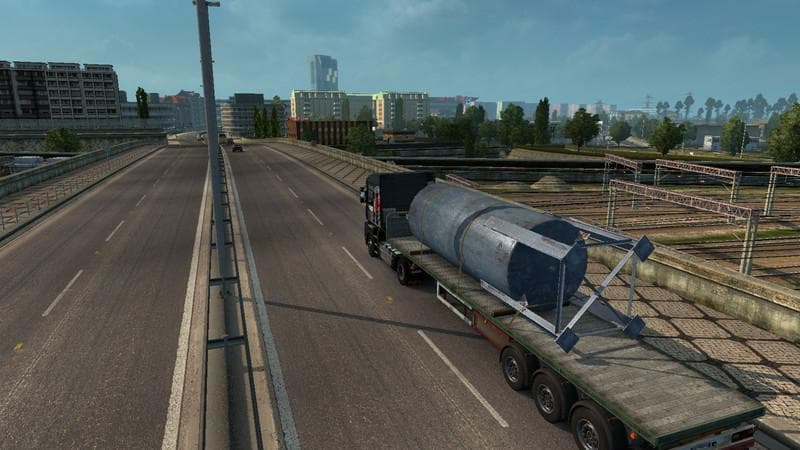
Plate Luminescent On Road Lines is a map mod that focuses on enhancing the visual aspect of road markings by improving the color and luminescence of road lines. This type of mod doesn't add new roads or regions but adjusts existing elements to make driving cues clearer, especially during night-time or low-light conditions. It works with base maps like Original and Truck Simulator Maps (TSM), as well as DLCs such as East and North, which makes it a versatile choice for players using a variety of map expansions.
Map mods like this one usually come in .scs files and require careful attention to load order. Since it modifies road line visuals rather than core map geometry, it tends to be compatible with most other map-related mods, but placing it after major map overhauls is advisable to ensure its changes show correctly. Players might want to use a fresh profile if they experience conflicts, though this mod itself doesn't demand specific base-map DLCs beyond those mentioned for compatibility.
For anyone running a heavily modded setup with multiple maps active, adding improved road line visibility can help reduce fatigue and improve navigation accuracy. It's particularly useful for those who often drive at night or in poor weather where clear lane markings are essential. The subtle visual tweaks introduced by this mod won't change gameplay mechanics but can enhance overall immersion by making the roads feel more defined.
Drivers who appreciate attention to detail in their virtual trucking environment may find this a worthwhile addition. It fits neatly into setups focused on realistic visuals without altering the game's core content or introducing new routes. Since the creator is unknown and the file size isn't specified, users should always back up their profiles before installation and test compatibility with their current map collection.
How to install
1. Download every .scs file from the source page (map mods often ship multiple files). 2. Copy all files to `Documents/Euro Truck Simulator 2/mod/`. 3. Enable each file in Mod Manager **in the order documented by the modder**. Load order matters for maps. 4. Start a new save or use an existing save that already supports the map's base regions.
After the mod loads, save your game inside a safe area (parking lot or service) before deciding whether to keep it. If the game refuses to load with the mod enabled, check that all required DLCs are installed and that the supported ETS2 version chips on this page include your installed game patch.
Known conflicts
No conflicts reported for this mod yet. Running a big mod list? Check your whole setup for conflicts →
Reviews
No ratings yetNo reviews yet — be the first to rate this mod.





