PETERBILT RIMS (BETA)
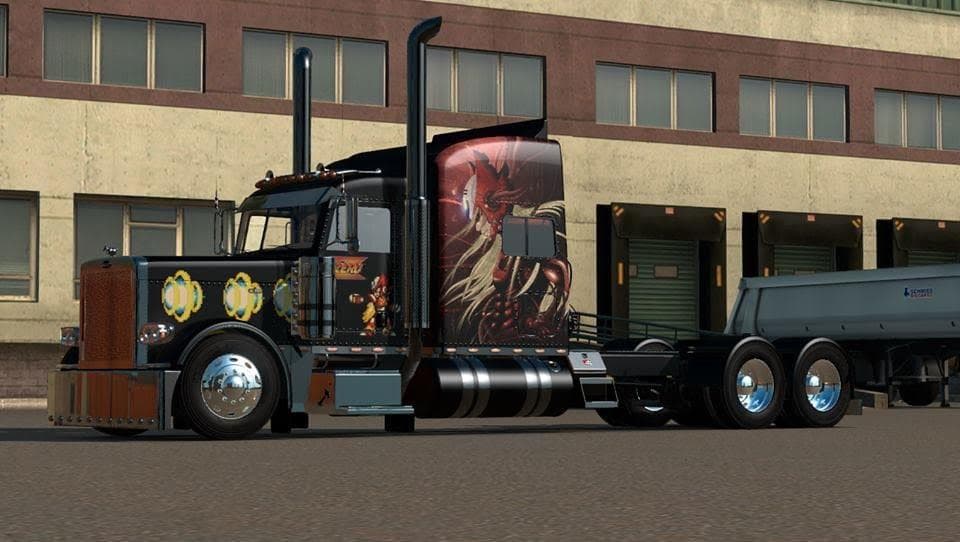
PETERBILT RIMS (BETA) is an ETS2 parts.
PETERBILT RIMS (BETA) is a parts mod designed to add new wheel options for Peterbilt trucks in Euro Truck Simulator 2. This mod focuses specifically on the rims, aiming to enhance the customization possibilities when tuning your rig. While it's marked as beta and has some minor visual issues with the rear wheels, it doesn't affect overall gameplay or functionality.
Parts mods like this one are quite common for ETS2 players who enjoy personalizing their vehicles beyond factory settings. They typically appear in the truck customization menu where you can swap out accessories such as wheels, lights, bull bars, or exhaust pipes. Since this mod adds custom rims targeted at Peterbilt models, it fits naturally into setups that already include other brand-specific tuning items.
When integrating parts mods, load order can matter but usually only if there are overlapping files or conflicting designs. Players using multiple mods for the same truck brand should be mindful of how these interact to avoid visual glitches or missing textures. Given that this mod is still in beta and has noted rear wheel bugs, users might want to test it carefully alongside their existing mods before committing to a full play session.
The appeal of PETERBILT RIMS (BETA) lies primarily with those who drive Peterbilt trucks and want more variety in their wheel choices. If you’re someone who appreciates detailed truck customization and likes mixing different parts mods for a unique look, this could be worth trying out despite its current imperfections.
Since no specific version compatibility or creator info is provided, it's wise to back up your profiles before installing and keep an eye on updates or fixes from wherever you downloaded it. Parts mods generally don't affect game stability too much but always proceed cautiously when adding something labeled beta.
Overall, this mod adds another layer of personalization for fans of Peterbilt trucks in ETS2 who don’t mind minor visual bugs and like experimenting with different rim styles to complement their virtual fleet.
How to install
1. Download the file(s) from the original source linked above. 2. Drop them into `Documents/Euro Truck Simulator 2/mod/`. 3. Enable in Mod Manager and restart the game.
After the mod loads, save your game inside a safe area (parking lot or service) before deciding whether to keep it. If the game refuses to load with the mod enabled, check that all required DLCs are installed and that the supported ETS2 version chips on this page include your installed game patch.
Reviews
No ratings yetNo reviews yet — be the first to rate this mod.