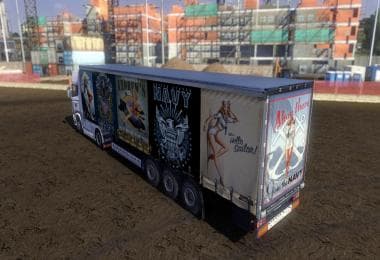
PETERBILT 389 BIG SHOT SKIN
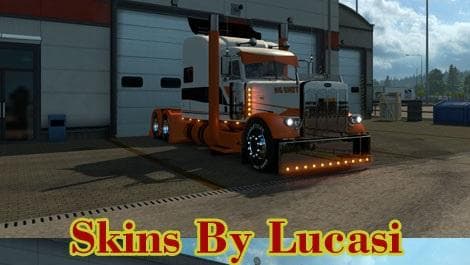
PETERBILT 389 BIG SHOT SKIN is an ETS2 skins. Listed compatible with ETS2 1.9.
The PETERBILT 389 BIG SHOT SKIN is a paint job designed for the Peterbilt 389 truck model, specifically tailored for the Ultracab but also compatible with other variants. Skin mods like this one repaint an existing truck without altering its physical model, allowing players to customize their vehicles' appearance in the paint shop. This type of mod is especially useful for adding personal flair or matching a particular theme without needing to download entirely new truck models.
In Euro Truck Simulator 2, skins function as overlays that depend on the base vehicle they were created for. Applying them is straightforward: after installing the mod, you select the skin in the paint shop when customizing your truck. Because this skin is made for ETS2 version 1.9 and targets a specific Peterbilt model, it's important to ensure compatibility with your current game version and installed truck mods.
Skins usually coexist well with other modifications since they only affect the visual layer of a vehicle rather than its mechanics or physics. However, if you use multiple skin mods or custom truck models, pay attention to load order and potential conflicts. Generally, skins should load after any major truck model mods to display correctly.
This mod fits neatly into a modded setup where users want detailed customization options for their Peterbilt trucks without changing gameplay balance. It’s ideal for those who enjoy driving American-style rigs and prefer to keep their fleet visually distinct on ETS2 roads across various regions such as Texas or California.
Players looking to personalize their Peterbilt 389 with a unique design might find this skin appealing. It offers an alternative look based on an original design by Piva for another model but adapted here for broader use within the game’s trucking community.
Overall, if you’re running ETS2 around version 1.9 and have the appropriate Peterbilt models installed, adding this Big Shot Skin gives you another way to customize your rig’s appearance without fussing over complex installations or compatibility issues.
How to install
1. Download the .scs file. 2. Drop it into `Documents/Euro Truck Simulator 2/mod/`. 3. Enable in Mod Manager. 4. Apply the skin in the truck/trailer paint shop.
After the mod loads, save your game inside a safe area (parking lot or service) before deciding whether to keep it. If the game refuses to load with the mod enabled, check that all required DLCs are installed and that the supported ETS2 version chips on this page include your installed game patch.
Reviews
No ratings yetNo reviews yet — be the first to rate this mod.