PETERBILT 386 UPDATE 1.22.X
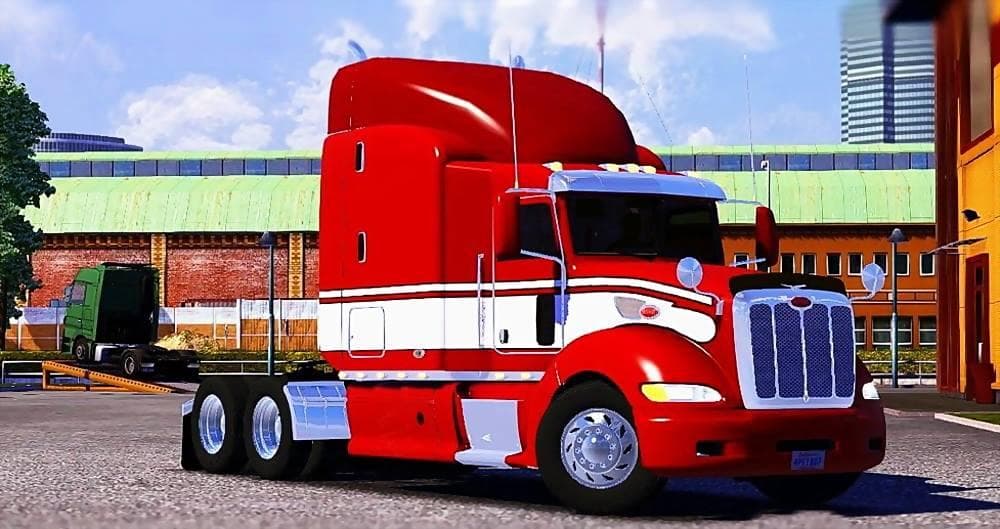
PETERBILT 386 UPDATE 1.22.X is an ETS2 trucks. Listed compatible with ETS2 1.22.
The PETERBILT 386 UPDATE 1.22.X is a truck mod designed for Euro Truck Simulator 2 version 1.22. It introduces the Peterbilt 386 cab and chassis as a drivable option that you can buy from dealers in the game. Like most truck mods, it comes with its own interior setup, multiple engine and transmission choices, and various paint slots to customize your rig's appearance.
Truck mods such as this one typically expand your fleet options by adding new vehicle models that are not part of the base game. They usually include custom sounds and sometimes unique features like separate cabin slots or specialized interiors, enhancing the driving experience with more variety. This particular update seems to have refined some details including sounds associated with navigation and fixes related to traffic behavior for better integration.
When adding a truck mod to your setup, it's important to ensure compatibility with your current ETS2 version—in this case, version 1.22 is supported. These mods generally should be placed above map mods in your load order but below any gameplay-altering mods that might affect vehicle physics or economy to avoid conflicts. Since this mod updates an existing Peterbilt model, make sure no other conflicting Peterbilt mods are active.
Players who enjoy American-style trucks or want more realistic options for their long-haul runs may find this mod appealing. Its inclusion of registered starts in traffic and gallery-ready skins suggests it's tailored for those who appreciate both aesthetics and functional detail in their virtual trucking experience.
Overall, this mod fits well within setups focused on truck variety and customization without altering core gameplay mechanics. It's a straightforward addition if you're looking to diversify your garage with another classic Peterbilt model that matches ETS2's 1.22 update.
How to install
1. Download the .scs file from the original source linked above. 2. Copy the file to `Documents/Euro Truck Simulator 2/mod/`. 3. Launch ETS2, open the Mod Manager from the main menu, enable the mod, restart the game. 4. Visit any truck dealer to spawn the new truck.
After the mod loads, save your game inside a safe area (parking lot or service) before deciding whether to keep it. If the game refuses to load with the mod enabled, check that all required DLCs are installed and that the supported ETS2 version chips on this page include your installed game patch.
Reviews
No ratings yetNo reviews yet — be the first to rate this mod.





![Fuso Supergreat Hi Cab Truck [1.50 – 1.60] – Trucks mod for Euro Truck Simulator 2](/_next/image?url=https%3A%2F%2F802software.s3.us-east-1.amazonaws.com%2Fets2modspot%2Fscreenshots%2F7494%2F0.jpg&w=3840&q=75)