New Prefab v3 1.21
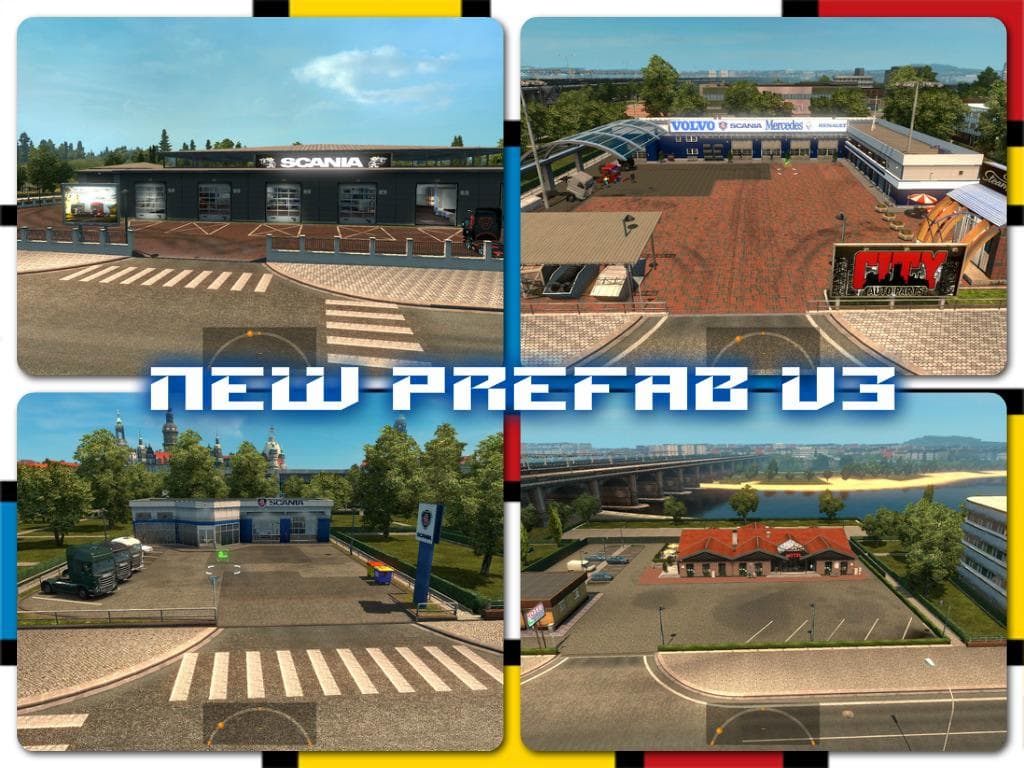
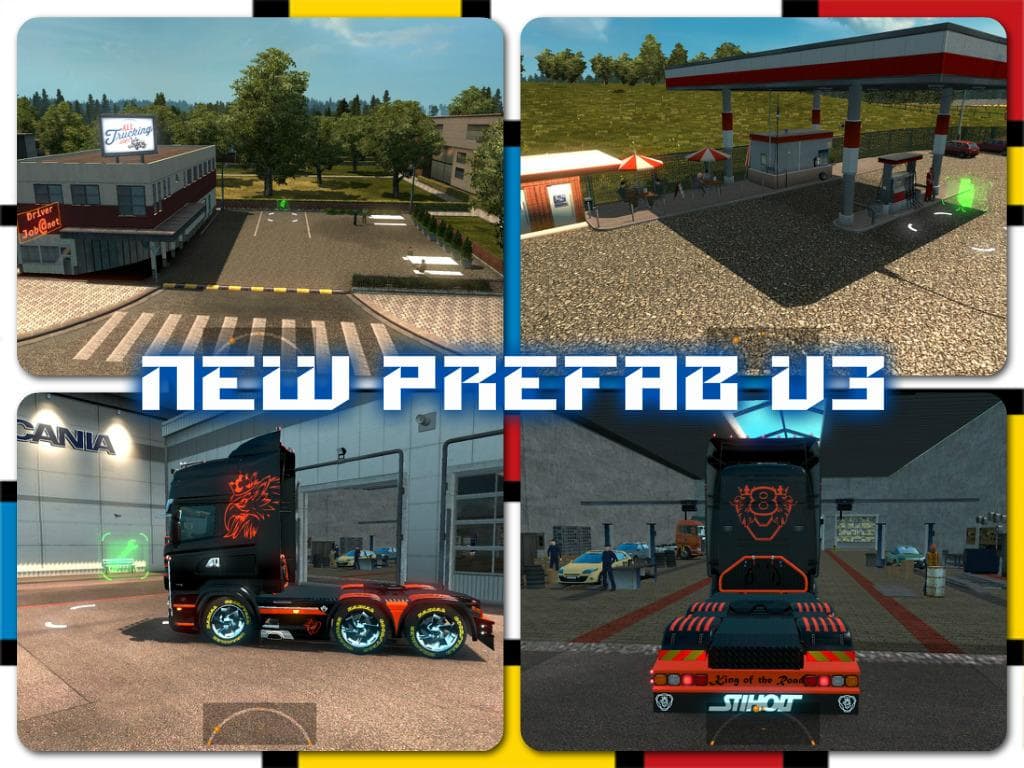
The "New Prefab v3 1.21" mod for ETS2 adds new garage and truck dealer buildings with open doors, as well as new service areas. It is compatible with all map ve
New Prefab v3 1.21 is a parts mod designed for Euro Truck Simulator 2 version 1.21. It introduces new large garage doors, truck dealer doors both big and small, and additional service-related features to the game environment. This kind of mod enhances the visual and functional aspects of truck service points, making garages and dealers look more varied and realistic during gameplay.
Parts mods like this one generally add accessories or environmental details that players can interact with or see while driving and managing their trucks. Though many focus on truck customization items such as bull bars or lights, this mod targets infrastructure elements around garages and dealers, improving immersion by changing door designs and adding new service options.
When integrating New Prefab v3 into a modded setup, it usually fits well alongside map expansion mods since it modifies locations commonly used by all players. Users should load it after major map mods to avoid conflicts with custom assets affecting the same areas. Compatibility is expected with any mod supporting ETS2 version 1.21, but checking load order remains advisable to prevent issues.
This mod appeals to those looking to refresh the look of service stations and dealerships without altering core gameplay mechanics or vehicle tuning. It's especially useful if you run multiple map mods or enjoy exploring different regions in ETS2 where these new doors and services will appear.
Since the creator is unknown and file size undisclosed, it's wise to back up your profile before installing just in case. However, as a straightforward parts enhancement for version 1.21, it offers a subtle yet noticeable update to common trucking stops across various maps.
How to install
1. Download the file(s) from the original source linked above. 2. Drop them into `Documents/Euro Truck Simulator 2/mod/`. 3. Enable in Mod Manager and restart the game.
After the mod loads, save your game inside a safe area (parking lot or service) before deciding whether to keep it. If the game refuses to load with the mod enabled, check that all required DLCs are installed and that the supported ETS2 version chips on this page include your installed game patch.
Reviews
No ratings yetNo reviews yet — be the first to rate this mod.