NEW PREFAB V2 1.20
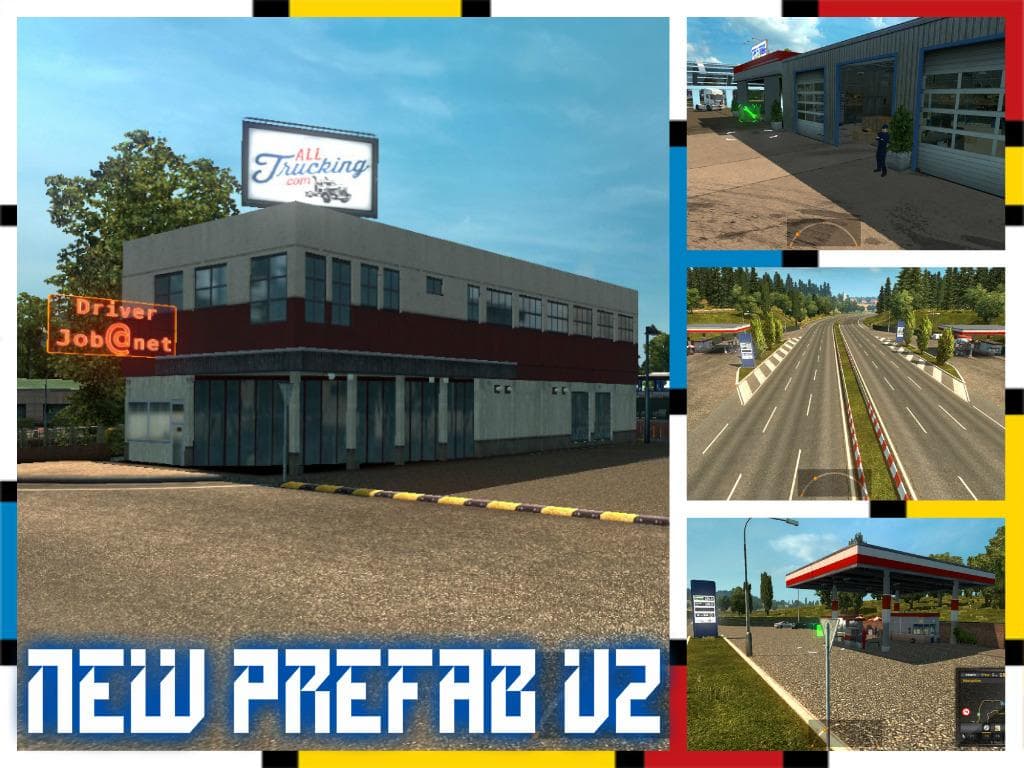
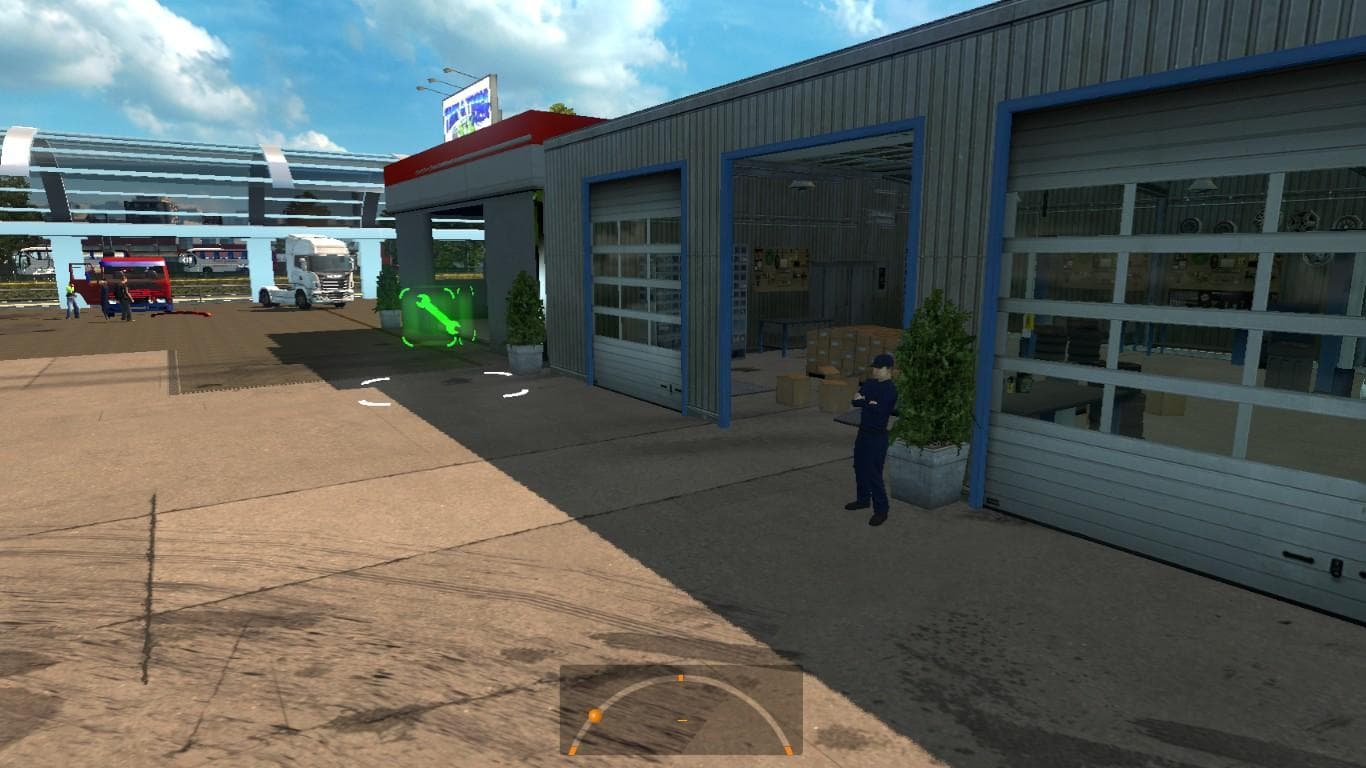
NEW PREFAB V2 1.20 is a map mod designed for Euro Truck Simulator 2 version 1.20. It introduces a variety of new buildings and facilities such as hotels, service stations, garages, car dealers, recruitment agencies, and small gas stations to the game’s environment. This kind of mod typically expands the drivable world by adding fresh points of interest that enhance immersion and provide more interaction opportunities while on the road.
Map mods like this one come in .scs files and affect how the game loads its landscape. They can significantly alter or improve the base map by adding new roads, cities, or regions, which often require careful attention to load order. Players should keep in mind that some map expansions need specific base map DLCs or even a new profile to work properly without conflicts.
In a modded setup, NEW PREFAB V2 1.20 fits well alongside other compatible maps tested with ETS2 version 1.20.x. Since it adds various structures rather than large landmass changes, it might be easier to combine with other map mods if load order is respected. However, users should still monitor compatibility when mixing multiple map modifications to avoid glitches or missing assets.
This mod is suitable for players who want to diversify their trucking routes with more detailed urban and roadside features without drastically changing the geography. Anyone looking to enrich their driving experience with additional places to visit and services will find it useful as part of a broader collection of map enhancements.
Overall, it's a practical addition for those focused on expanding gameplay variety through environmental details rather than big regional overhauls. Just ensure your ETS2 version matches 1.20 and that you check how it interacts with other maps in your profile.
How to install
1. Download every .scs file from the source page (map mods often ship multiple files). 2. Copy all files to `Documents/Euro Truck Simulator 2/mod/`. 3. Enable each file in Mod Manager **in the order documented by the modder**. Load order matters for maps. 4. Start a new save or use an existing save that already supports the map's base regions.
After the mod loads, save your game inside a safe area (parking lot or service) before deciding whether to keep it. If the game refuses to load with the mod enabled, check that all required DLCs are installed and that the supported ETS2 version chips on this page include your installed game patch.
Known conflicts
No conflicts reported for this mod yet. Running a big mod list? Check your whole setup for conflicts →
Reviews
No ratings yetNo reviews yet — be the first to rate this mod.





