NEW MAP SYMBOLS FULL VERSION
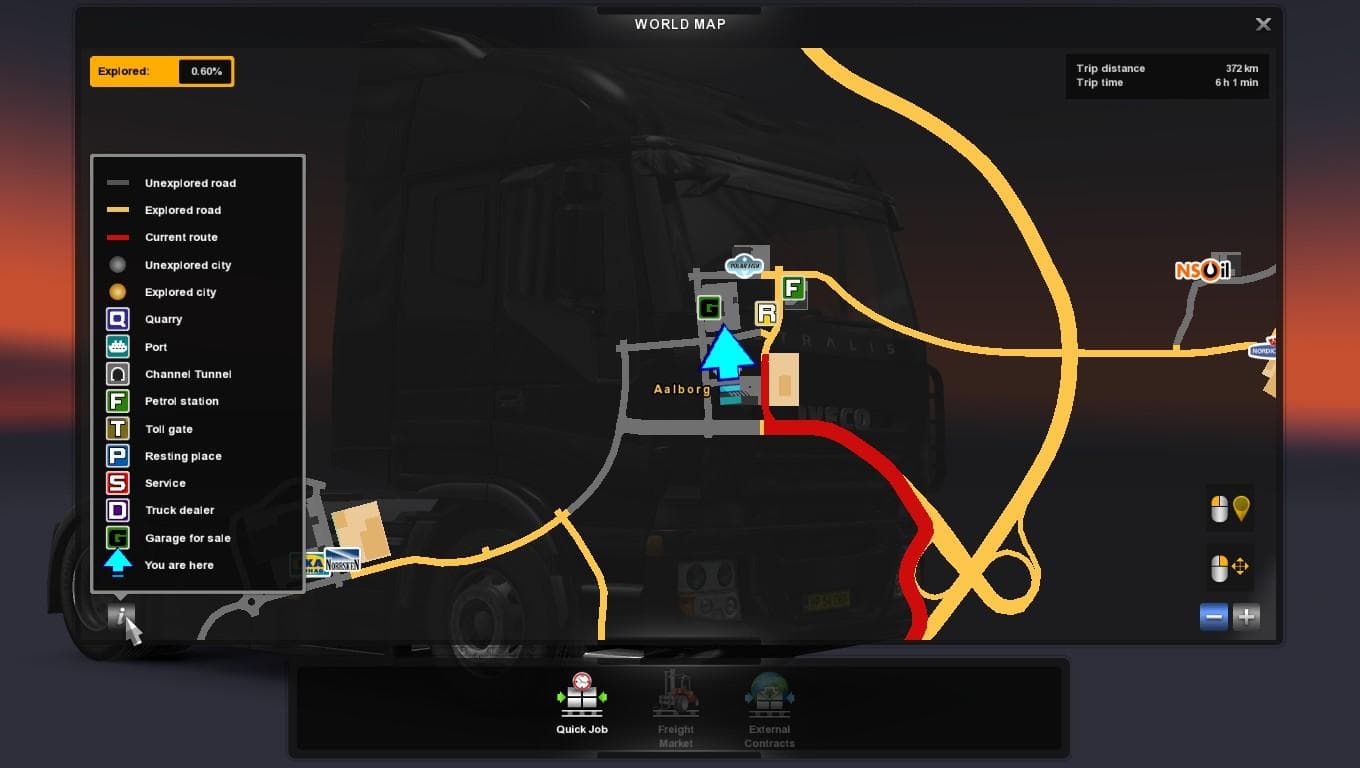
The "NEW MAP SYMBOLS FULL VERSION" mod for Euro Truck Simulator 2 adds new map symbols to the game. Created by Euro truck simulator 2, the mod credits Wotawally
This mod adds new icons to the in-game map, refreshing how various locations and points of interest are displayed. Map symbol mods like this one typically replace or expand the default set of icons you see on your GPS and world map, helping to identify places more clearly or add variety to the navigation experience.
Map-related mods often come as .scs files that you add to your mod folder. Because they affect how the game presents geographical data, their position in the load order can matter, especially if you run other map expansions or visual enhancers. It's wise to test compatibility with your existing setup since some symbols might overlap or conflict with those from other mods.
This particular mod fits well for players who enjoy customizing their driving environment beyond just roads and cities. It doesn’t change routes but tweaks the visual cues on the map interface, which can make exploration feel fresher without altering gameplay mechanics. Such mods usually work alongside large-scale map packs or regional DLCs without issues.
Drivers who spend a lot of time navigating unfamiliar territories might appreciate clearer or updated symbols that help distinguish landmarks and service points at a glance. While it’s a small tweak compared to full map expansions, it contributes to immersion by refining what you see on your screen while planning routes.
Since details about version support and compatibility aren’t specified, users should back up their profiles and experiment cautiously. If you rely heavily on multiple map mods or official DLCs like France or Germany expansions, consider checking forums for any known conflicts before adding this mod.
How to install
1. Download every .scs file from the source page (map mods often ship multiple files). 2. Copy all files to `Documents/Euro Truck Simulator 2/mod/`. 3. Enable each file in Mod Manager **in the order documented by the modder**. Load order matters for maps. 4. Start a new save or use an existing save that already supports the map's base regions.
After the mod loads, save your game inside a safe area (parking lot or service) before deciding whether to keep it. If the game refuses to load with the mod enabled, check that all required DLCs are installed and that the supported ETS2 version chips on this page include your installed game patch.
Known conflicts
No conflicts reported for this mod yet. Running a big mod list? Check your whole setup for conflicts →
Reviews
No ratings yetNo reviews yet — be the first to rate this mod.





