NEW ACTROS IMPROVEMENTS
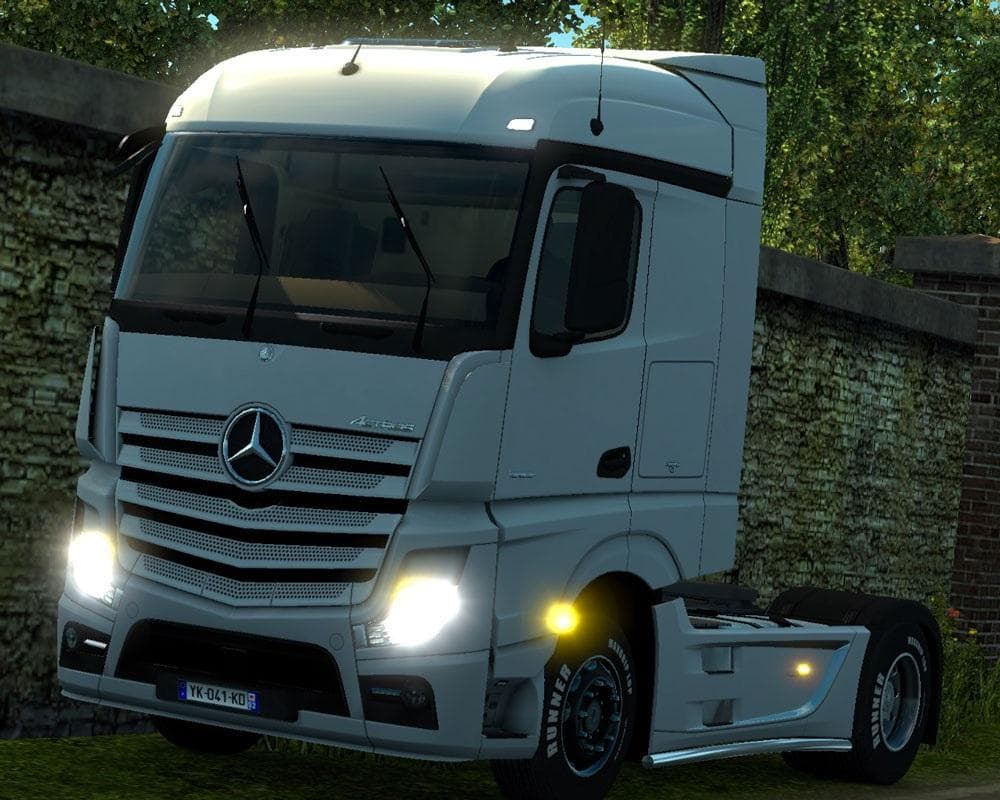
The "NEW ACTROS IMPROVEMENTS" mod for ETS2 focuses on enhancing the sound of the PowerShift3 gearbox, reducing the loudness of the "air blowout" during shifting
The NEW ACTROS IMPROVEMENTS mod brings enhancements specifically to the Actros truck in Euro Truck Simulator 2. It focuses on refining elements related to the truck's gearbox, particularly reducing the loud air blowout sound that typically happens during gear shifts. This adjustment aims to create a more subdued and realistic auditory experience when driving the Actros with its PowerShift3 gearbox.
Parts mods like this one generally add or tweak accessories and functional components within the truck customization menu. While many parts mods offer visual flair such as bull bars, lights, or interior items, some also adjust mechanical aspects or sounds to better mirror real-world behavior. Mods targeting a particular truck model, like this one for the Actros, fit naturally into setups where players want more authenticity or specific tuning options for their favorite rigs.
When using parts mods that affect sounds or gearbox characteristics, it's wise to consider how they interact with other tuning or sound mods. Load order can sometimes matter; generally, mods altering audio should be loaded after general parts packs to avoid conflicts. Since this mod deals mainly with gearbox sound reduction, it should integrate well alongside other Actros-focused mods or larger tuning collections without much hassle.
Drivers who prefer a quieter shifting experience on their Actros will find this mod useful. It’s especially relevant for those who prioritize immersion and subtle details in their simulation runs. Players customizing an Actros-heavy garage might appreciate these refinements as part of a broader effort to tailor their trucks closer to real-life counterparts.
How to install
1. Download the file(s) from the original source linked above. 2. Drop them into `Documents/Euro Truck Simulator 2/mod/`. 3. Enable in Mod Manager and restart the game.
After the mod loads, save your game inside a safe area (parking lot or service) before deciding whether to keep it. If the game refuses to load with the mod enabled, check that all required DLCs are installed and that the supported ETS2 version chips on this page include your installed game patch.
Reviews
No ratings yetNo reviews yet — be the first to rate this mod.