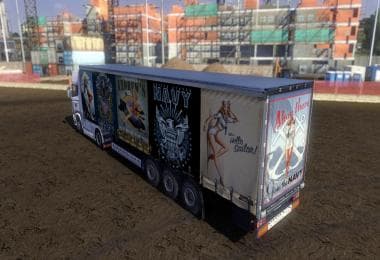
MULTI-COLOR STRIP SKIN
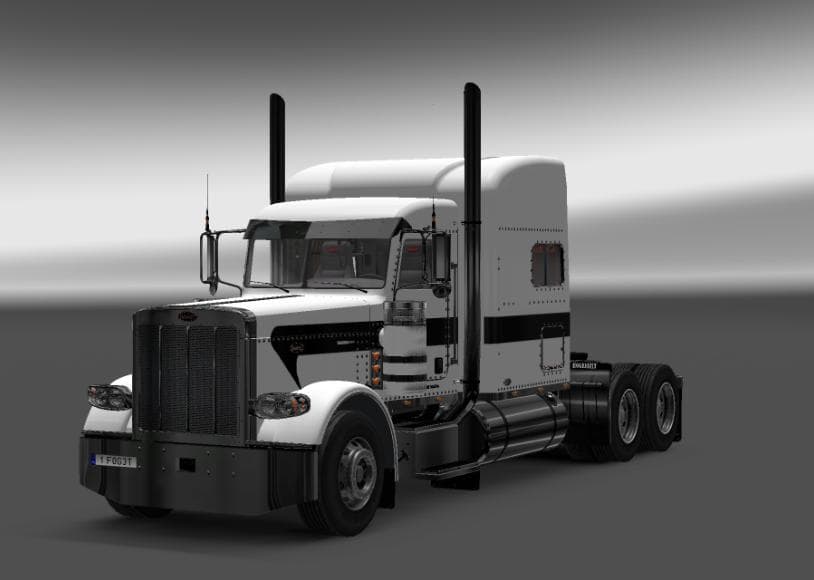
This mod is a skin for the Peterbilt 389 in ETS2 version 1.21, allowing players to customize the base color and strip color. Created by Euro Truck Simulator 2,
The MULTI-COLOR STRIP SKIN is a repaint mod designed specifically for the Peterbilt 389 truck in Euro Truck Simulator 2. It allows players to customize both the base color and the color of the strip on the vehicle, offering a personalized look without altering the truck's model. This type of skin mod works by applying new textures in the paint shop, changing how the truck appears in-game while keeping its original shape and features intact.
Skin mods like this one are popular among ETS2 players who want to add variety to their fleet or tailor their trucks to their preferences. Since it only modifies the texture, it usually loads easily alongside other mods that don't change the base vehicle model. Players should ensure that skins are compatible with their game version; this particular mod supports ETS2 version 1.21.x, so using it with significantly newer versions might cause issues.
In a modded setup, skin mods generally come after map or gameplay mods in load order because they mainly affect visuals and don't interfere with core mechanics. It's also important to match skins to the correct truck model; applying a Peterbilt 389 skin to another truck won't work as intended. Users often keep multiple skins handy for variety and switch between them depending on mood or roleplay scenarios.
This mod suits players who enjoy customizing their trucks beyond factory colors and want more control over design details like strip colors. It's also handy for those building themed fleets or creating unique profiles for streaming and screenshots. Since it's focused on appearance, it fits well into setups that prioritize visual customization without complicating gameplay.
Because this skin targets a specific truck model and game version, players should verify compatibility before installation. Skins like these are usually installed by placing files into the mod folder and activating them through the game's mod manager interface. Once active, you can select them at any dealer's paint shop where that truck is available.
How to install
1. Download the .scs file. 2. Drop it into `Documents/Euro Truck Simulator 2/mod/`. 3. Enable in Mod Manager. 4. Apply the skin in the truck/trailer paint shop.
After the mod loads, save your game inside a safe area (parking lot or service) before deciding whether to keep it. If the game refuses to load with the mod enabled, check that all required DLCs are installed and that the supported ETS2 version chips on this page include your installed game patch.
Reviews
No ratings yetNo reviews yet — be the first to rate this mod.